Each rule in Back Office › Discounts & Promotions › Suggestive selling › Rules is edited on four tabs: Trigger, Schedule, Offers and Advanced. Every change saves as you make it.
The header
- The rule name, and the Enabled / Disabled switch: a disabled rule never fires.
- Description — free text; the rule list search looks at it too.
- Priority — when several rules could fire at the same moment, the highest number wins and the rest stay silent.
- Tags — labels picked with Add Tag. A program can count the offers of every rule with a tag (Performance programs and contests); tags don’t change when a rule fires.
- Delete — removes the rule.
Trigger
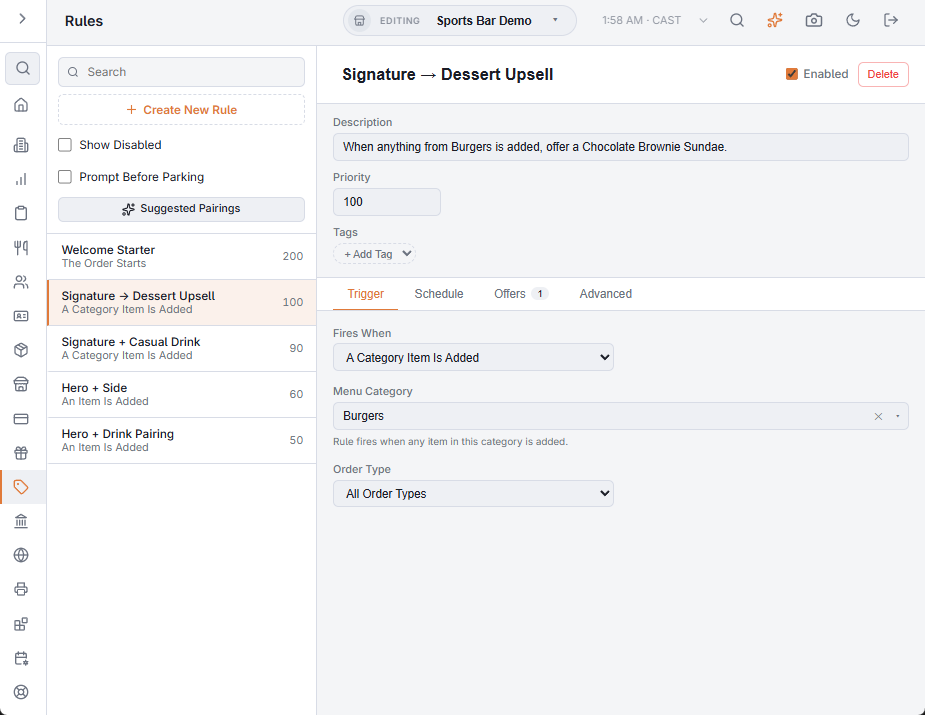
- Fires When — An Item Is Added (pick the Menu Item), A Category Item Is Added (pick the Menu Category; any item in it fires the rule), or The Order Starts (once per order, on the first screen). The item and category boxes search the regular and bar menus as you type. A rule saved earlier with a trigger that is no longer offered still shows it, marked Stub, with a note that rules of this type don’t fire; pick one of the three above.
- Order Type — one order type, or All Order Types.
Schedule
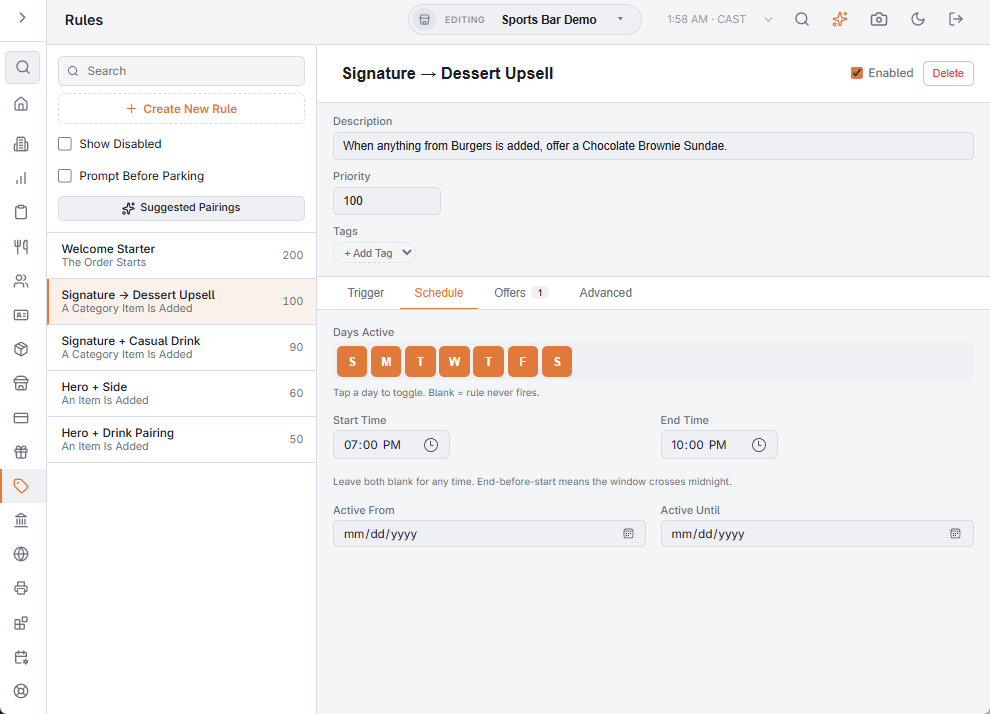
- Days Active — tap a day to switch it; with no day on, the rule never fires.
- Start Time and End Time — leave both blank for any time; an end before the start runs past midnight. Store time.
- Active From and Active Until — optional dates, for limited-time promotions.
Offers
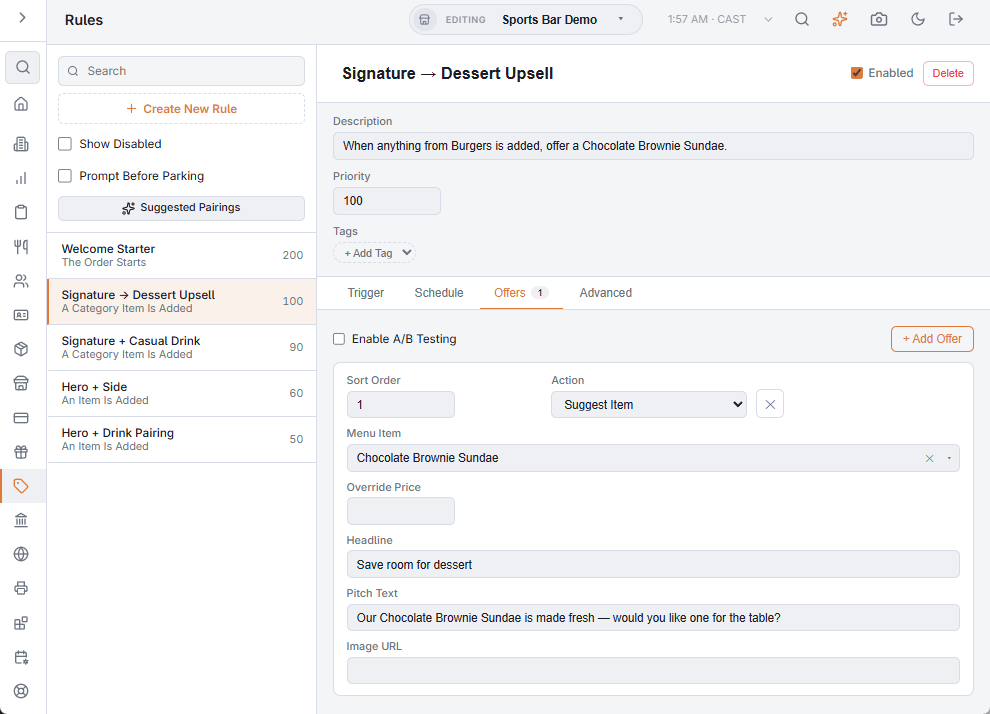
An offer is what the server (or the online guest) sees. Add Offer adds one; the ✕ removes it. Without A/B testing, the first offer by sort order is shown. Enable A/B Testing is described in A/B testing offers.
- Sort Order — the lowest number is the offer shown.
- Variant — A or B; shown only with A/B testing on.
- Action — Suggest Item: offers the menu item as an add-on. An offer saved earlier with another action still shows it, marked Stub.
- Menu Item — the item added to the order when the offer is accepted.
- Override Price — optional; the price the item gets when it is added from this offer, instead of its menu price.
- Headline — the short line on the suggestion, for example “Add fries for $2”.
- Pitch Text — the longer line for the server, worded the way you want it said.
- Image URL — an optional picture, shown with the offer on the online store.
Advanced
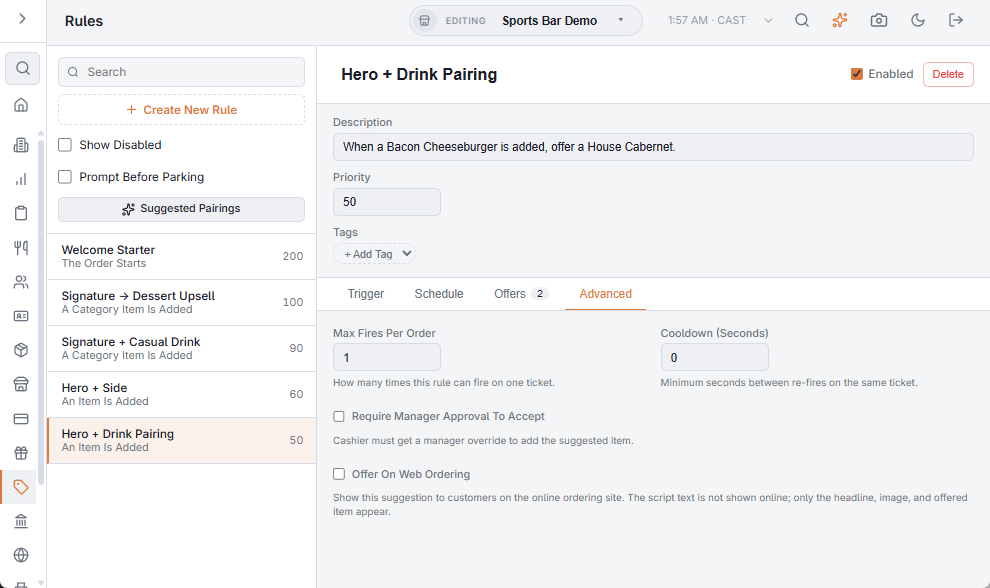
- Max Fires Per Order — how many times this rule can make an offer on one order (1 to 10). An offer the server hasn’t answered yet doesn’t use up the limit.
- Cooldown (Seconds) — the least time between two offers from this rule on the same order, so servers aren’t asked on every item.
- Require Manager Approval To Accept — adding the suggested item needs a manager override; useful with an override price.
- Offer On Web Ordering — the rule also makes its offer to guests on the online store. Online guests see the headline, the image and the item, never the pitch text. Results online count in the same reports.