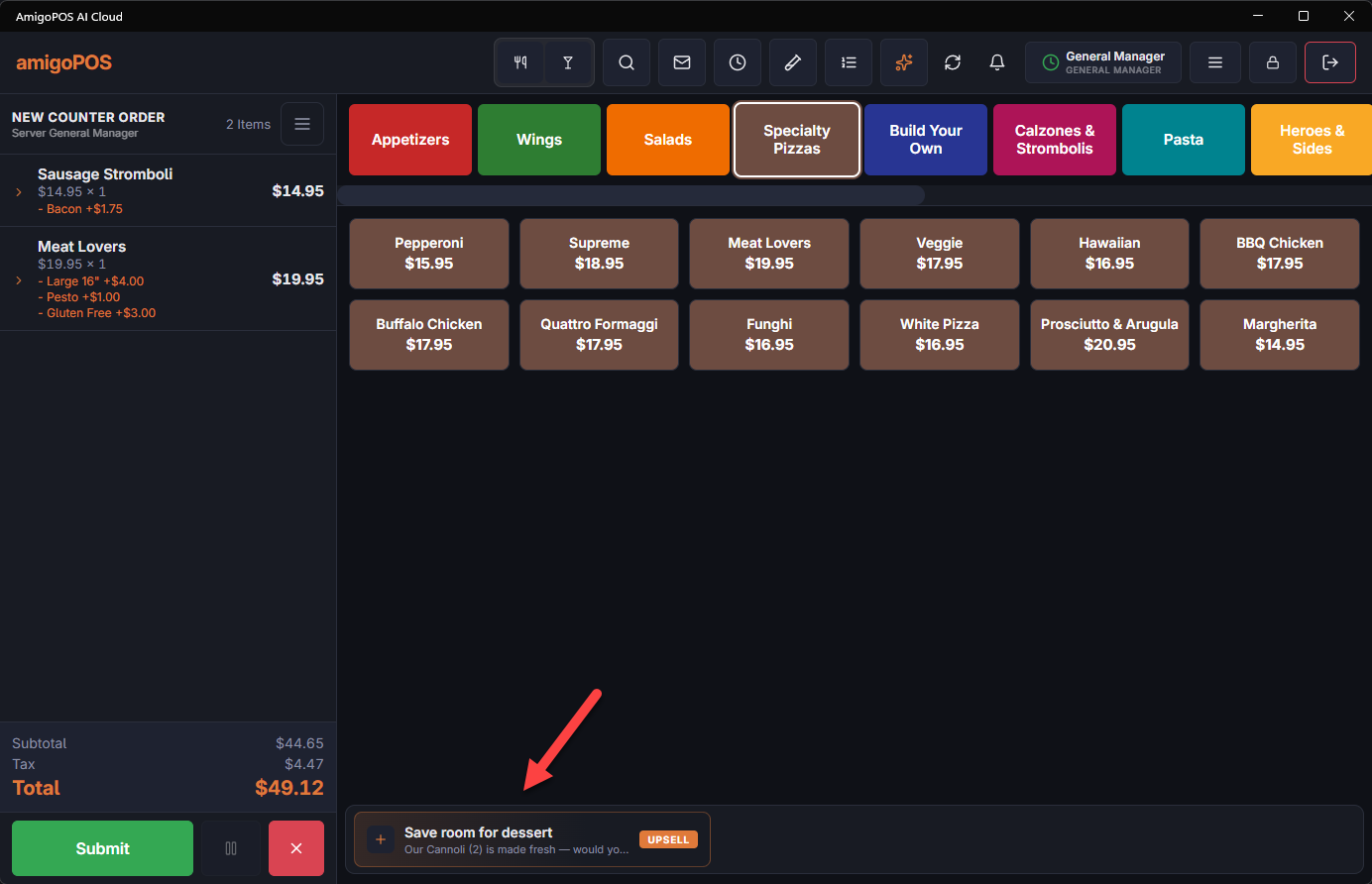
Suggestive selling shows the server a timely offer while an order is being built — “Add garlic knots?” when a pizza is added — and, if you choose, shows it to guests ordering online. It is set up under Back Office › Discounts & Promotions › Suggestive selling: Rules decide when to offer what, Programs turn accepted offers into staff goals with rewards, Payouts tracks the rewards earned, and Reports shows how offers perform.
How an offer is picked
- When an item is added, or an order starts, every enabled rule with a matching trigger is a candidate.
- Candidates are checked in Priority order, highest first. The first one that passes its order type, schedule, per-order limit and cooldown is shown; the rest stay silent for that moment.
- The rule presents one of its offers: the first by sort order, or variant A or B at random when A/B testing is on.
- Each time an offer is shown, the system records it, and records whether it was accepted, dismissed or ignored. Those records feed Suggestive reports and the staff Performance programs and contests.
At the register
Offers wait on the suggestion bar of the order screen. With Prompt Before Parking on (on the Rules page), a new offer opens in a dialog as soon as it fires; closing it without adding the item leaves it on the bar as usual. See Suggestive offers at the register.
Start with Suggestive-selling rules, or let your sales suggest rules with Suggested pairings.