Once a table is linked to its timed item (Linking tables to timed items), the game can start from wherever the party is seated.
From the table: Start Timer
- On the floor plan, before starting an order, tap the free pool table.
- The table panel shows a Start Timer section with one orange button per linked item and its rate.
- Tap the button. The POS opens an order on that table with the store’s default order type and the timer is running.
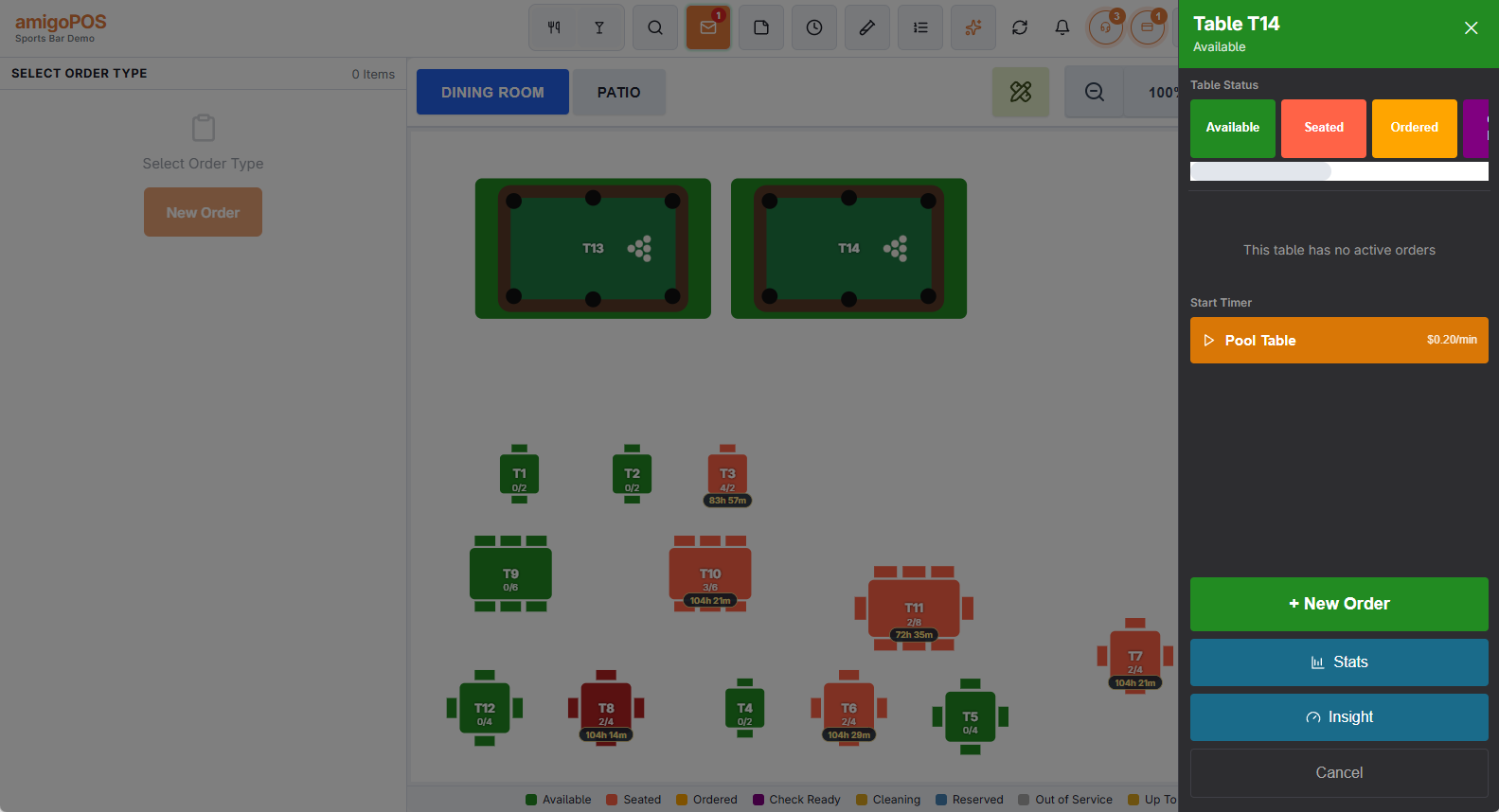
If the store has no default order type, the order type picker opens first. After you choose, the order is seated at the table and the time-based menu opens with the table’s items — tap one to start.
After seating: the time-based menu opens by itself
Seat a party at a timed table the usual way — order type first and then the table, or a table first. As soon as the order is seated there, the menu switches to the time-based view showing only that table’s items, with the message Tap The Item To Start The Timer. Tap the item and confirm.
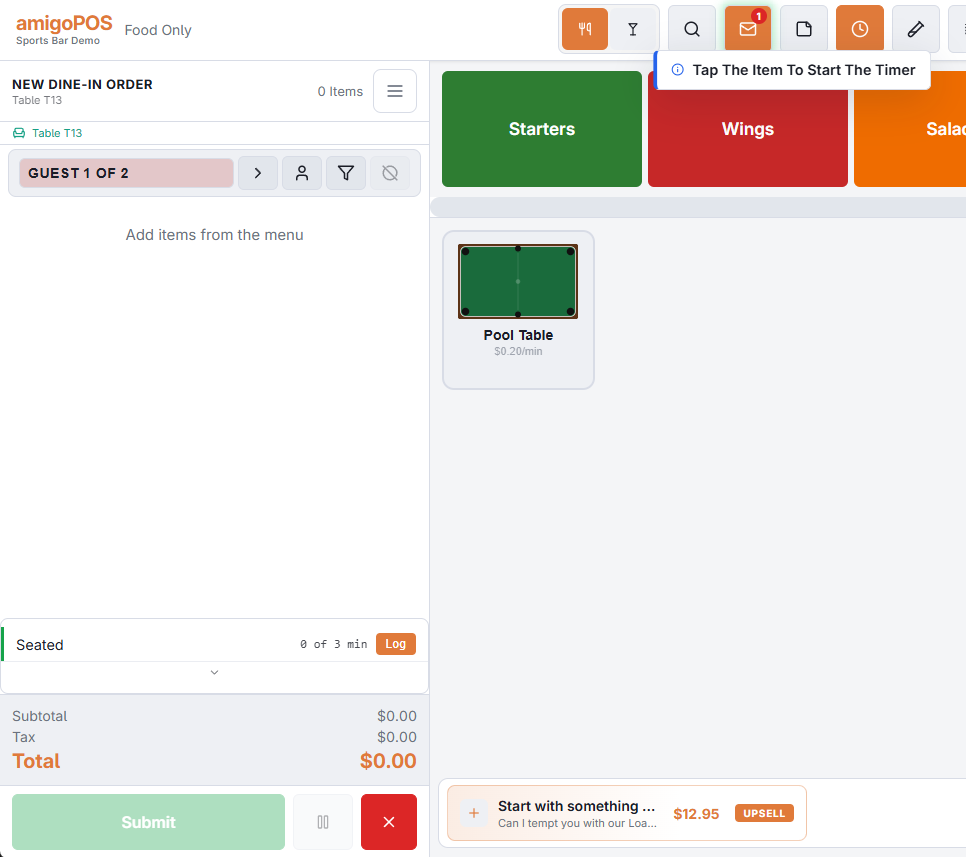
- It is an offer, not a pop-up. Ring drinks first if the guests are not ready to play; the item stays one tap away under the timer button.
- It does not appear if the order already has that table’s timer running, for example when you move a party back to its own table.
- A guest-count prompt can open at the same moment. Answer it; the time-based view is underneath.
Seating a reservation
Seating a booked party from the reservation book at a timed table works the same way: the order opens at the table and the time-based view offers the table’s items.
After the timer starts
- The check shows the timed line with a clock, the time played and the charge so far.
- The floor plan shows a small timer pill on the table with the time and charge.
- If the table has a light, it turns on.
- Running the game from here — pausing, adding players, stopping — is covered in Time-based items at the register.