When the menu has time-based items, a timer button appears in the order-entry top bar (also More › Time based). A badge on it shows how many timers run on this order. Games usually start straight from the table — see Starting a game from the floor plan; this page covers what happens on the check.
Starting a timer from the menu
- Tap the timer button. The menu switches to the time-based view: one tile per timed item with its rate.
- Tap the tile and confirm Start timer.
- The item lands on the check as a live line.
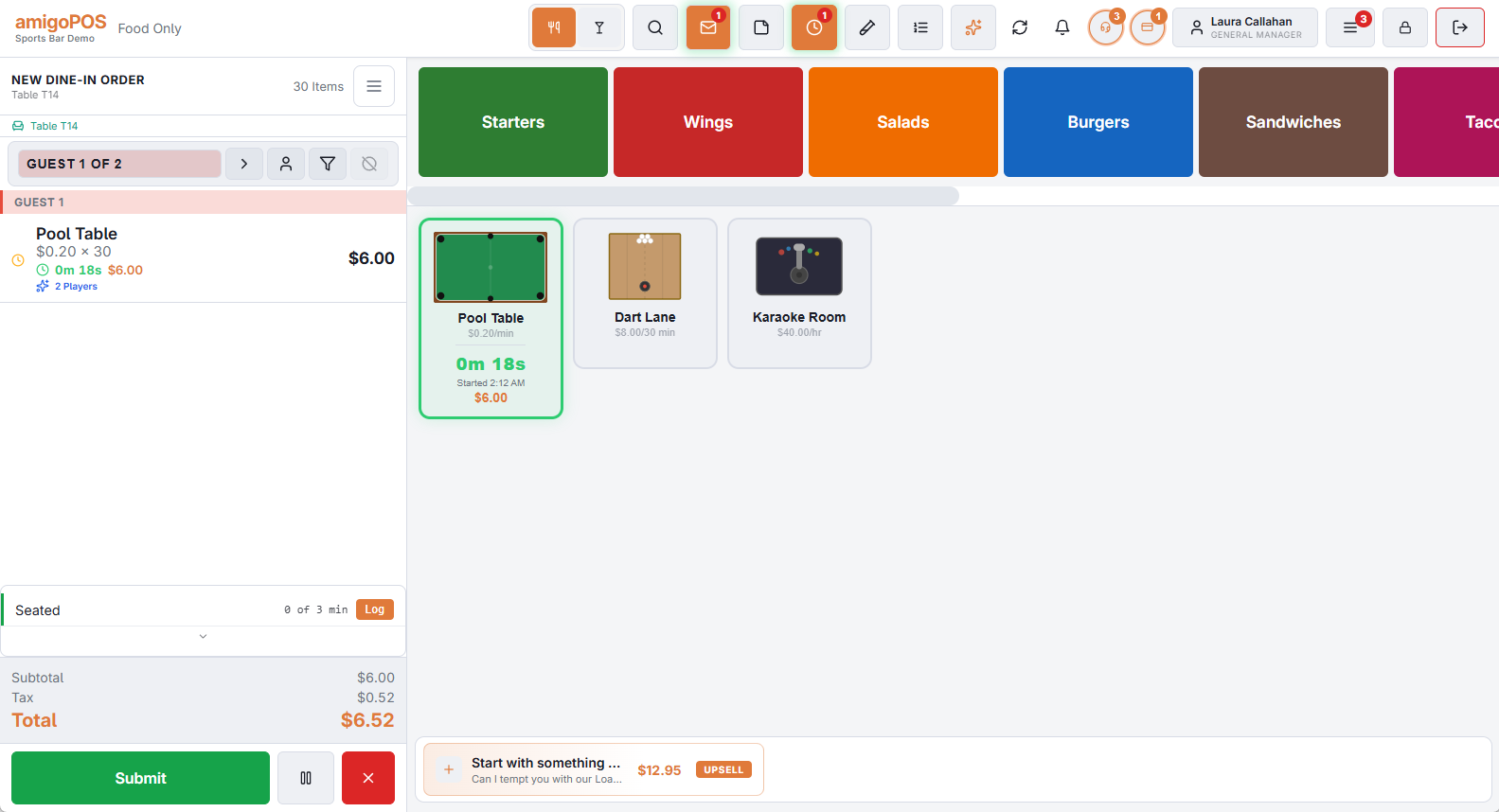
Reading the live line
- A clock with the time played, and the charge so far — both update every second.
- The quantity is the number of intervals billed so far; it never drops below the minimum.
- A label under the line when a price rule or player count applies (Happy Hour, 3 Players).
- ⏸ in front of the clock when the timer is paused.
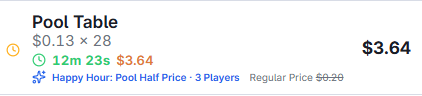
Pausing and resuming
Tap the line to open the item panel and use Pause Timer — for a break, a phone call, a lane being fixed. The clock and the charge stop; the line shows ⏸. Resume Timer carries on from where it stopped: paused time is never billed. The table’s light, if it has one, stays on.
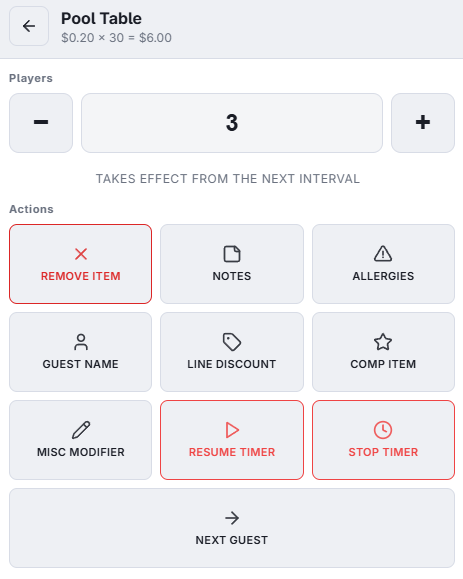
Players
For items with an extra-player price, the item panel shows a Players stepper instead of Quantity. A change counts from the next interval — see Charging by number of players. For other items the quantity cannot be edited while the timer runs: it is set by the clock.
Stopping
Tap the tile again in the time-based view, or use Stop Timer in the item panel, and confirm. The quantity freezes and the line becomes a normal line: it can be discounted, comped or split like any other.
Settling
You do not need to stop timers yourself before paying: whenever you settle an order with running timers, the POS asks to stop them first and bills them to that second. See Settling, splitting and combining timed checks. Splitting and combining wait until the timers are stopped.
Common questions
- Started the wrong item? Stop the timer, then remove the line as usual.
- Guests moved tables? Stop the old table’s timer and start the new one; both lines stay on the check.
- Why two lines for one game? The rate changed mid-game — happy hour started or ended, or a player was added. That is expected.
- Does the timer run while the order is parked? Yes. Recall it and the charge is current.