A new station, KDS or Print Agent joins the store with a one-time activation code generated in Back Office › Hardware & Printing › Registered Devices.
When a code is rejected
- It expired. Codes are deliberately short-lived — the expiry is shown when you generate one. Generate a fresh code rather than retyping the old one.
- It was issued for a different role. A code is generated for POS, call centre, KDS or Print Agent. A KDS code will not activate a till.
- It was issued for a different store. On a multi-store account, check the store shown on the code.
- It was already used. Each code activates one device.
The device name is taken
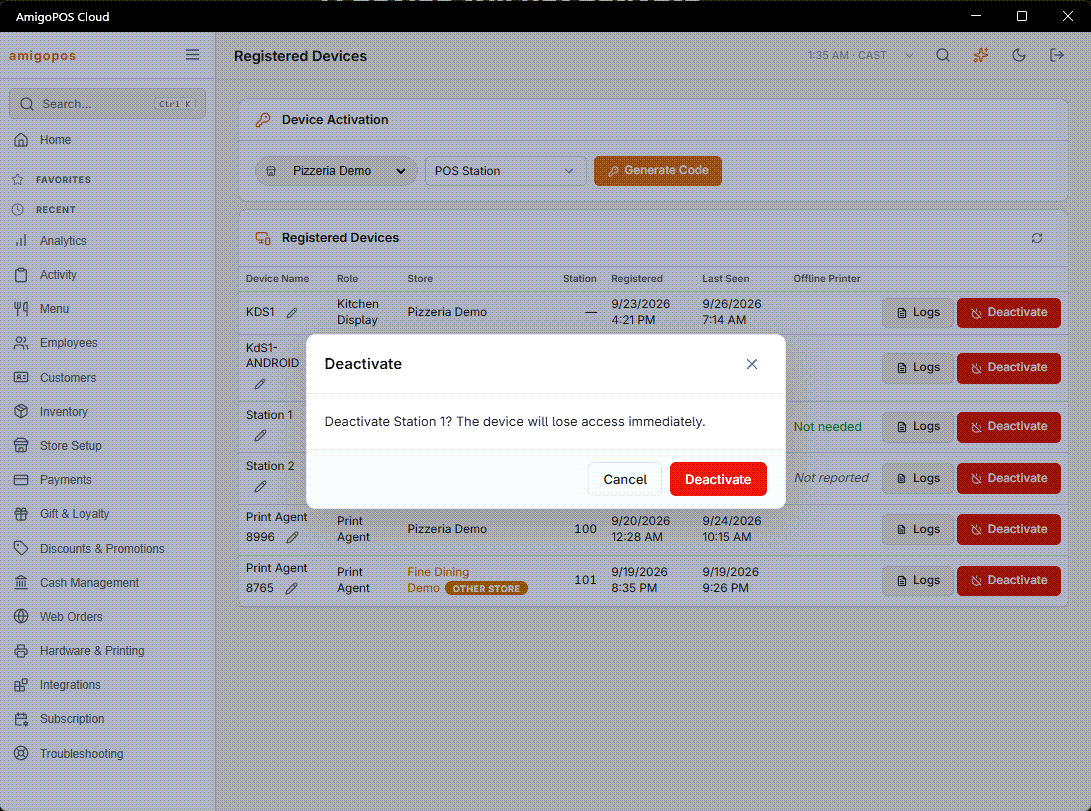
Device names are unique within a store. If the name is refused, a device with that name is already registered — usually the machine being replaced. Deactivate the old entry in Registered devices first, or give the new one a different name.
Replacing a station
Use Replace on the old register’s row in Registered Devices instead of deactivating it first. The code it gives hands the station number, the name and the printer setup to the new device, and deactivates the old one in the same step; see Replacing a register. A kitchen display or a print agent is still deactivated first and then activated again with a new code.
When the code cannot be generated
If the kind of device you need is greyed in the role list — No Station Free, No Display Free, Not In Plan or No Seats Free — the store has no room left for it. See Activation codes and device limits for what each one means and how to make room.
A code can also be turned down at the device for the same reason, when the last free place was taken in the minutes between generating the code and typing it in. Generate a new one once there is room.