The assistant covers the same payroll and tip-pool work as Back Office › Payroll.
Ask
- “Summarize last week's payroll: hours, overtime, labor cost and tips per employee.”
- “Which pay periods are locked?”
- “What did the tip pool give each person yesterday?”
- “What are our tip pool rules?”
Change
- Lock a pay period — no punch in it can be changed afterwards. Locking needs the Reports right; unlocking also needs the Employee Editor right.
- Paid holidays — add or change one (name and pay multiplier, 1 to 5), remove one, or copy one year's holidays to the next. A day in a locked pay period is refused: unlock the period first.
- Tip pool rules — turn a rule on or off, or change the share pooled and kept.
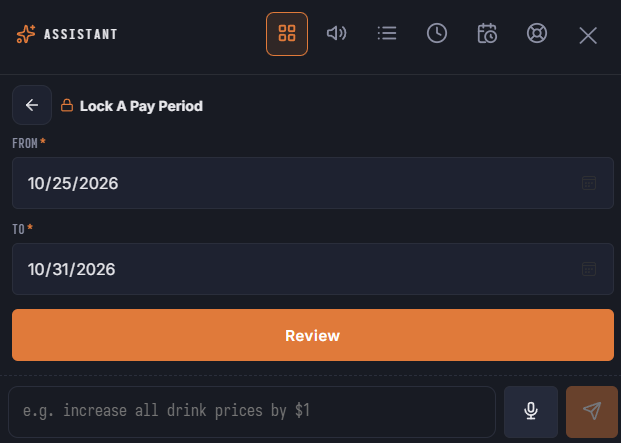
The default dates for Lock A Pay Period are last week by business day, so before the day starts (for example at 2 AM) the period never ends on the day still open.
In the launcher
The Payroll And Tips area has Lock A Pay Period, Add A Paid Holiday, Turn A Tip Pool Rule On Or Off, Last Week's Payroll and Yesterday's Tip Pool.
See Payroll period report and exports, Locking a pay period, Paid holidays and Tip pooling and tip-outs.