The Safe screen follows cash after it leaves a drawer. Every cash drop recorded at the register goes into the safe and stays there until someone records the bank deposit that took it away. Open it with the Safe button in the box at the top of Back Office › Cash Management › Cash Drawers.
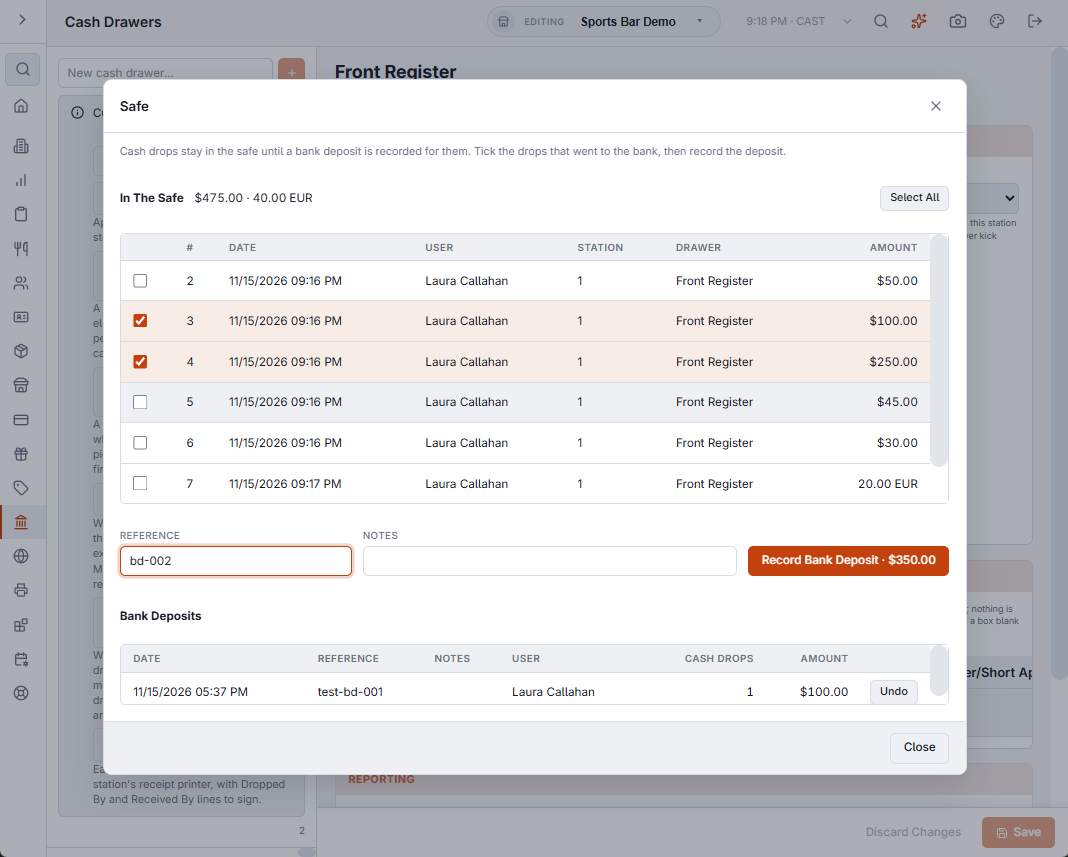
In The Safe
The top list holds every cash drop that has not been deposited, oldest first: the drop number, when it was made, who recorded it, the station, the drawer and the amount. The figure next to In The Safe is the total, with one figure per currency when the store takes more than one. With nothing waiting it reads The safe is empty.
Recording a bank deposit
- Tick the drops that are going to the bank, or use Select All. Clear unticks them.
- Type the bank slip number in Reference (up to 60 characters) and anything worth adding in Notes (up to 200). Both can be left empty.
- Select Record Bank Deposit. The button shows the total of the ticked drops; check it against the cash in the bag first.
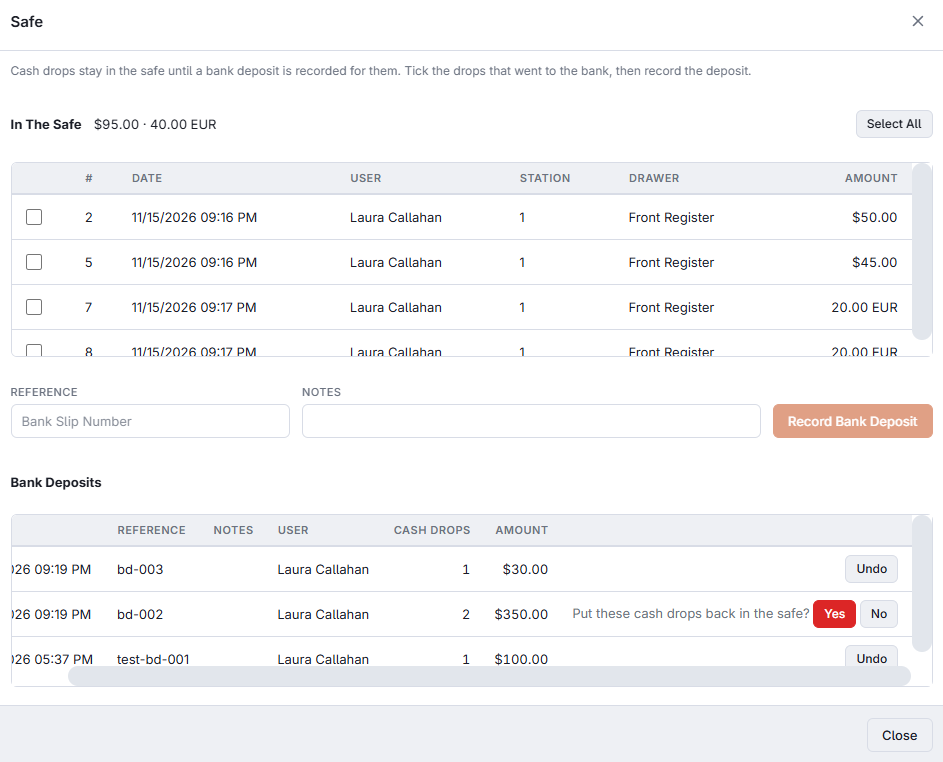
The ticked drops leave the top list, and the deposit appears under Bank Deposits with its date, reference, notes, who recorded it, the number of drops and the amount.
Bank Deposits
The lower list shows the deposits of the last 90 days. Undo on a row asks Put these cash drops back in the safe? Yes returns its drops to the top list — for a deposit recorded by mistake, or with the wrong drops.
What the safe does not hold
- Cash taken out of a drawer at a drawer reset. Only cash drops go into the safe; record a drop before the reset for cash that is going there. See Cash drops to the safe.
- Drops made before the Safe screen existed. They count as already deposited, so the safe starts empty.
- Voided drops.
On the End of Day report
Once the safe has been used, the End of Day slip, its PDF and the Back Office report carry a Safe block: In The Safe, with the number of drops waiting, and Bank Deposits, what went to the bank since the last End of Day, per currency. See The end-of-day report.
Who can use it
The Safe needs the Manager Screen permission or the Back Office Configuration permission. A deposit is saved under the name of the person signed in. See Cash-drawer permissions.