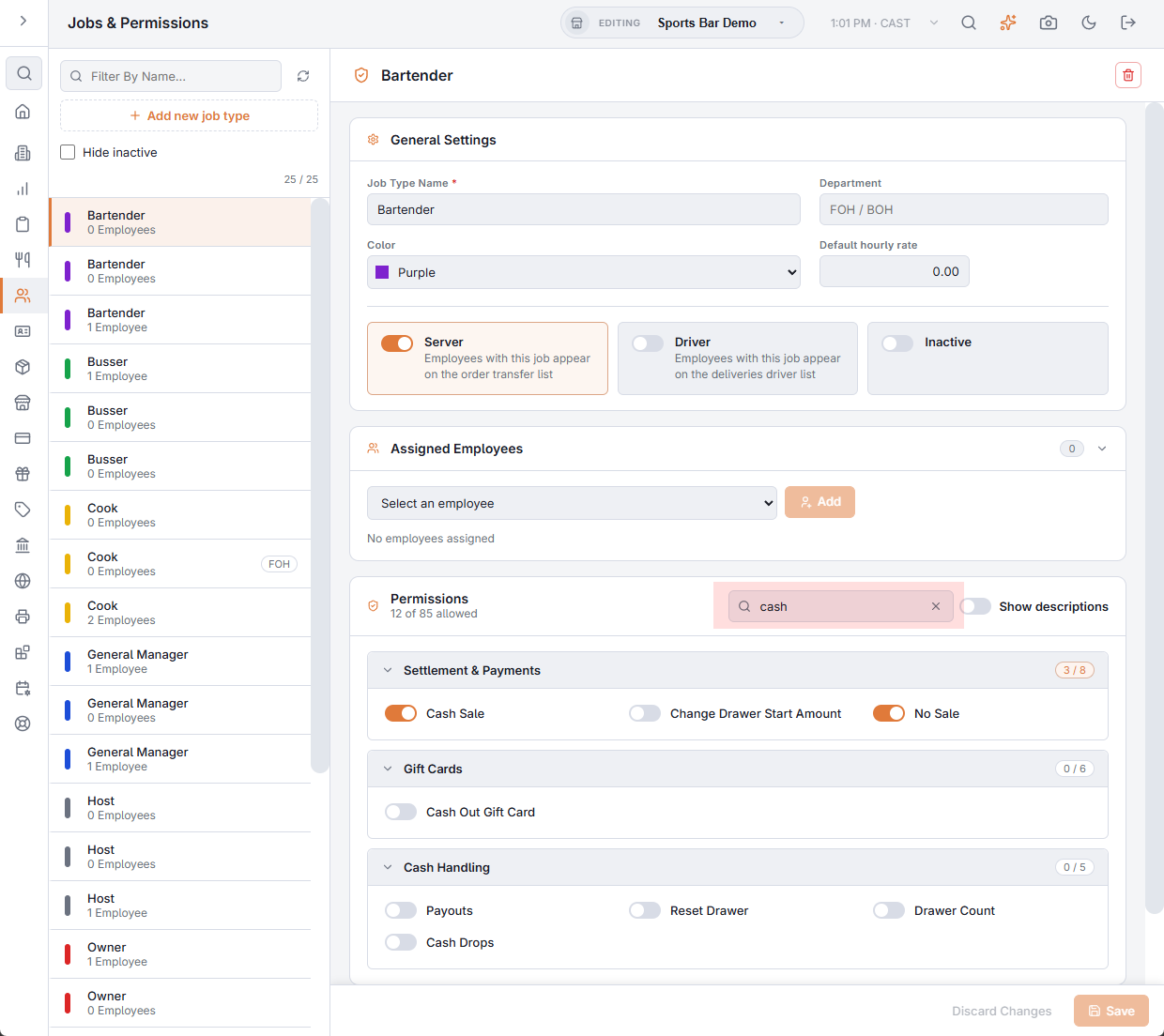
What a person may do with cash drawers is set on their job, at Back Office › Employees › People › Jobs & Permissions. This is the map of the permissions that matter for drawers and where each one applies. See also Jobs, roles, and permissions.
Taking cash
- Cash Sale and Settle Orders (Settlement & Payments group) — together they let a job take cash payments. Only jobs with both are asked to pick a drawer at clock-in when Assign cash drawers is on.
- No Sale (same group) — opens the drawer with No Sale without a manager. Without it, a manager approves after the reason is picked. If the approval is refused, the drawer stays shut and No Sale could not be completed. shows. No Sale is the only way to open the drawer without a sale; there is no separate switch for it.
- Change Drawer Start Amount (same group) — changes a drawer’s start amount on the register’s Cash Drawers screen, and answers the start-amount prompt after a reset. Without it, a manager approves; Skip on the prompt leaves the amount as it is.
The Cash Handling group
| Permission | What it allows |
|---|---|
| Payouts | Paying cash out of the drawer with Payouts. Without it a manager approves; a job with Manager Screen needs no approval. |
| Reset Drawer | Resetting a drawer on the register’s Cash Drawers screen, also when it is opened with Reset Here from End Of Day or the Pre-EOD Summary. Without it, a manager approves just before the reset is saved, after the count. |
| Drawer Count | Taking over a drawer that is in use, needs a count or is pending hand-off, without counting first; dismissing drawer alerts; approving a count that is past its over/short approval level; clearing a pending hand-off on Drawer States; and seeing the cash in the drawer and alert amounts when Blind Drawer Count is on. |
| Cash Drops | Recording a cash drop on More › Cash Drops, and voiding one there. Without it, a manager approves. Voiding a drop in Back Office needs Void Records instead. |
| Banking | Seeing other employees’ banked shift figures in Employee Banking at the register, and voiding an employee deposit there or in Back Office. Manager Screen also allows the void, and in Back Office so do Void Records and Delete Records. |
The manager part of the More menu
Manager Screen (Manager Screen group) shows the manager section of More: Cash Drawers, Drawer Spot Count, Drawer States, Cash Drops, Drawer Activity Log, Variance Report and Employee Banking. Someone with it can count any drawer without claiming one. Resetting a drawer, recording a drop and changing a start amount still follow Reset Drawer, Cash Drops and Change Drawer Start Amount: a manager whose job lacks one of them is asked for another manager. Each action is recorded under the name of the person who did it.
Manager approval
When an action needs a permission the person does not have, the register asks for a manager’s approval on the spot. The approving manager needs the same permission and Override. The approval is recorded with both names; see Permission overrides and override log.
No Sale, Change Drawer Start Amount, Reset Drawer and Cash Drops are checked again when the register saves the action, so the approval cannot be skipped from another device. An approval lasts 5 minutes.
More places the permissions apply
- Paid In — adding cash to a drawer follows Payouts, like a payout.
- Safe — opening the Safe screen, recording a bank deposit and undoing one need Manager Screen or the Back Office Configuration permission. See The Safe and bank deposits.
- Setting drawers up — adding, editing and deleting drawers and their levels, and the payout reason and recipient lists, need the Back Office Configuration permission.
- Enforce Count And Drop Levels — a job with Drawer Count takes cash without being stopped, and with Override can approve a cash payment for someone else.
- End of Day — running End Of Day needs the End of Day permission or a manager’s approval, checked again on the server when the day is closed.
- Opening the drawer — each opening is logged with what it was for (sale, No Sale, payout, paid-in, reset, gift card cash-out, test), and the server checks the permission behind that action.