A cash drop records cash taken out of the till and put in the safe during the shift, so the drawer’s expected cash goes down by exactly what left. Drops are recorded at the register with More › Cash Drops, in the manager section.
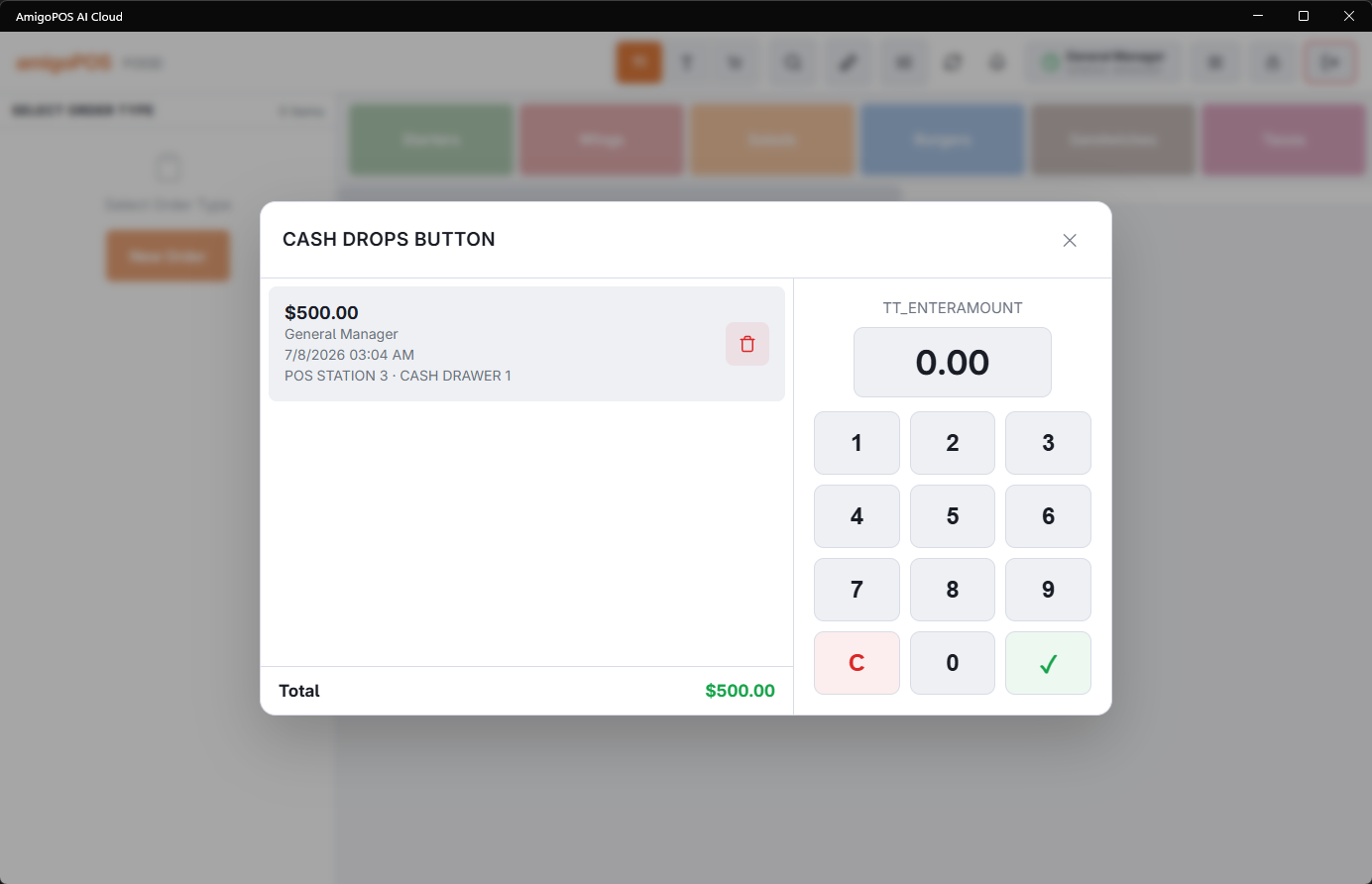
Recording a drop
- Open More › Cash Drops. The station needs a drawer in use; without one the register says so.
- Check the drawer under Cash Drawer: it is the drawer in use on the station, shown by its name.
- When the store takes more than one cash currency, pick the Currency.
- Type the amount on the keypad — it fills from the right, so 2, 0, 0, 0, 0 is 200.00 — and press ✓. A zero amount shows Invalid amount.
The drop is recorded against the drawer in use on the station, also when that drawer is shared with other stations, under your name, and the drawer does not open. It appears at once in the list on the left.
Recording a drop, and voiding one here, needs the Cash Drops permission. Without it, Manager Override Required asks a manager to approve before the drop is saved or voided. Voiding a drop in Back Office needs Void Records instead.
The list
The list shows the current business day’s drops: amount (a drop in another currency shows with its code, for example 12.00 EUR), who recorded it, when, and the station and the drawer’s name. Total adds them up per currency. With none yet it reads No cash drops for the current business day.
A mistaken drop can be voided with its delete button, after Delete Cash Drop asks you to confirm. The drop leaves the list, its amount goes back into the drawer’s expected cash, and the drawer’s alerts are worked out again. It is kept as voided in Back Office › Activity › Cash Logs › Cash Drops.
Once a drop is part of a drawer reset it shows a lock and can no longer be voided here. Back Office can still void it; the amount is then not put back, because the reset already started the drawer’s expected cash over. See Cash logs in Back Office.
Where drops show
- The drawer’s expected cash in that currency goes down by the drop, so spot counts and the reset expect less.
- A Drop required alert clears right after a drop that brings the drawer back under its Mandatory drop at level. The drawer badge’s Drop button for such an alert opens Cash Drops. See Mandatory count and mandatory drop thresholds.
- Each drop is a Drop line in the Drawer Activity Log, prints on the drawer reset report and counts in the End of Day.
The drop slip
Each saved drop prints a slip on the station’s receipt printer: the store’s name, Cash Drop, the time, the drop number, the amount (with the currency when it is not the store’s own), the station, the drawer and who recorded it, then a Dropped By and a Received By line to sign. Put it in the bag with the cash.
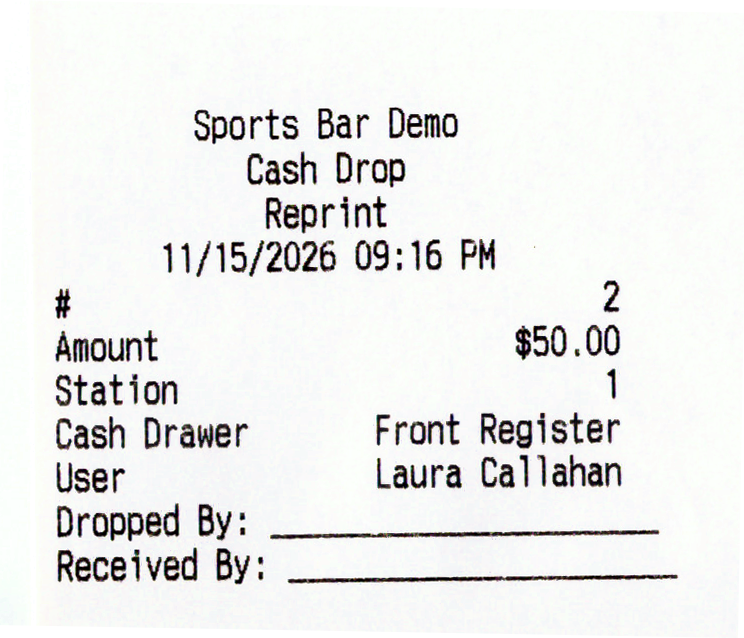
- The printer button on a drop in the list prints its slip again, marked Reprint.
- The slip prints while Print Cash Drop Slip is on, at Back Office › Cash Management › Cash Drawers. It is on by default.