A payout records cash taken out of the drawer to pay for something — a delivery paid on arrival, emergency supplies. Recording it keeps the drawer’s expected cash right and gives the bookkeeper a list of cash expenses with reasons. Payouts are made at the register with More › Payouts.
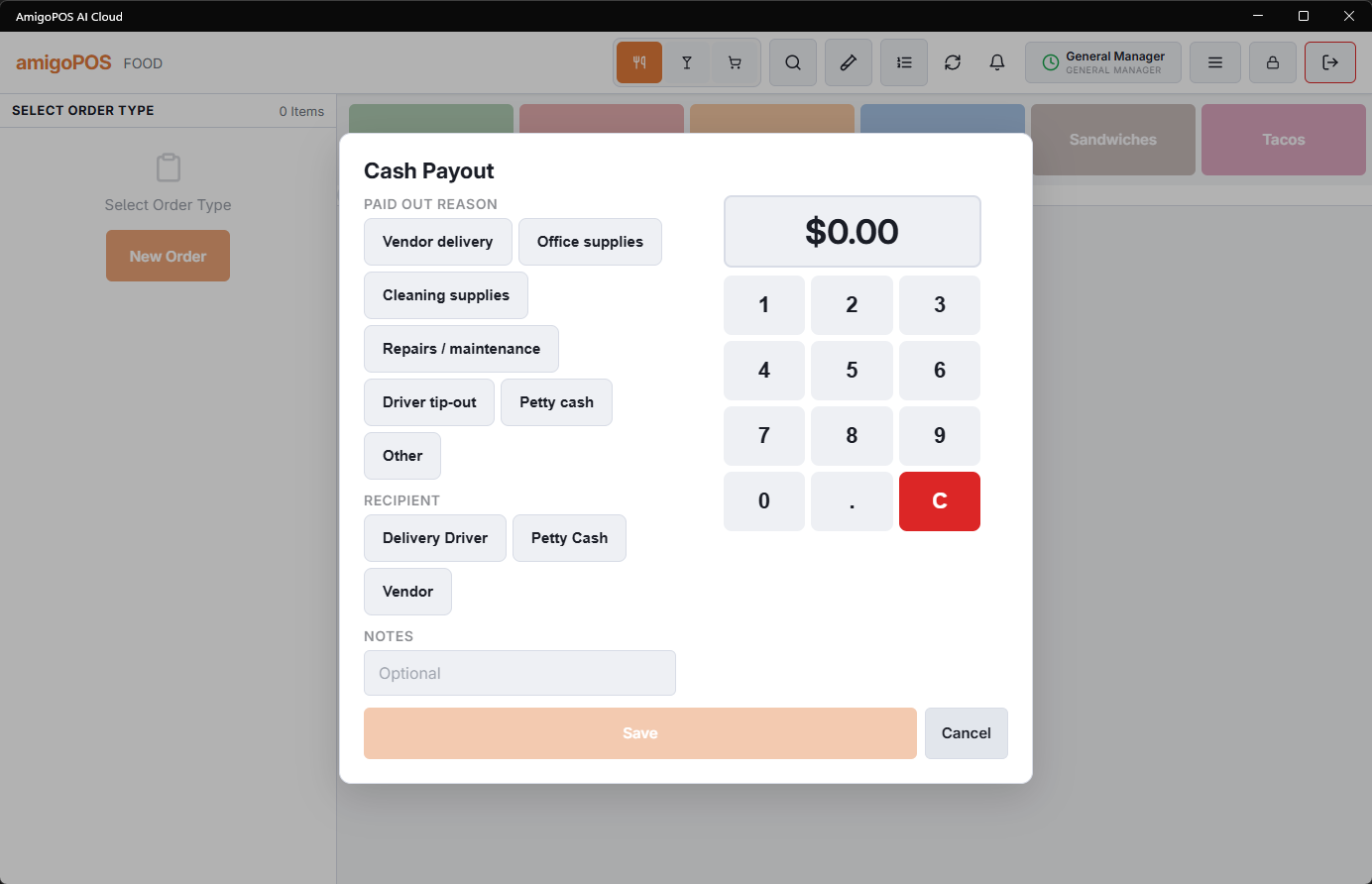
Making a payout
- Open More › Payouts. The station needs a drawer in use, and a connection: offline it shows Not Available While Offline.
- In Cash Payout, pick a Paid Out Reason and a Recipient.
- Add Notes if you want, such as the invoice number (optional, up to 100 characters).
- When the store takes more than one cash currency, pick the currency. Type the amount on the keypad. A payout in another currency is shown, printed and confirmed in that currency, for example 12.00 EUR.
- Select Save. It is available once a reason, a recipient and an amount above zero are chosen.
A job without Payouts needs a manager’s approval at this point; a job with Manager Screen does not. The drawer then opens, a payout slip prints on the receipt printer with the amount, reason, recipient, notes, station, drawer, who made it and a Received By line to sign, and Cash Payout with the amount confirms it. If the payout can’t be saved, The payout could not be saved. is shown.
The slip prints only while Print Payout Slip is on. It is on the Cash Payouts tab of Back Office › Store Setup › Settle Screen, on by default.
The reason and recipient lists
Both lists are kept at Back Office › Store Setup › Settle Screen, Cash Payouts tab, under the Print Payout Slip switch: Payout Reasons and Payout Recipients. Keep them specific (Produce vendor, Cleaning supplies) so the reports mean something. A payout cannot be saved until both lists have at least one entry. See Settle-screen layout.
Where payouts show
- The drawer’s expected cash goes down by the amount, so counts and the reset expect less.
- Back Office › Activity › Cash Logs › Cash Paid Out lists them, where a mistaken one can be voided; the void puts the amount back into the drawer’s expected cash. See Cash logs in Back Office.
- Paid Outs on Analytics › Analytics › Transaction Trends, a Payout line in the Drawer Activity Log, the drawer reset report and the End of Day.
Paid In: adding cash to the drawer
The same screen records cash put into the drawer outside a sale — change brought from the safe or the bank, a float top-up, a supplier’s cash refund. At the top of the screen, switch from Cash Payout to Paid In.
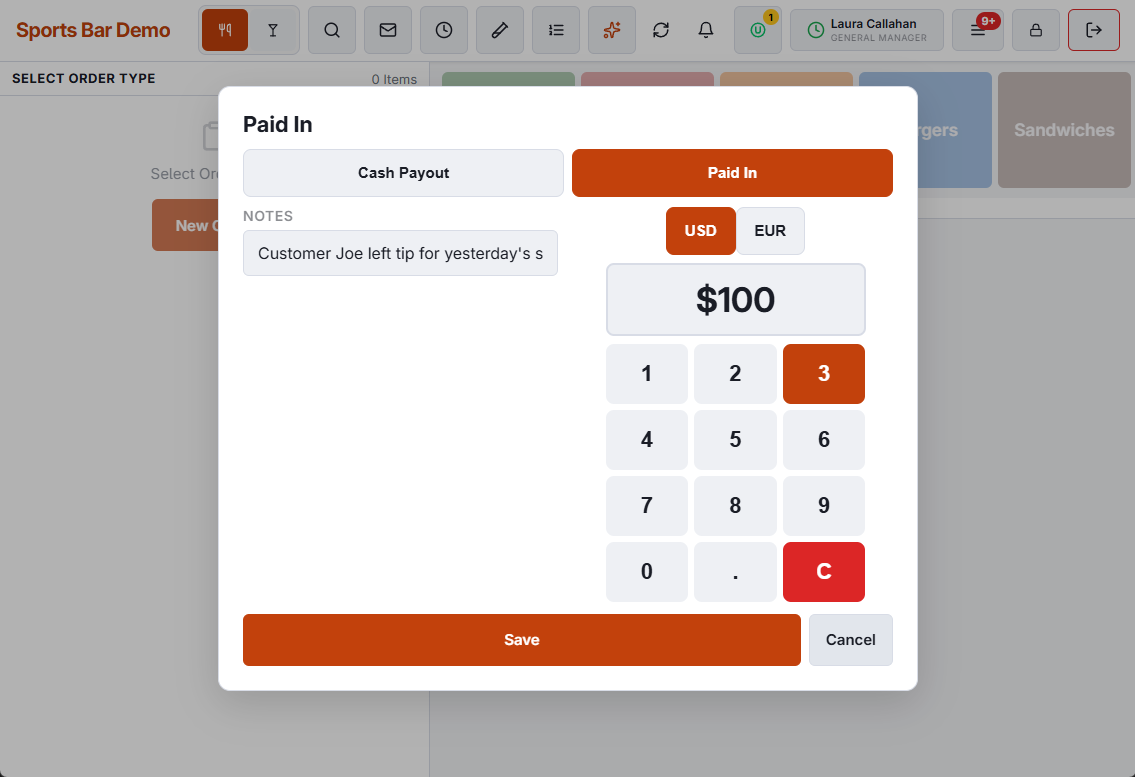
- There is no reason or recipient to pick. Type where the cash came from in Notes; left empty, the note reads Paid In.
- Pick the currency when the store takes more than one, type the amount and select Save. The drawer opens, and the slip prints headed Paid In while Print Payout Slip is on.
- It follows the Payouts permission, exactly like a payout.
- The drawer’s expected cash goes up by the amount. Count screens show it in a Paid In column, the drawer reset report on a Paid Ins (+) line and in a section of its own, the Drawer Activity Log as a Payout row with a positive amount, and the End of Day with the cash figures.