End of day closes the trading day: it produces the end-of-day report, archives every settled order since the last end of day, and writes the business day into the log. Open it from the manager section of More.
What it shows before you run it
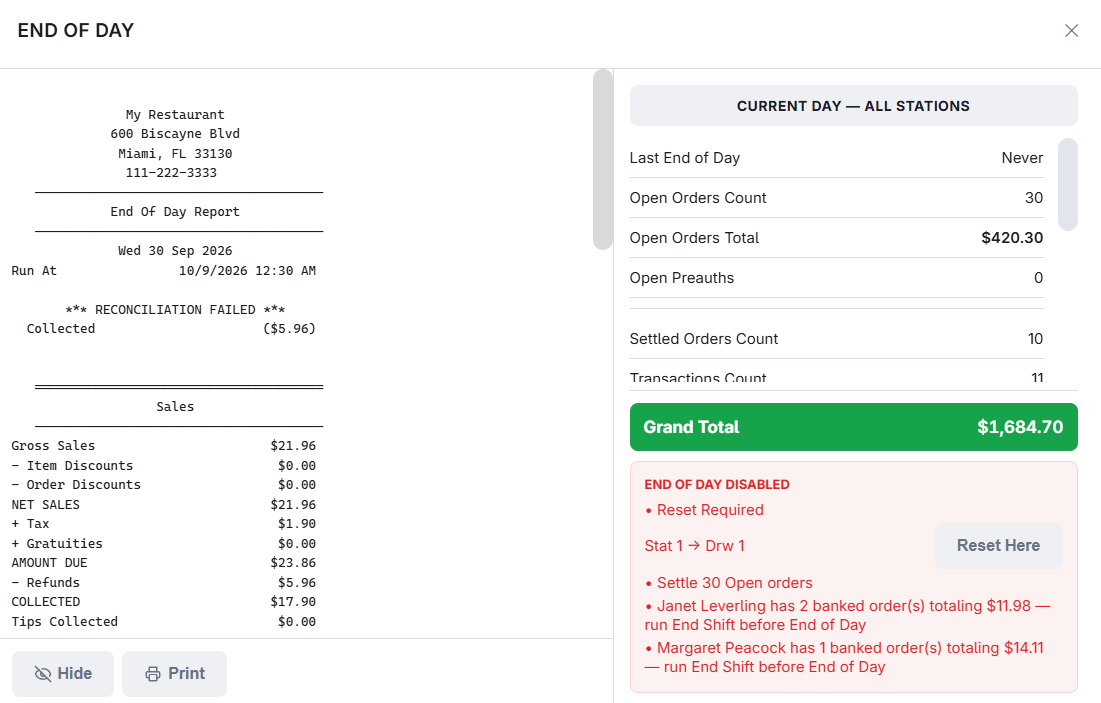
The overlay opens on the day’s position — the time of the last end of day, open orders and their value, open pre-authorisations, settled orders, transaction and void counts, then subtotal, tax, discounts, cash paid out, delivery charges, gratuities, surcharges and the grand total. Stores that would rather staff did not see takings can hide the totals and leave the button.
What blocks it
When the run button is missing, the overlay lists the reason in its place. The first three are settings, so a store can decide which are hard stops; banked orders always block:
- Open orders — settle or void them first.
- Open pre-authorisations — bar tabs and similar that were authorised but never captured. Capture them, or the money never arrives. Where the store lets the day close with them open, they stay open into the next day, for up to a week.
- A drawer still needs resetting — the message names the station and drawer.
- An employee still holds banked orders — named, with the count and balance. They have to bank in before the day can close.
Running it
- Optionally record the weather, the temperature and any special event. These sit alongside the day’s figures and are what make a year-on-year comparison mean something.
- Add notes — a power cut, a walkout, a coach party.
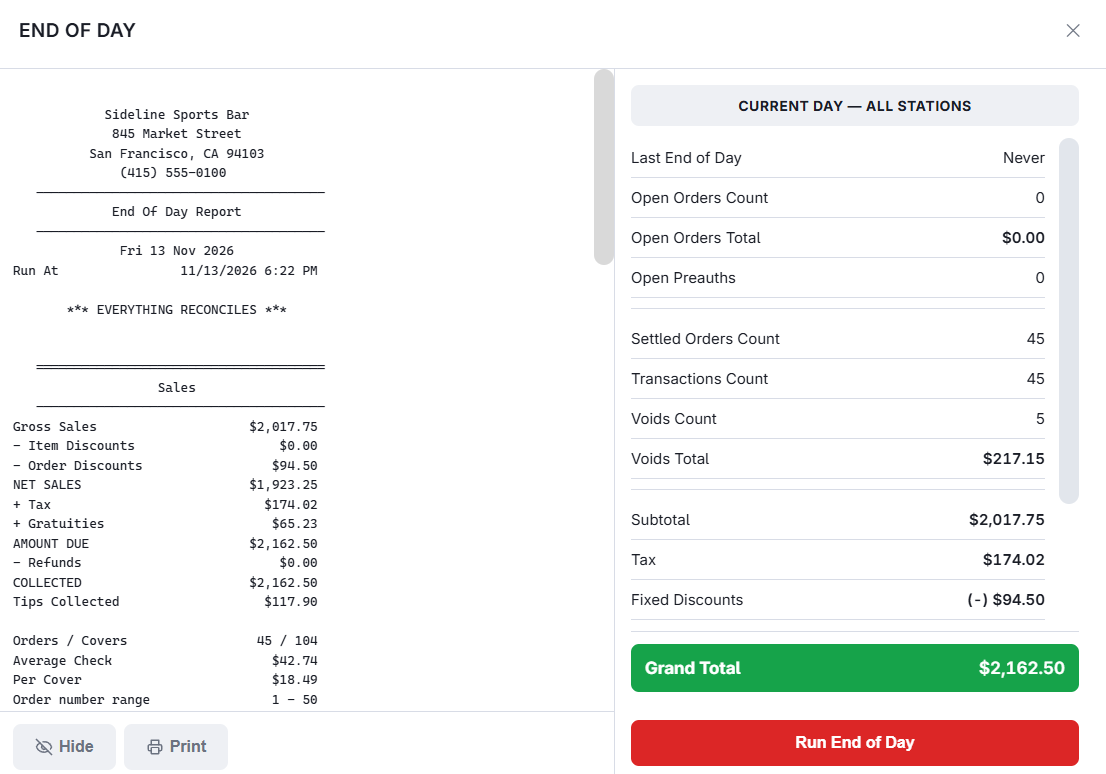
- Confirm. The report is built and printed unless printing is suppressed, and can be emailed automatically; drawer reset reports can be included in either.
Running it needs the End of Day permission: without it, Run End of Day asks a manager to approve. Opening the overlay and reading its totals needs no approval.
What prints and what is emailed
The slip that prints at the close is a Z summary of the store’s end-of-day report: the verdict line first (EVERYTHING RECONCILES, or RECONCILIATION FAILED with the orders that don’t), then the sales waterfall from gross to collected, tax, tenders, cash and each drawer’s expected, declared and over/short, discounts and other markdowns, sales by order type and by server, and an Attention block — refunds, hand-entered price changes, large discounts, manager overrides, staff still clocked in. It is the part of the full report a manager needs in hand tonight; everything else is in Back Office.
The end-of-day email now carries the full report as a PDF attachment, with the slip text in the message body so the headline numbers read on a phone. The recipients are the ones already set for end-of-day email; nothing to change.
The close also stores the day’s report. It never needs rebuilding; see The end-of-day report for reading it, the checks it runs on itself, and what to do when a day does not tie.
Card authorizations waiting for a tip
With DC Direct in pre-auth mode, card payments still To Capture count as open pre-authorisations here. Capture them on More › Credit Cards (Enter Tips) before running the day. See Table service: authorize, then capture with the tip in Integrations › DC Direct.
A drawer still needs a reset
When drawers are waiting for a reset, End Of Day lists each one on a row of its own with a Reset Here button — whether your store lets that block the close or only warns about it. Reset Here closes End Of Day, opens Cash Drawers on exactly that drawer, and returns to End Of Day when you close it. The reset needs the Reset Drawer permission, or a manager’s approval.
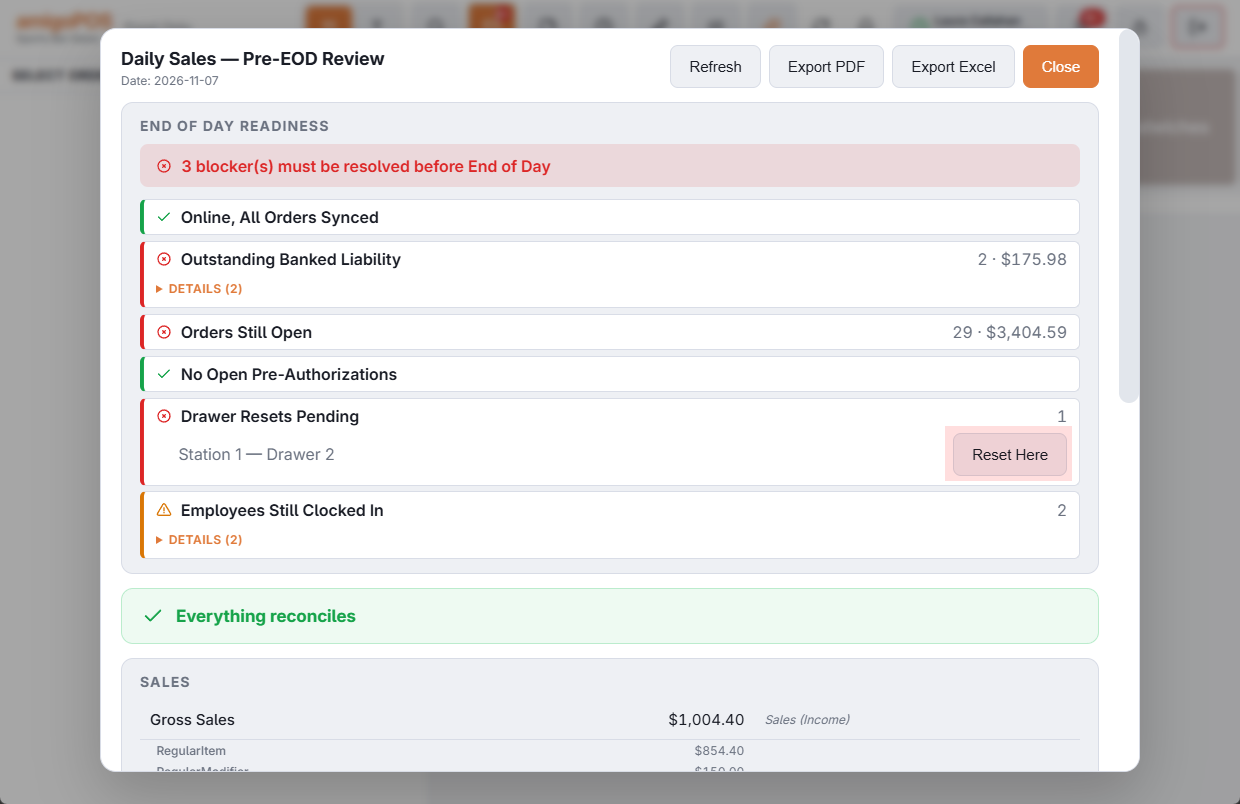
The reset belongs to the drawer, not to the station, so the drawer of a station that is broken or gone can be counted and reset from the station you are closing on. The same button is on The pre-EOD summary.
What a close covers
A close takes in everything settled since the last one, whatever the clock says.
- Closing after midnight — the report is filed under the business day most of its orders belong to, so a close at 1 a.m. is still last night’s day.
- A day that was never closed — its orders are in the next close; nothing is left behind. With manager alerts on, managers are told the next day. See Cash drawer and forecast alerts.
- Closing twice in one business day — each run has its own row in the End of Day Log, and the End of Day Report page shows the day as one report made from both.
- Business Day Start Time — the hour one business day ends and the next begins, on Back Office › Store Setup › General Settings. A store open past midnight sets it after its closing time. Left at 00:00, End Of Day uses 5:00 a.m. See General settings.
When the close does not go through
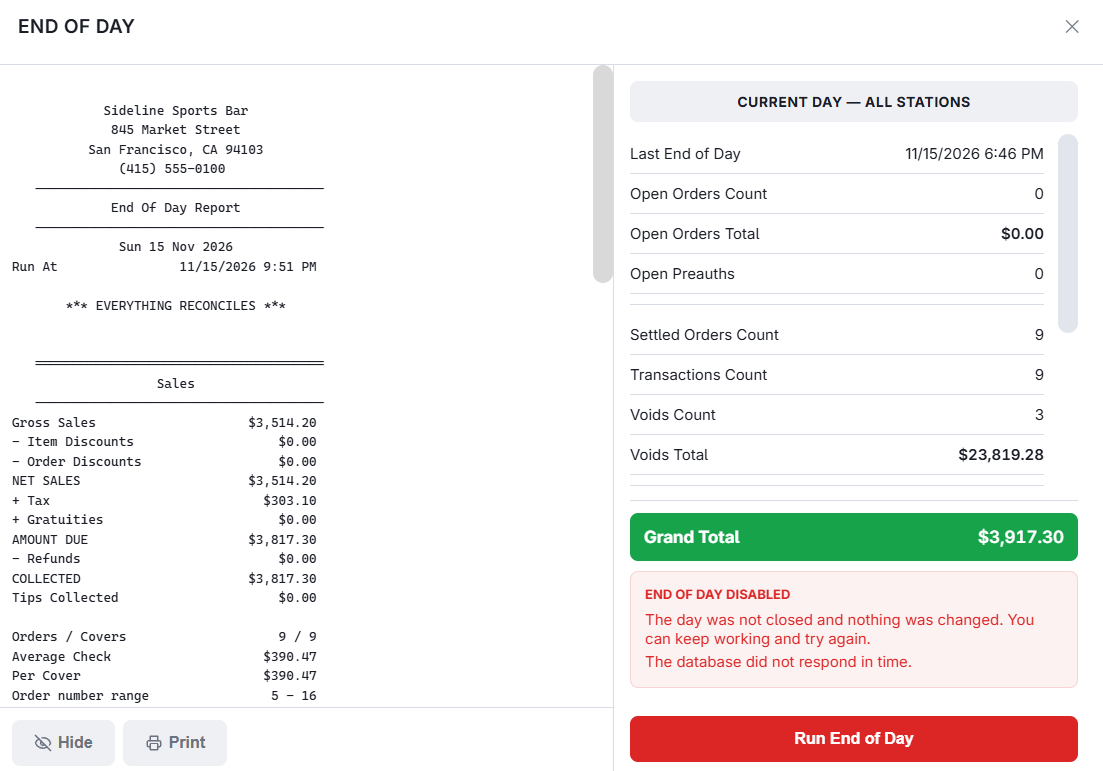
The close is one step on the server: either the whole day is closed, or nothing is changed and the store keeps trading. The checks under What blocks it are made again at that moment, so an order opened on another register while this screen was up still stops it. The screen says what happened:
- End Of Day is already running on another register. Nothing was changed here. — two registers cannot close at once. Let the other one finish.
- The day was not closed: something changed since this screen was opened. See the list below. — one of the blocking checks now fails; the list shows which.
- The day was not closed and nothing was changed. You can keep working and try again. — the server could not finish, and its reason shows underneath. Try again; if it repeats, send that reason to support. The next close that goes through covers everything since the last one.
- The day was closed, but this register did not receive the report. Reprint it from the End Of Day Log in Back Office. — the day is closed. Do not run it again.
End Of Day does not start while this station is offline, or while this or another station still holds orders it has not sent.