A manager override normally needs the manager at the register, entering a PIN. When the manager is in the office, on the patio or out of the building, the employee can send the request to the managers’ phones instead. The PIN still works as before; this is a second way to get the same approval. See Manager override prompts for the prompt itself.
At the register
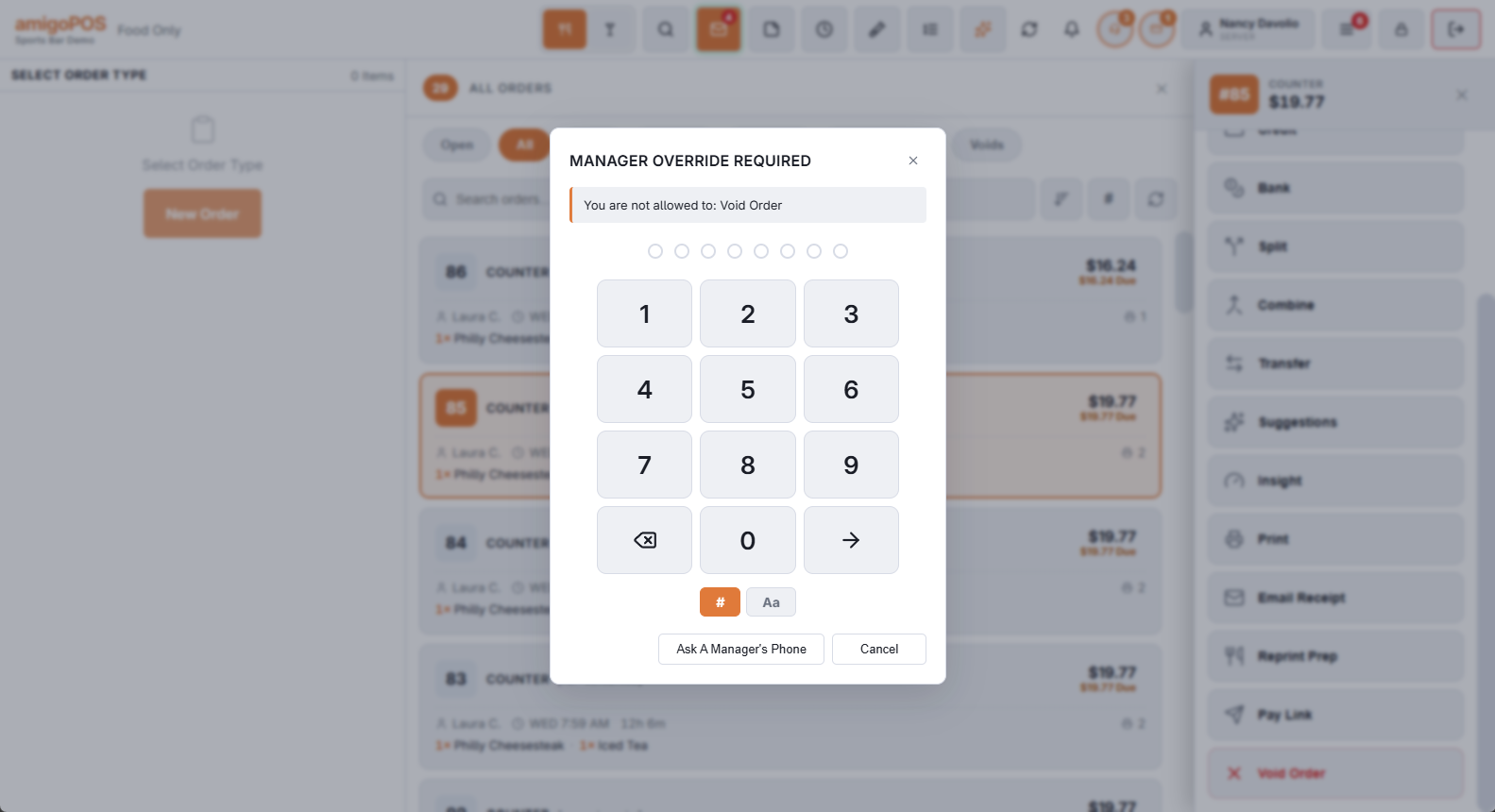
- Try the action. The override prompt opens and names what needs approval.
- Tap Ask A Manager’s Phone.
- The prompt says Waiting For A Manager To Answer On Their Phone, with the number of managers asked. Leave it open.
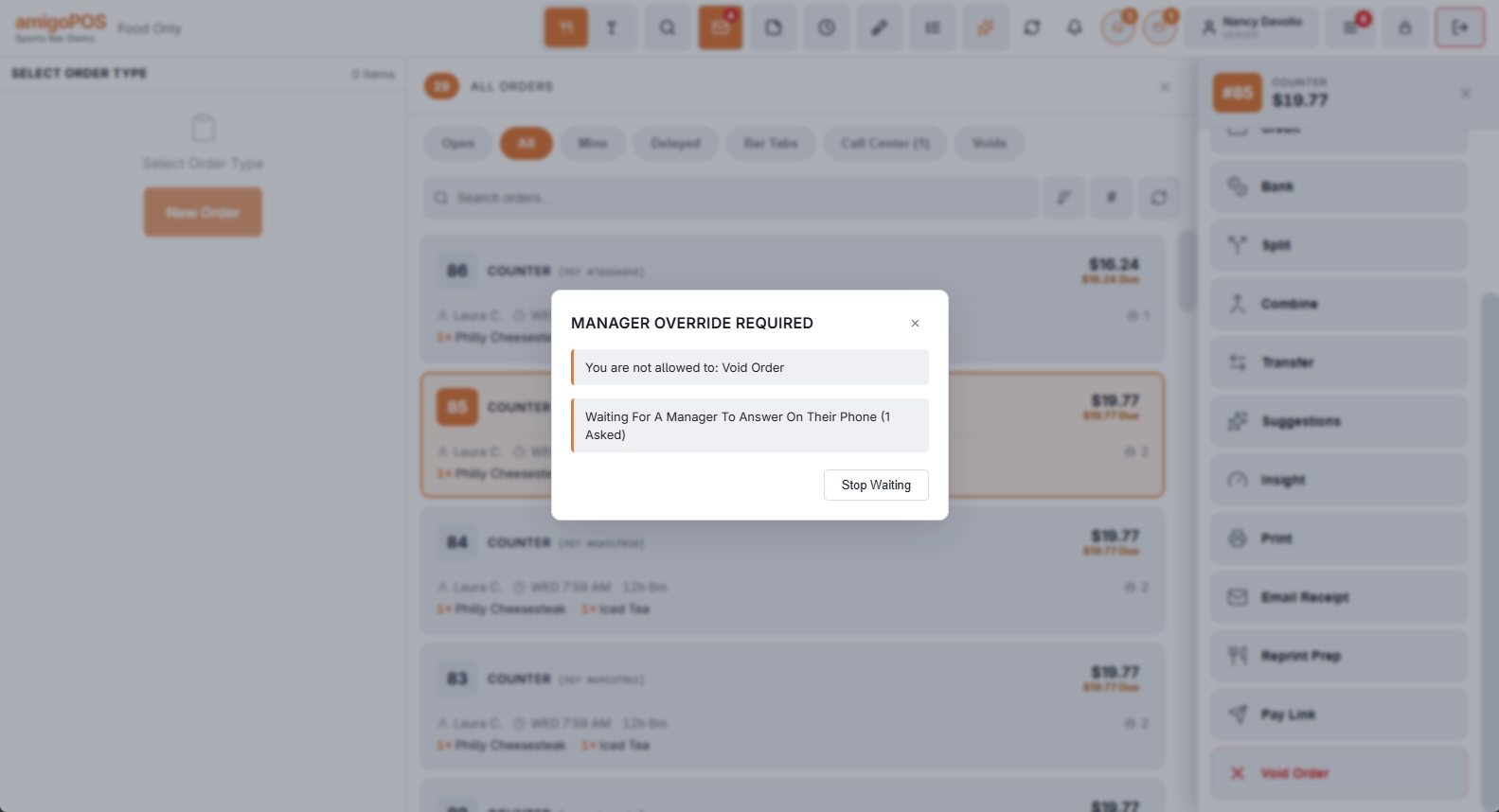
- Approved — the prompt closes and the action goes ahead, exactly as if the manager had entered a PIN.
- Declined By and the manager’s name — the action is not done.
- No Manager Answered — a request waits two minutes. Ask again, or find a manager for a PIN.
- Stop Waiting withdraws the request and brings the PIN pad back.
On the manager’s phone
Each manager who could approve gets a notification with what is being asked. Tapping it opens More › Override Requests on the staff site, which also shows anything still waiting when you open it yourself.
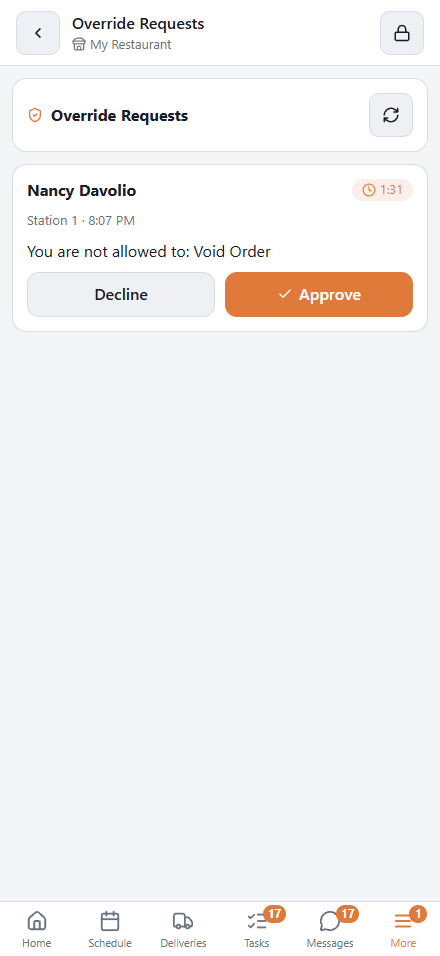
A request shows who is asking, the station, the time and what for. Tap Approve or Decline. The first answer decides it: if another manager got there first, or the two minutes ran out, you see This Request Is No Longer Waiting.
Who is asked, and who can approve
The rule is the same as for a PIN at the register:
- The manager’s job needs Override and the permission for the action itself, on the same job.
- Nobody approves their own request.
- Where the store requires managers to be clocked in to approve, a manager who is off the clock is told so and cannot approve.
Only managers who pass the first two and have the staff site set up on a phone are asked. A manager who opens the page but lacks the permission sees the request with a note, and can only decline it.
What it needs
- The managers have the staff site on their phones — see Employee phone access (manager setup) — with notifications switched on under More › This Phone. Without notifications a manager only sees a request while Override Requests is open.
- The register is online. An offline register cannot ask.
- The manager’s phone is looking at the store the request came from, for managers who work at more than one.
When the button is not there
- Time clock approvals — clocking in early, late or without a shift — are approved with a PIN at the register only.
- “No Manager Who Can Approve This Has The Staff App” — nobody with the right job has a phone set up. Use a PIN.
The record
An approval from a phone is logged like any other: Granted, with the employee, the manager who approved and the station. A decline is logged as Denied. A request nobody answered, or one the employee withdrew, is not logged. See Permission overrides and override log.