A modifier normally prints wherever its item prints: a breakfast set to the kitchen sends its eggs, its toast and its included drink to the kitchen ticket. When one group of modifiers is made somewhere else — the drink at the bar, the dessert choice at the pastry station — give that group its own prep stations.
Setting it up
- Open Back Office › Menu › Menu Setup › Food Modifiers and select the group, for example Breakfast Drink.
- On its Settings tab, under Own Prep Stations, tick the station that makes it — for example Prep 3 if that is the bar.
- Choose Save.
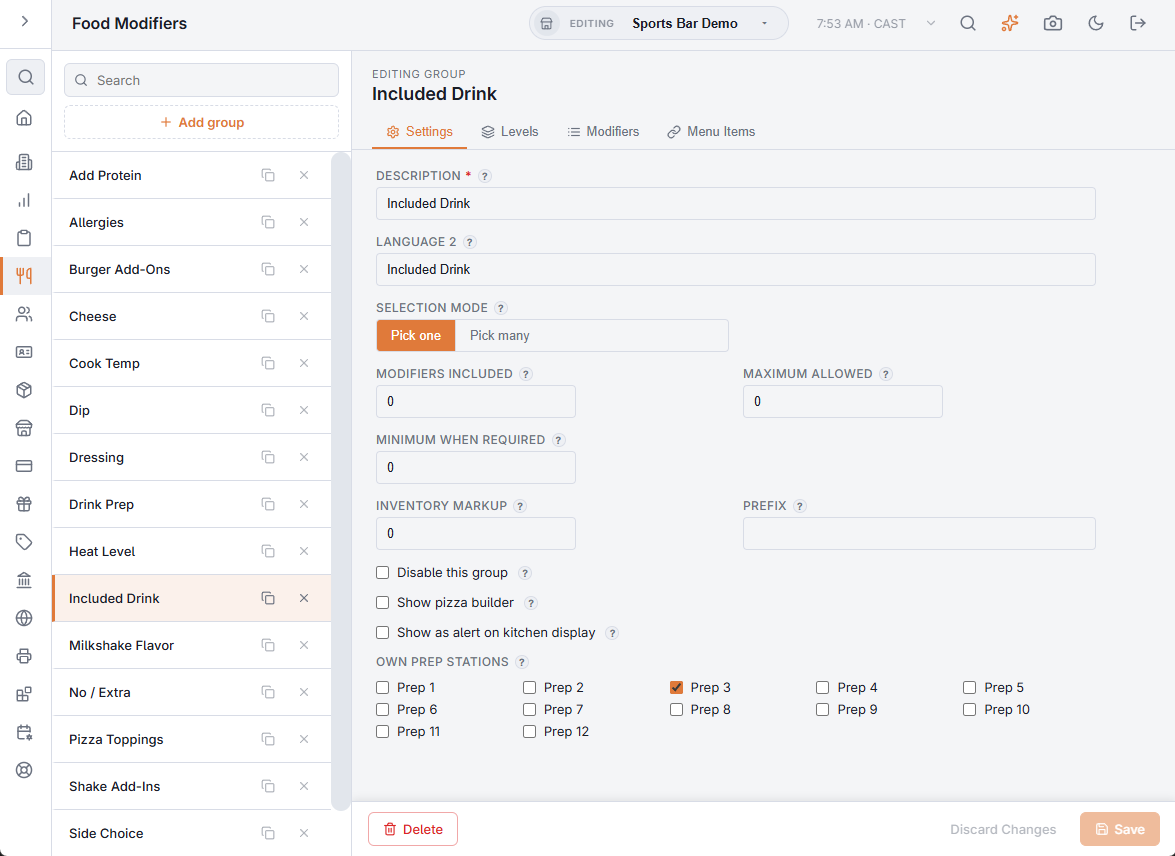
With every station unticked the group prints with its item, as before. The stations are the same Prep 1 to Prep 12 that menu items use, and each prints on the printer Print Routing gives it (Print routing).
What prints where
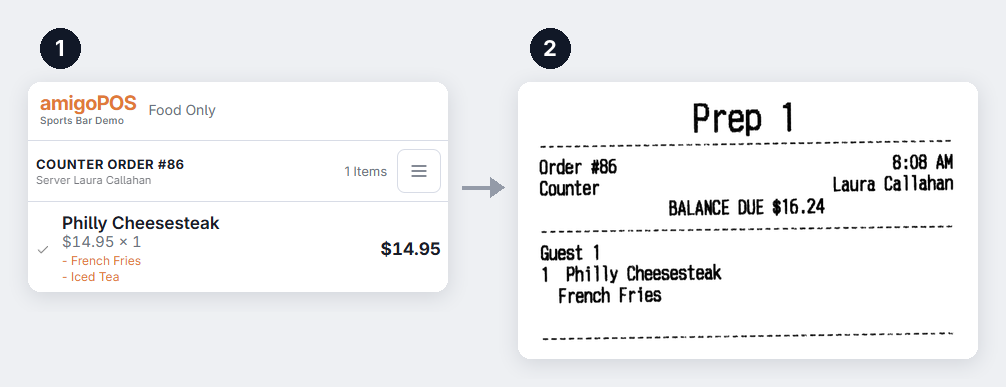
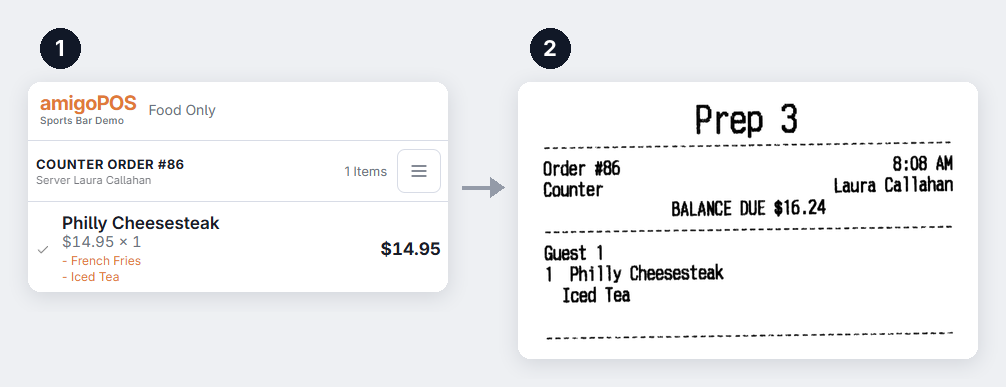
For a breakfast at Prep 1, the kitchen, with its drink group at Prep 3, the bar:
- The kitchen ticket shows the breakfast and its other choices, without the drink.
- The bar ticket shows the breakfast’s name with the drink under it, so the bartender knows which order and which plate the drink goes with. The breakfast’s other choices are not on it.
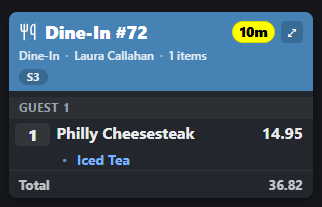
- Kitchen displays follow the same rule: the kitchen screen leaves the drink off, and the bar screen shows the breakfast with the drink only (KDS overview and ticket layout).
Good to know
- It works for every order, wherever it comes from: the register, the online store, QR tables, the call center and delivery apps.
- It is applied when the order is saved. Lines already sent keep the stations they were sent with, and a change to the group reaches new orders within a minute.
- To keep a group off every ticket, tick a station that has no printer and no kitchen display.
- Cloning the group copies its stations.
- While a register is offline, its backup kitchen ticket still prints the group with its item.
The rest of the group’s settings are in Food modifiers, groups, and levels.