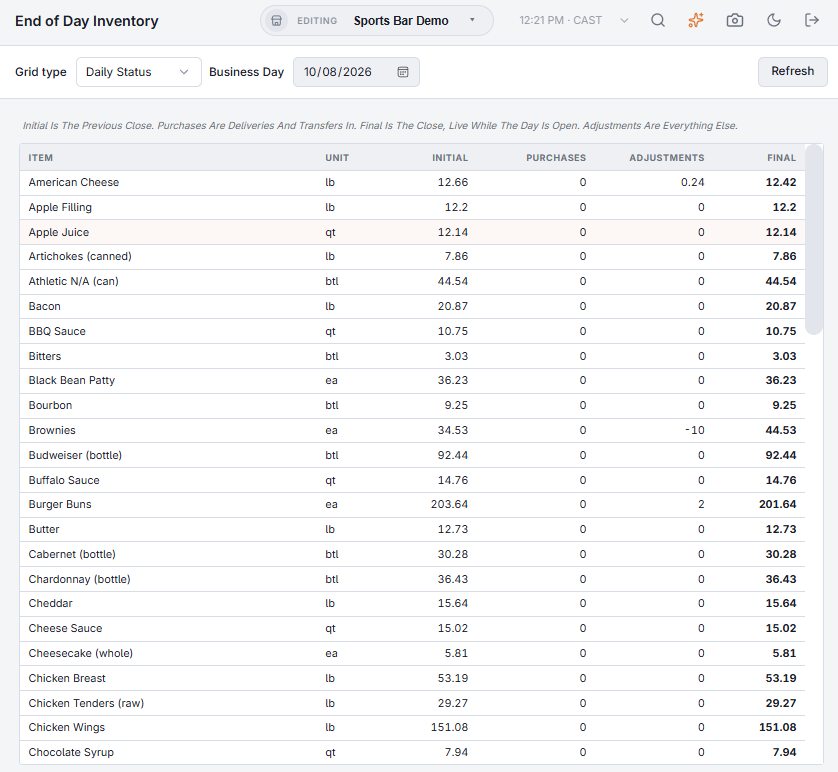
Back Office › Inventory › Operations › End of Day Inventory shows the closing stock that each End Of Day records, filed by business day, so you can see how stock moves from day to day and week to week.
What End Of Day records
End of day first applies any sales still waiting to come off stock, so the day’s usage is complete, and then records every item’s closing stock for that business day. The business day follows Business Day Start Time — see The business day and when it rolls over. Running End Of Day itself is covered in Running end of day.
The views
Pick a Grid type; the line under the toolbar says what the numbers are. Refresh reloads them.
- Day of Week — for the Start Date to End Date you pick (the last week when the page opens), each item’s average close on each weekday, Sun to Sat, and its overall Average.
- Month — pick the Month and Year: each day’s close in that month, and the average.
- Daily Status — one Business Day, item by item: Initial (the previous close), Purchases (deliveries and transfers in), Adjustments (everything else: sales, waste, counts, prep, transfers out) and Final (the close, live while the day is still open). Items with no stock and no movement are left out.
Every view lists the item’s category, name and unit. When End Of Day has not run for the dates picked, the page shows “No End Of Day Records For These Dates”.