Back Office › Discounts & Promotions › Cover Charges sets up per-guest fees, such as a music cover on Friday and Saturday nights or a New Year’s Eve seat charge. The register adds the cover by itself, from the order’s guest count, on the order types that use it.
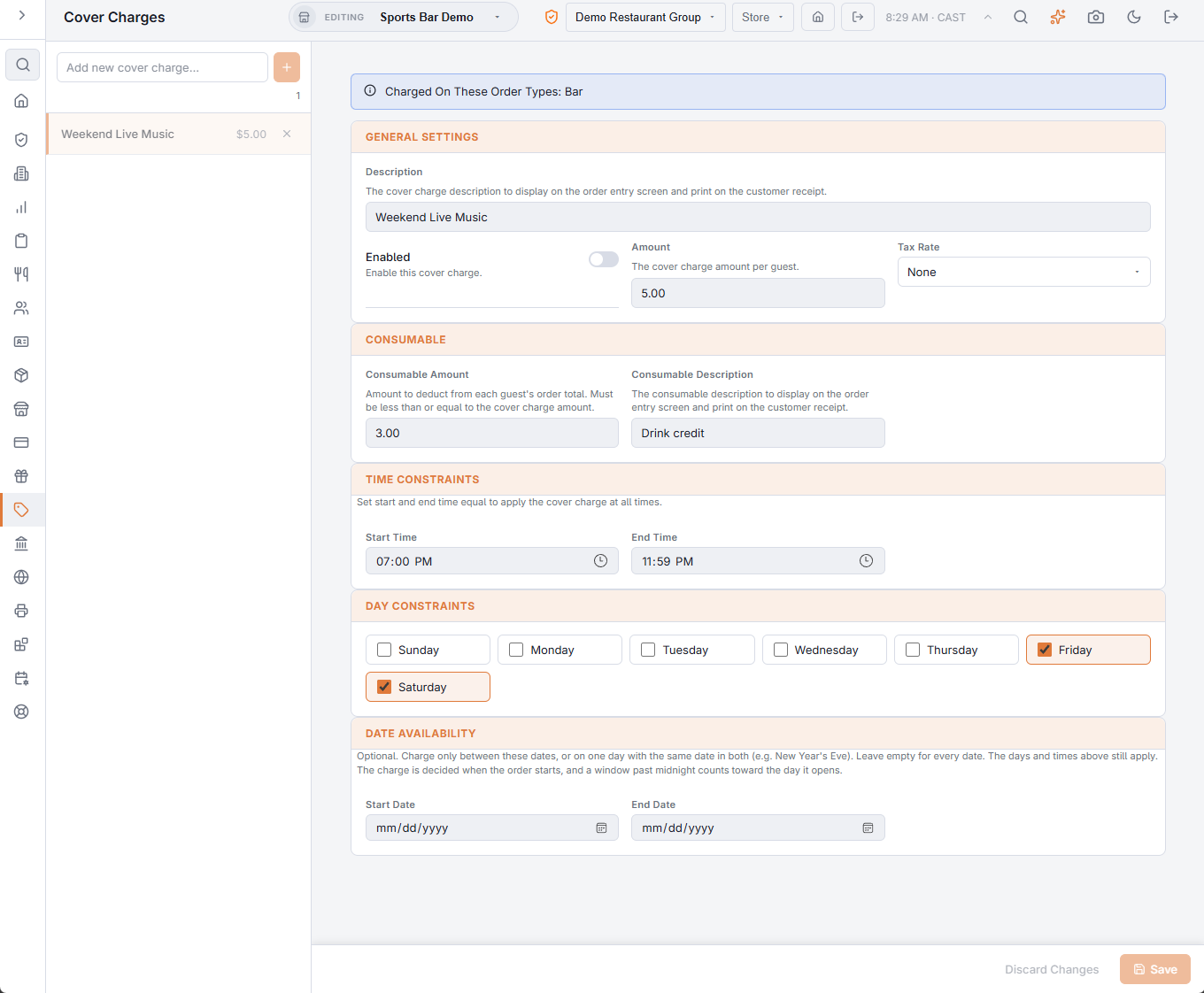
Adding a cover charge
Type its name in Add new cover charge… and press + or Enter. It starts enabled, at 0, every day at all times; fill in the fields and press Save (or Discard Changes). If you pick another cover charge with unsaved changes, you are asked whether to discard them. The × on a row deletes it after you confirm.
At the top of the editor, a note says which order types charge it — Charged On These Order Types — or warns Not Charged On Any Order Yet when none does.
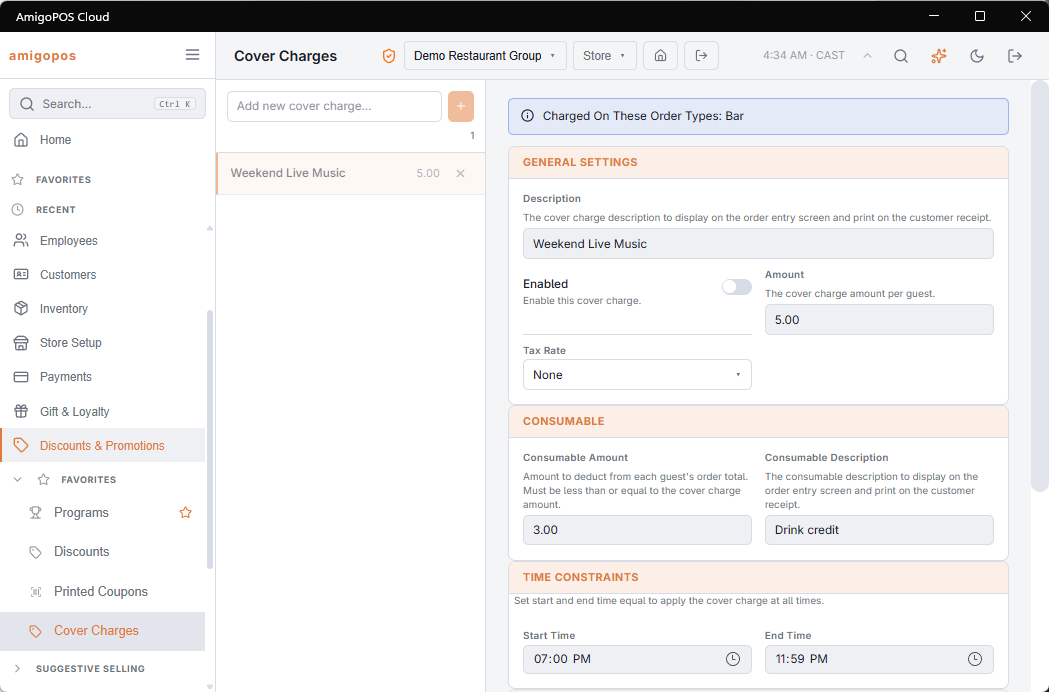
General Settings
- Description — shown on the order screen and printed on the receipt.
- Enabled — the switch, so a seasonal cover keeps its setup between seasons.
- Amount — the charge per guest.
- Tax Rate — how the cover is taxed, or None.
Consumable
A cover can double as credit toward what the guest orders. Set Consumable Amount and a Consumable Description: the cover line gets a discount equal to what the guest has ordered, up to that amount per guest. With a 10.00 cover and 10.00 consumable, a guest who orders 8.00 of drinks pays 10.00 in all; one who orders nothing pays the 10.00 cover. Keep the consumable amount no higher than the cover.
When it charges
- Time Constraints — Start Time and End Time. The same time in both charges at all times; an end before the start runs past midnight, so 21:00 to 02:00 is a late-night cover.
- Day Constraints — the weekdays it charges; a new cover charge starts with every day on.
- Date Availability — optional Start Date and End Date: charge only between those dates, or on one day with the same date in both. Clear removes them. The days and times still apply.
The cover is decided when the order starts, so it doesn’t drop off a check paid after the window closes, nor land on one opened before it. A window past midnight counts toward the day it opens: 21:00 Friday to 02:00 belongs to Friday.
Attaching it to an order type
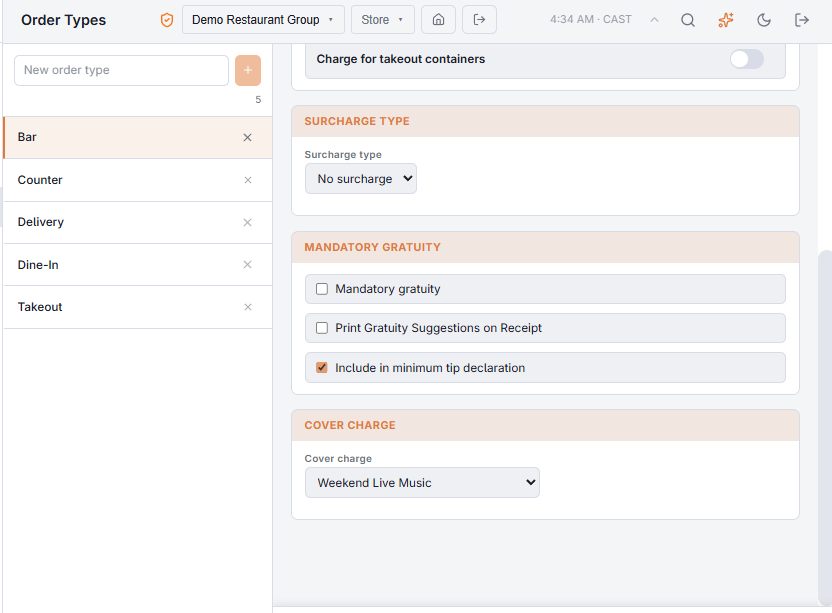
A cover charge only charges on the order types that use it. Open Back Office › Store Setup › Order Types, choose the order type — the dining room, the terrace, the event room — and on the Tax & Charges tab pick it under Cover Charge. See Order types and workflow.
At the register
The cover appears as its own line once the first item is rung, charged for the order’s guest count. Guests can be excluded from it on the guest bar when your policy exempts them, such as performers or comps. When guests are tracked separately, each guest gets their own cover line and their own consumable credit.
Not the same as a reservation table fee
A table fee or deposit under Reservations is taken when a guest books online. A cover charge rings at the register. A booked guest who already paid a table fee would also get the cover, so exclude them from it on the guest bar. See Deposits, table fees and extras.
On the end-of-day report
A cover charge is a line the register adds, not a menu item, so it has no category or revenue center. The end-of-day report lists it under Cover Charges in category sales and revenue-center sales, and under its own type in item-type sales — see The end-of-day report.