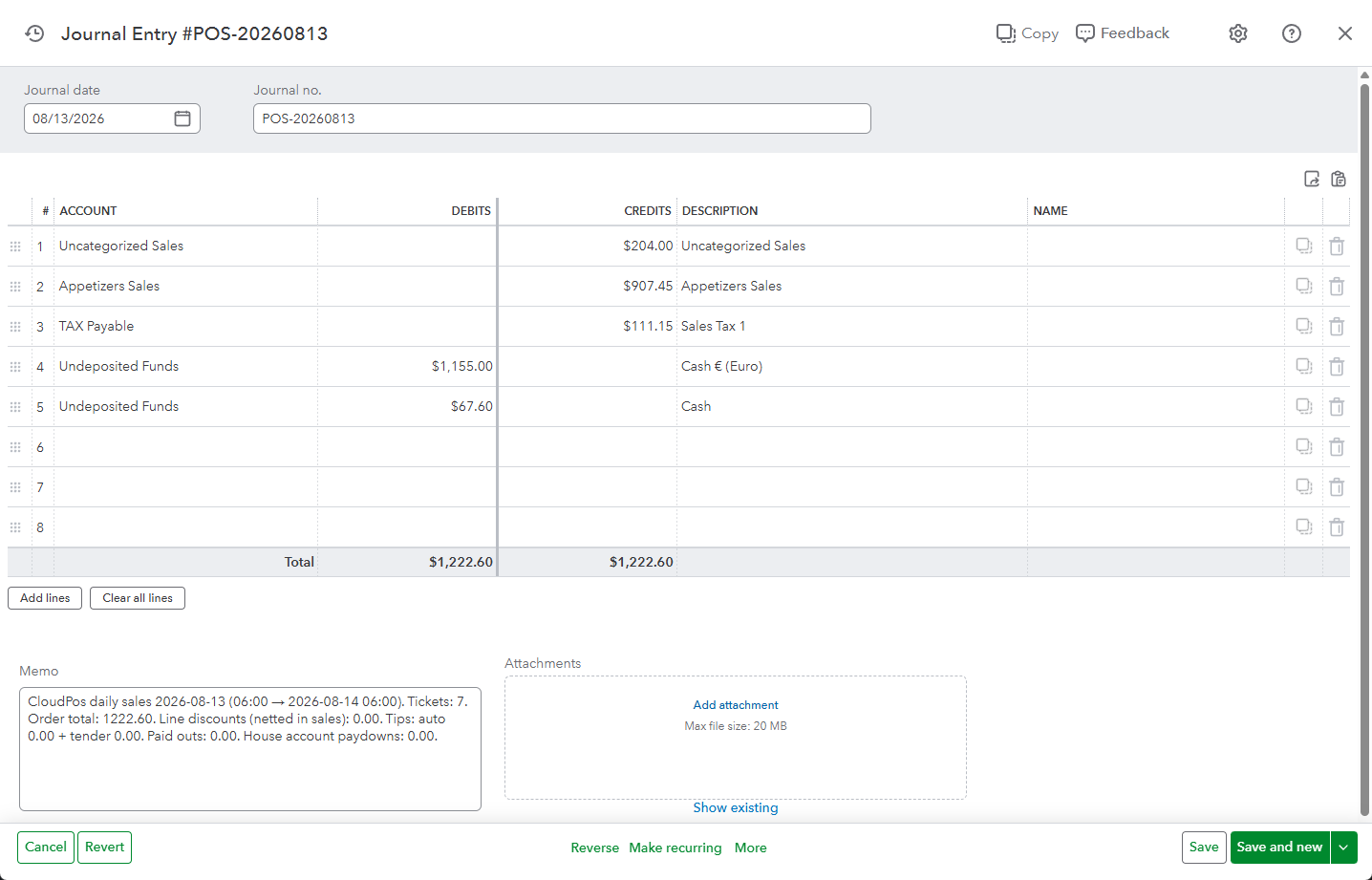
Back Office › Integrations › QuickBooks Online posts one balanced journal entry per business day into the QuickBooks Online company the store connects. It does not create customers, invoices or products in QuickBooks: the POS keeps the order detail, and QuickBooks receives the financial summary of the day.
The page has four tabs: Settings (switches and the connection), Account Mappings, Daily Postings and Activity.
Why a journal entry?
One balanced entry per day reconciles cleanly to the bank deposit, keeps the QuickBooks customer and product lists free of thousands of tickets, and leaves sales-tax reporting in the POS, which knows the tax that was actually charged.
What the entry contains
- Credits — sales for each menu category (or each revenue center, with Post Sales By Revenue Center on), sales tax for each of the three tax slots, tips and gratuities, gift cards sold, delivery charges, surcharges and house account payments.
- Debits — each payment method the day was paid with, cash paid outs, discounts and comps.
- Cash Over/Short — when the debits and credits do not agree, the difference is posted as Cash Short or Cash Over so the entry balances.
- Document number — the Document number prefix followed by the date, for example POS-20260812. It is how the day is found in QuickBooks.
Refunds, deposits and write-offs
The daily entry also carries money that moves on a different day from the sale it belongs to:
- Refunds given at the POS are posted on the day they were given: revenue and tax back out by category (debits) and the money leaves by the refund payment method (credit). A refund of an amount rather than items uses the Refunds (Unallocated) mapping.
- Tips paid out to staff in cash draw the tips liability down.
- House account write-offs move the balance to Bad Debt (House Account Write-Offs).
- Reservation deposits taken online are credited to Customer Deposits (Reservations) on the day they are paid and drawn down when the party is seated or the deposit is refunded; forfeited deposits and no-show fees go to No-Show Fees & Forfeited Deposits.
How it runs
- End of Day closes the business day. With Post automatically at End of Day on, the day is put in the QuickBooks queue.
- A background service sends it within a minute or two. If QuickBooks cannot be reached, the request waits in the queue and is retried; End of Day is never held up.
- The result appears on the Daily Postings tab: Posted, No sales, Needs Review or Failed, with the message QuickBooks returned.
Any date can also be previewed and posted by hand. See Posting Daily Sales.
Before you start
- An active QuickBooks Online subscription, and someone who can sign in to the company and approve the connection.
- Agreement with your bookkeeper on which account each line should use. Auto-map on the Account Mappings tab can match existing accounts and create the missing ones.
- Then: Connecting to QuickBooks Online, Account Mappings, preview a day and post it.