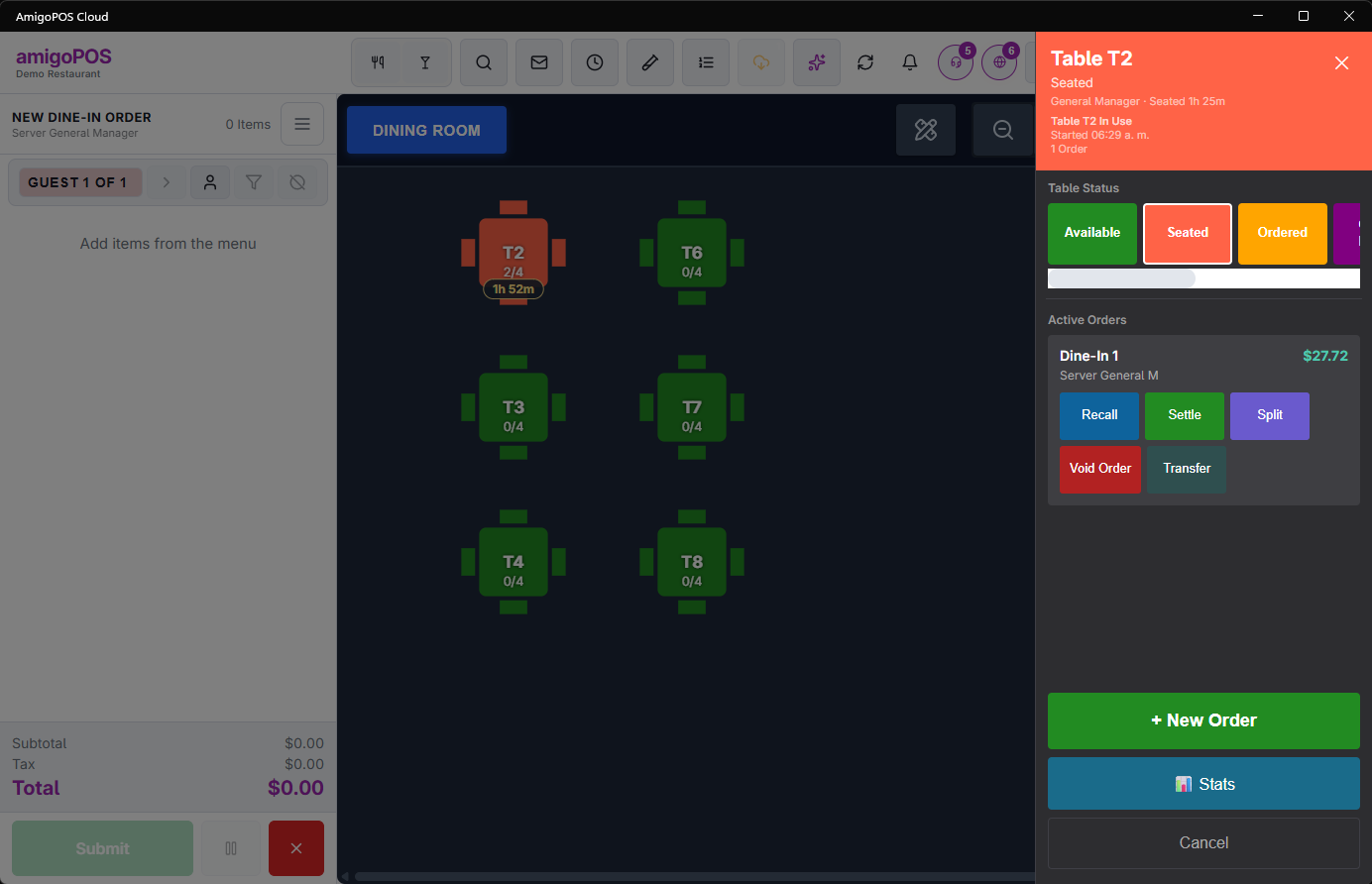
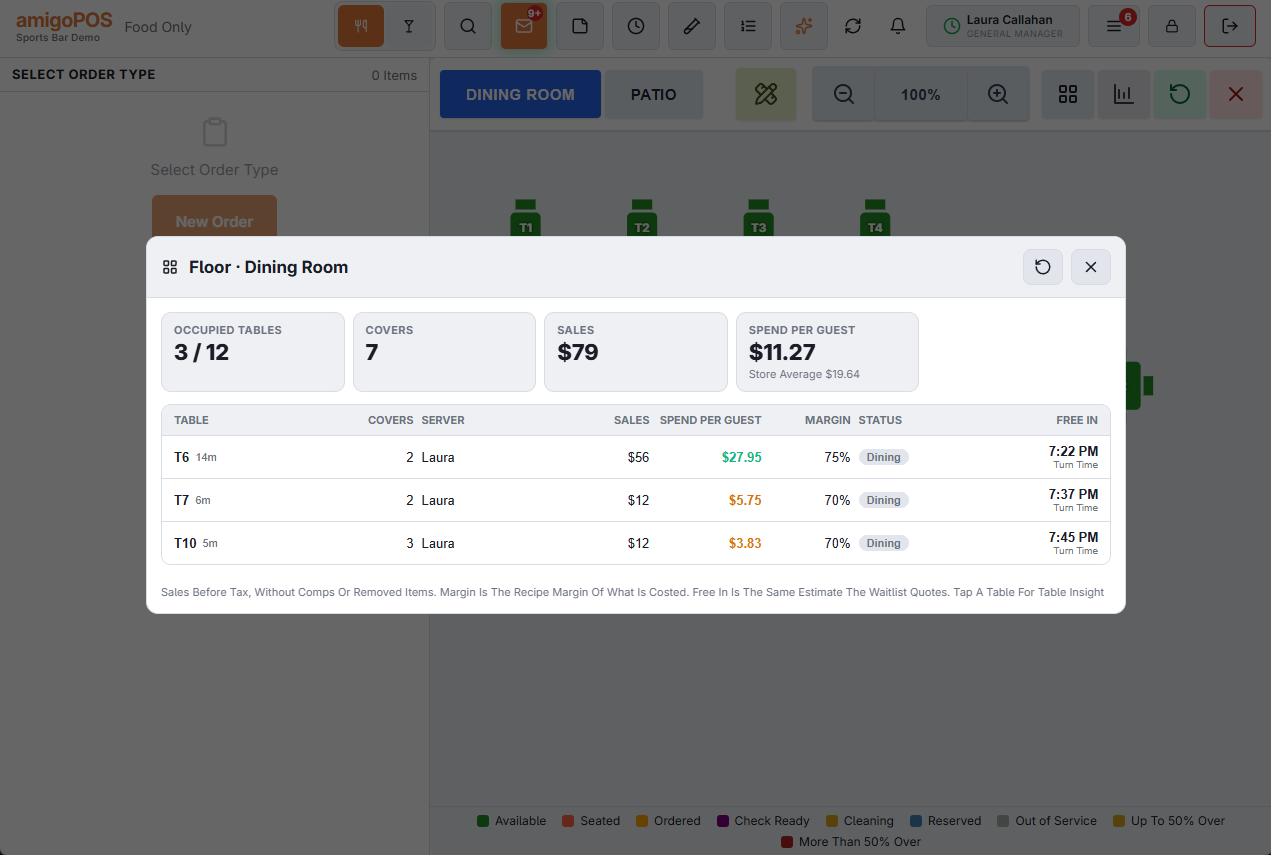
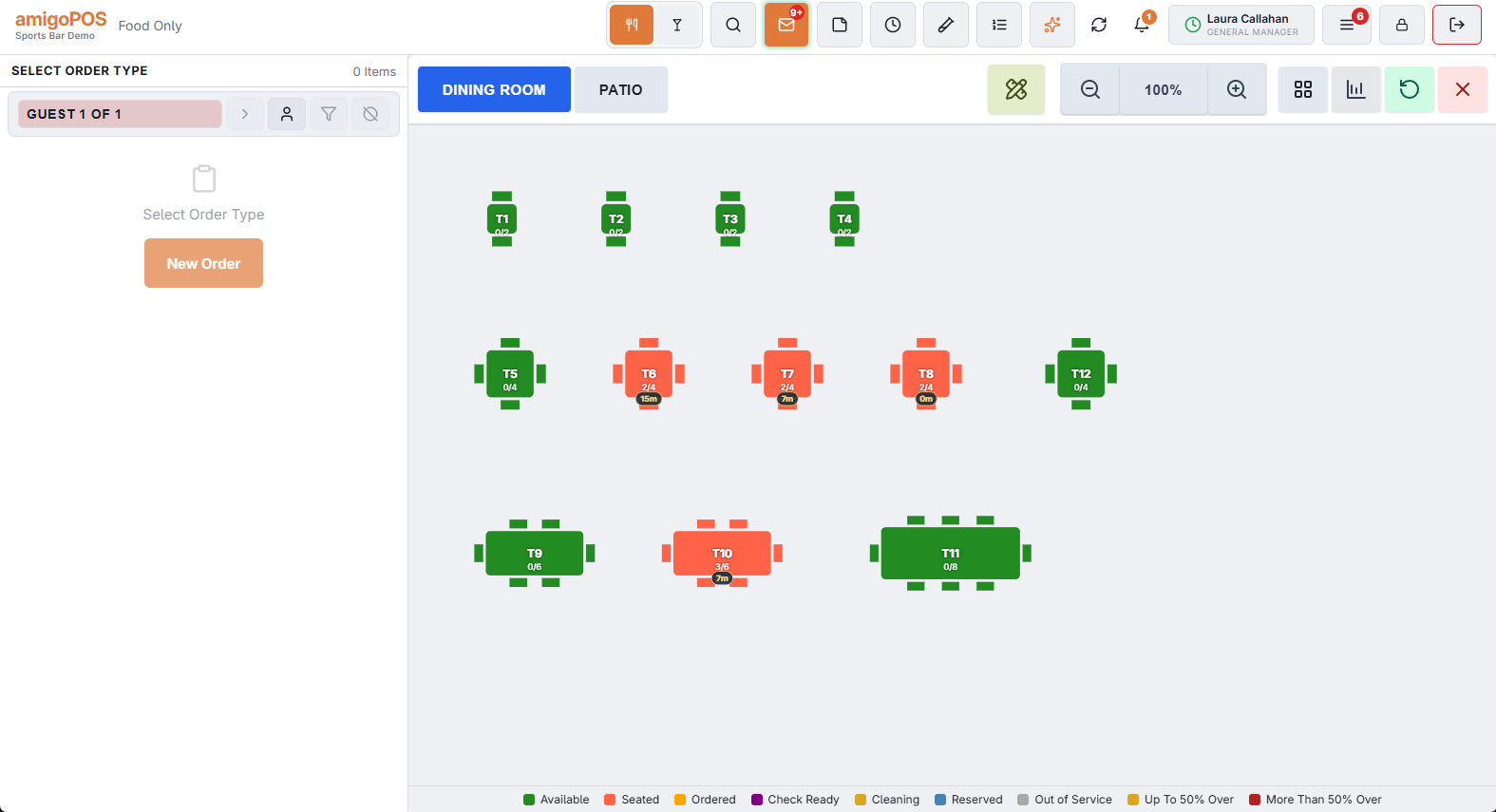
The floor plan is your room drawn to shape, with each table coloured by what is happening at it. It answers "what is free?" and "who is waiting?" in one look.
Where the colours come from
Table statuses are defined by your store, not fixed by the software — available, seated, ordered, dessert, awaiting payment, needs cleaning, whatever your service actually has. Each status carries its own colour, and every station shows the same one.
Statuses update live as orders are worked, so a table settled at one station changes colour on every other screen immediately.
Tables with orders on them
A table carrying an open order shows it. Tapping the table opens its action panel with the orders on it — see The table action panel.
Timer pills on pool tables and lanes
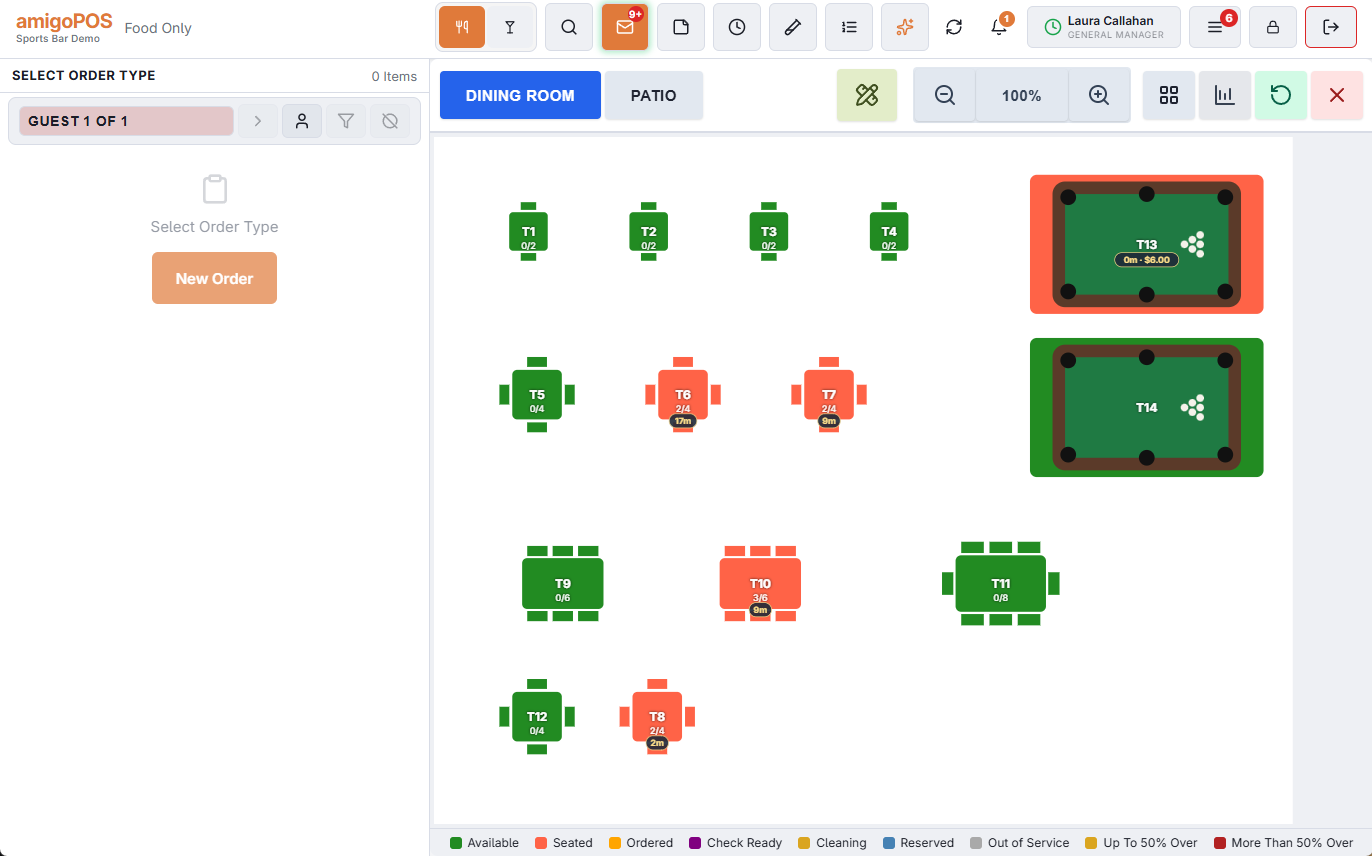
A table with a running timer (pool table, lane, room) shows a small pill with the time played and the charge so far. It uses the store’s clock and refreshes about every 30 seconds. ⏸ in front means the game is paused. A game that ran into happy hour shows the whole game — both rates — in one pill.
More: Pool tables and timed games.
How the room fits the screen
The room scales to fill the Tables panel on tablets and wide screens, so the whole floor is in view without scrolling; the zoom buttons still zoom in on a corner when you need to. Under the room a legend lists the store’s statuses with their colours, so a new hire reads the floor without asking.
Timed tables with a colour of their own — pool tables, karaoke rooms, lanes — keep that colour and show a small status plate in the corner instead of changing colour, so you can still see at a glance whether they are in play. See Pool tables and timed games.
The drawing itself updates live too: when a manager saves a room in the designer — a table added, a room renamed or switched off, a floor image put behind the tables — every register redraws its Tables screen within seconds. Nobody has to sign out. See The seating designer.
Combined tables
Tables held by one party are joined by a line and share the party’s status colour; tapping any of them opens the same check. Multiple Tables on the toolbar (the link button) starts one order on several free tables. See Combining tables for a large party.