Pool tables, bowling lanes, karaoke rooms, simulators, rentals — anything you charge by the time it is used — run on time-based items. A timer starts when the game starts, the charge grows by the interval, and it stops when the guests are done. Everything else in CloudPos — the check, happy hour, the floor plan, reports, even the lights over the table — works around that timer.
The pieces
| Piece | What it does | Where |
|---|---|---|
| Time-based menu item | The rate, the billing interval, the minimum, grace minutes and player pricing. | Time-based items (setup) |
| A table on the floor plan | A pool table, lane or room drawn in the designer and linked to its item, so the game starts from the table. | Linking tables to timed items |
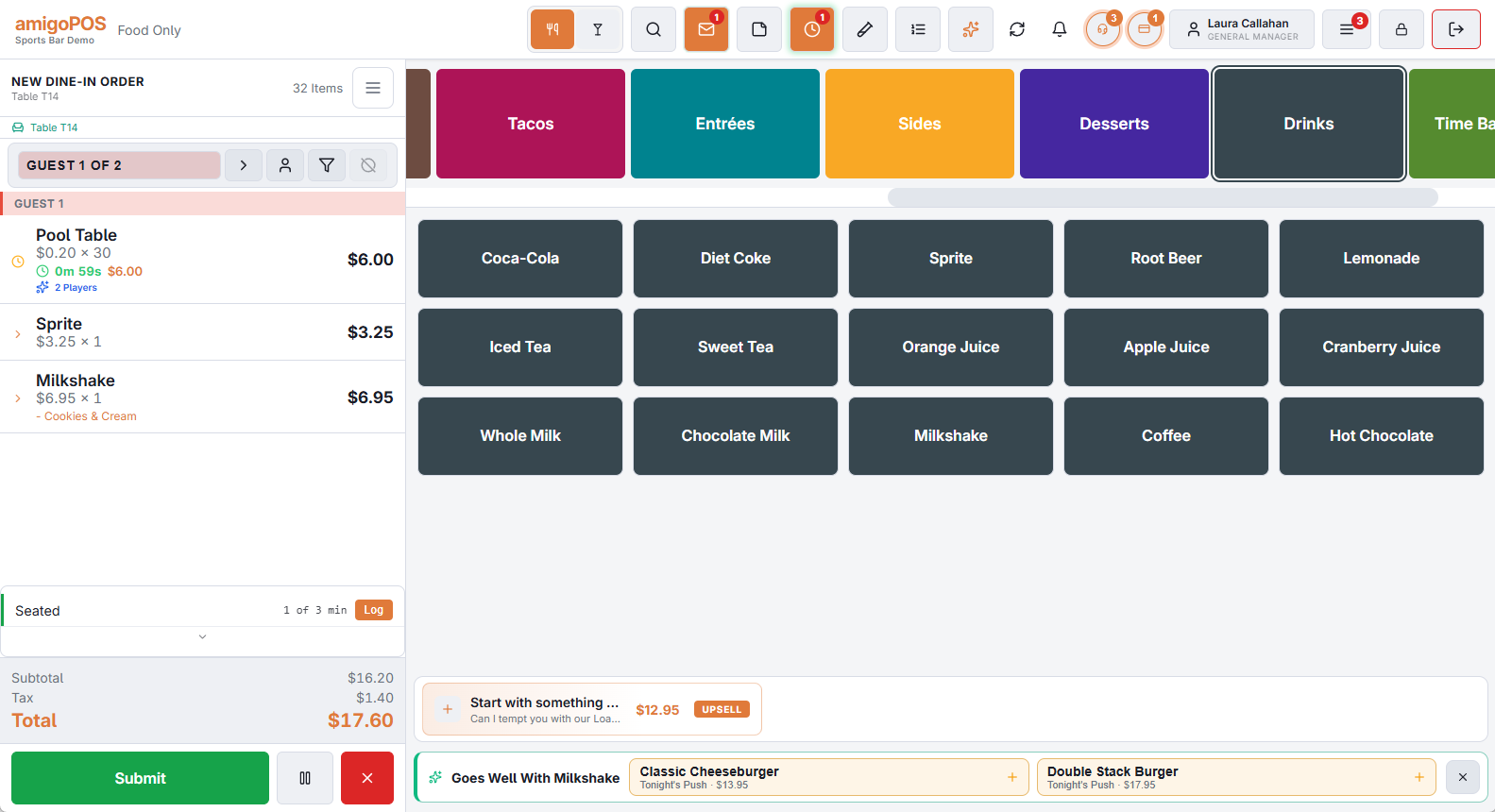
| The timer on the check | Starts, pauses, resumes and stops; shows the time played and the charge so far. | Time-based items at the register |
| Rates that change | Happy hour or a weekend rate takes over mid-game without anyone doing anything. | Happy hour and rate changes during a game |
| Player pricing | A table rate that covers two players, plus a charge for each extra player. | Charging by number of players |
| Table lights | The lamp over the table turns on with the game and off when it ends. | Table lights that follow the timer |
| The guest page | A QR card on the table shows the guests their time and charge, and calls a server. | The guest table page and QR cards |
| The Table Time report | Sessions, hours, revenue and how busy each table is. | The Table Time report |
A game, start to finish
- A group walks up to a pool table. The server taps the table on the floor plan and taps Start Timer — or seats them the usual way and taps the pool table item that the POS offers straight away.
- The light over the table comes on. The check shows the table’s line with a clock and the charge so far; the floor plan shows the same on the table.
- Drinks and food go on the same check as normal. At happy hour, the rest of the game is charged at the happy-hour rate by itself.
- A friend joins: the server adds a player, and the extra-player charge starts with the next interval.
- They are done. The server settles — the POS stops the timer first, bills it to that second, and the light goes off.
Before you start
- Create one time-based item per rate you charge (for example Pool Table, Pool Table — Premium). One item can run on as many tables as you have: each table gets its own line on its own check.
- Draw the tables in the seating designer with the matching shapes from Games & Rentals.
- Optional: lights (Lighting control), happy-hour price rules, and the guest QR cards.
Staff who have never used the timers only need two things: start the game from the table, and settle normally. The POS takes care of stopping the timer at the right moment.