With employee banking, a server or driver keeps the cash from the orders they bank and owes it to the house. A deposit is cash they hand in before their shift ends; End Shift settles everything they banked and closes their position. Both are done at the register in More › Employee Banking, the Shift Banking screen. How banking works is in Server banking vs. driver banking.
What an employee owes
Their Liability is the amount to collect on the orders they banked, less any cash discount the store gives on banked orders, less the deposits they have already made. Shift Banking lists it under Current Liabilities; Back Office shows the same figures on the Employee Banking page (The Employee Banking dashboard).
Making a deposit
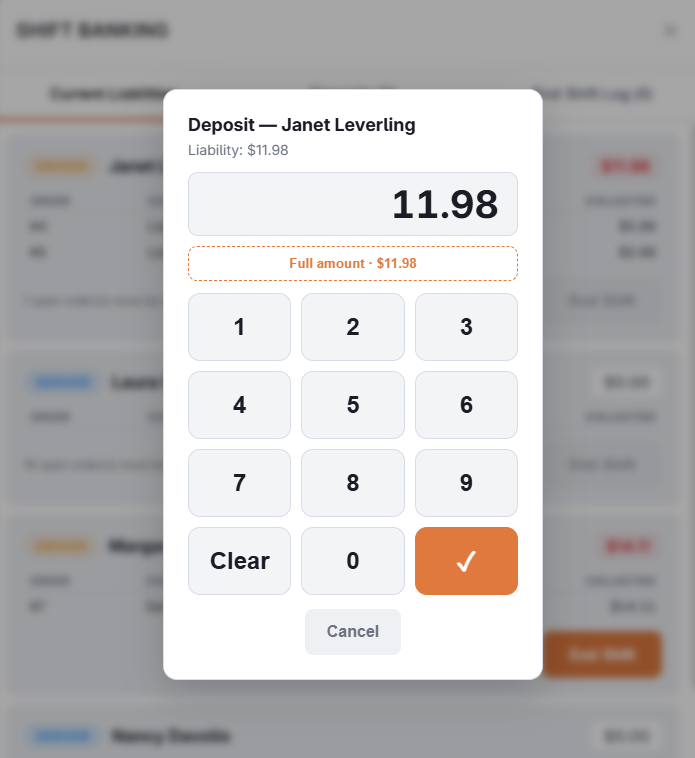
- In Shift Banking, select Deposit on the employee. It is not available while they owe nothing.
- Type the amount, or select Full amount. It cannot be more than they owe.
- Save. … deposit recorded confirms it, and their liability goes down by the amount.
The deposit is recorded against the drawer in use on the station, and that drawer’s expected cash rises by the amount at once. The deposit stays in that drawer’s expected cash until the drawer is reset, before and after End Shift. A spot count shows it in an Employee Deposits column, so the drawer does not count over by the deposit. When the station has no drawer in use, the deposit is still recorded, but no drawer’s expected cash changes.
The deposit shows on the Deposits tab until End Shift applies it, and a mistaken one can be voided there with Void Deposit. The void takes the amount back out of the drawer’s expected cash. Voiding needs Manager Screen or Banking on the job; anyone else needs a manager with Banking to approve. A void that cannot be saved shows Save failed. A deposit that End Shift has applied can no longer be voided.
End Shift
- The employee’s open orders must be settled or banked first; until then the screen says how many are still open.
- End Shift shows All banked orders will be settled as cash at the active drawer. Turn over the cash now., with Cash to turn over and the Deposits applied.
- Confirm. Every banked order is settled with a cash payment at the active drawer, and the deposits are applied: the active drawer’s expected cash rises by the banked total less the deposits — the cash turned over now. The deposits stay in the drawer that took them. The closing record goes to the End Shift Log tab, where it can be reprinted.
Depending on Employee Banking Settings, End Shift also prints the report, pays the employee’s card tips out in cash, and clocks them out.
Later
- The deposits print on the reset report of the drawer that took them, and under DEPOSITS APPLIED TO ORDERS (-) on the reset report of the drawer where End Shift applied them. Back Office lists them at Activity › Cash Logs › Employee Deposits. See Cash logs in Back Office.
- Closed shifts are at Activity › Shifts & End of Day › End Shift Log. See End-of-shift and end-of-day logs.
Clocking out with banked orders
An employee whose orders are all settled or banked can clock out before End Shift. Banked orders stay in their bank — they still count in what they owe — and are settled when End Shift is run for them, by them or by a manager. On the staff app, banked orders are not counted as open checks and do not set off the open-check or late pickup and delivery alerts.