More › This Phone on the staff site holds the settings that belong to this phone only. Each phone you use has its own. Your own details and PIN are under My Profile: your phone number, email, language and PIN.
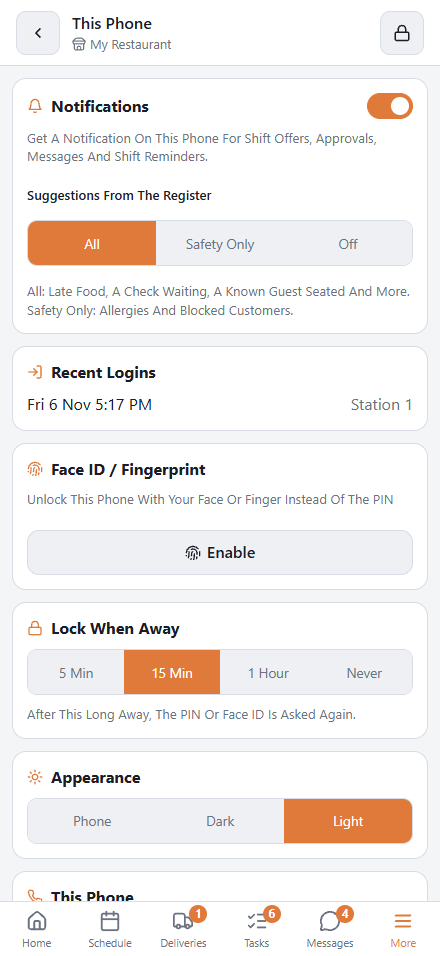
Notifications
Switch the card on to be told about messages, shift offers, approvals and shift reminders even when the site is closed. Once it is on, Suggestions From The Register chooses All, Safety Only or Off. See Phone notifications and schedule alerts.
Recent Logins
The last times your PIN was used to sign in, and at which station. Managers also see Overrides You Approved. If you do not recognize one, change your PIN (More › My Profile) and tell the owner.
Face ID / Fingerprint
Enable lets you unlock with your face or finger instead of the PIN; Disable turns it off. See Unlocking with Face ID or fingerprint.
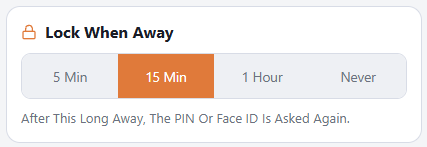
Lock When Away
How long the phone can be put away before the site asks for your PIN or Face ID again: 5 Min, 15 Min, 1 Hour or Never. It starts at 15 minutes.
- “Away” means the site was closed or behind another app. While you are using it, it does not lock.
- After unlocking you are back on the page you were on.
- Never still asks after 12 hours, like before.
- With Face ID or fingerprint on, unlocking is one touch, so a short time costs little.
Appearance
Phone follows the phone’s light or dark setting; Dark and Light fix it.
Remove This Phone
Signs this phone out for good, after you confirm with Sign Out. You then need a new invite from a manager to use the site on it again. Use it before you hand a phone to someone else. The same link is under the PIN pad.