Dispatching
Pick the driver, select the orders in stop order, and dispatch. Depending on the store’s settings this prints a trip ticket for the run and can reprint each customer’s receipt. Route optimisation can be on by default and turned off for a run where you know better.
When dispatch is refused
A driver who is already carrying more unbanked cash than the store allows cannot be given more work. The screen says the driver is over the limit. Bank what they have and dispatch again — the limit is there so no one is walking around with a night’s takings.
Money coming back
- Bank — the driver is back and hands over custody of the cash for that order. The order is not settled yet and the liability moves to them being accountable for it. Card-paid orders bank nothing, because there is no cash.
- Bank all — the same for everything that driver is carrying, in one step at the end of a run.
- Settle cash now — skip banking: the cash goes into the current operator’s drawer immediately and the order is settled. It asks you to confirm the amount and the customer first.
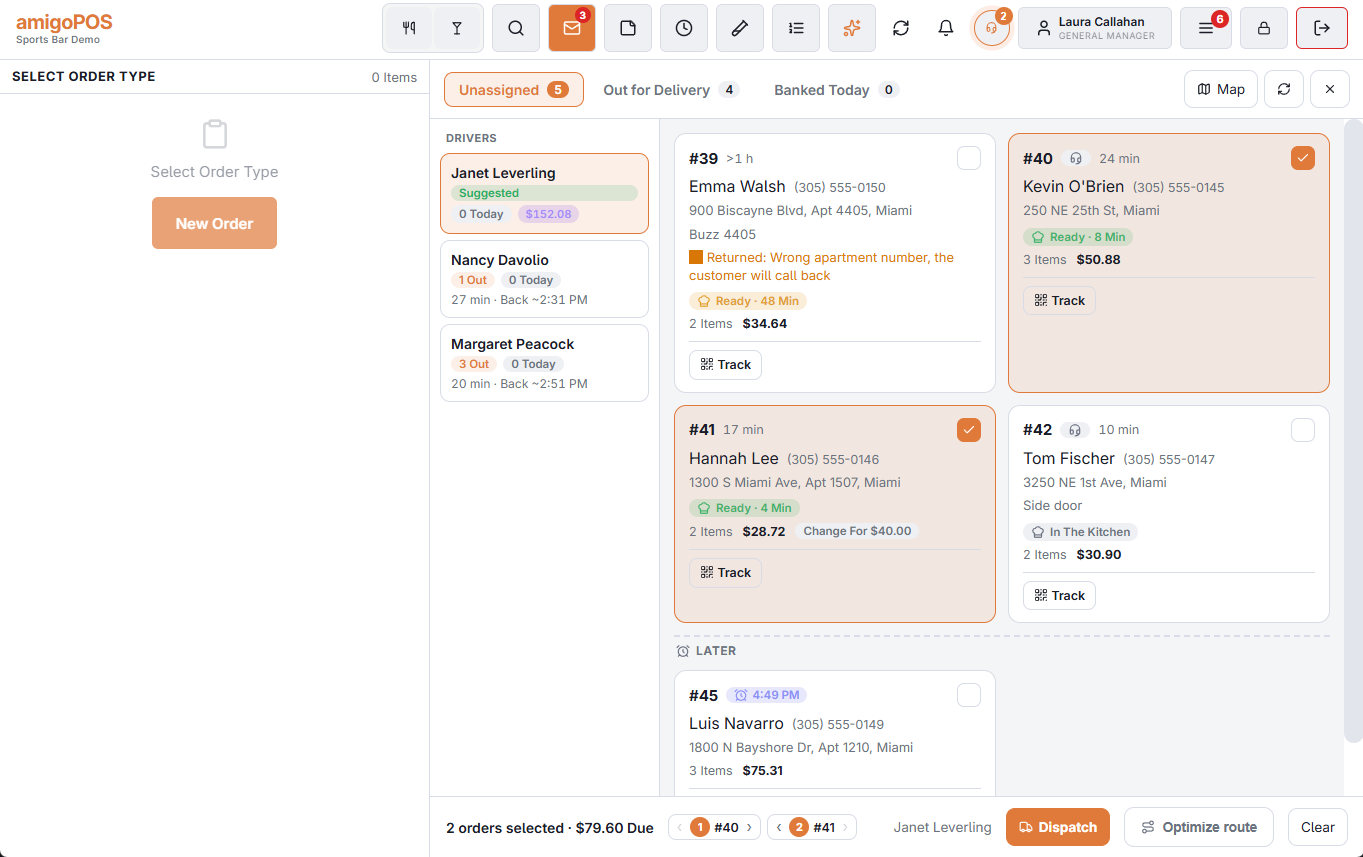
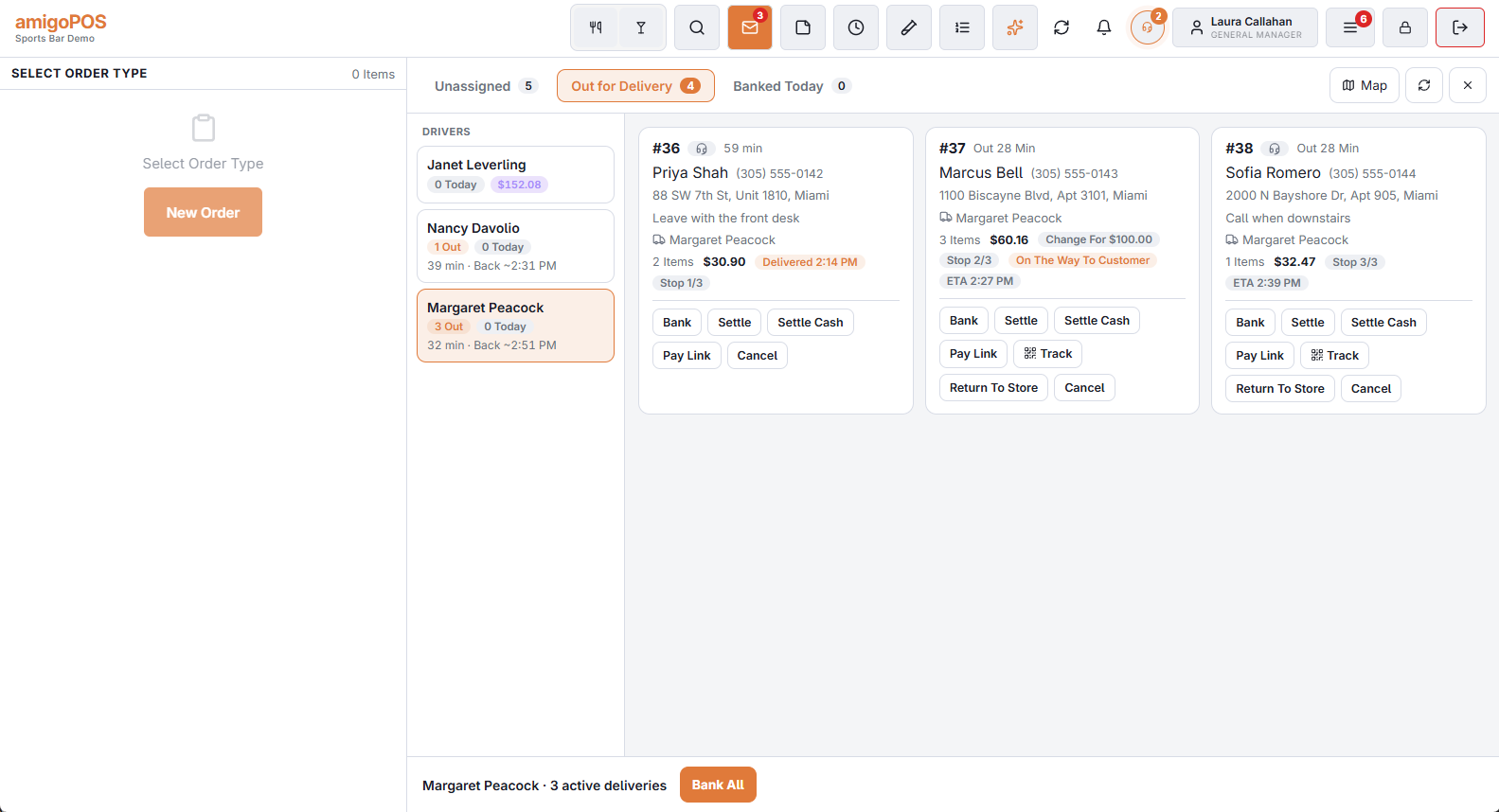
A board that keeps itself current
The board reloads by itself when another register dispatches or banks, when a driver acts on their phone, when a delivery order arrives and when one is paid. Refresh is still there, and should rarely be needed.
What a card shows
- The address with its apartment or unit line, and the address note.
- A headset mark on an order taken by the call center.
- Paid instead of an amount when nothing is due, and Change For … when the customer said what they would pay with.
- In Out and Banked Today: the driver; Delivered with the time, once the driver marked it at the door; Problem with the driver’s reason; and Photo when one was taken.
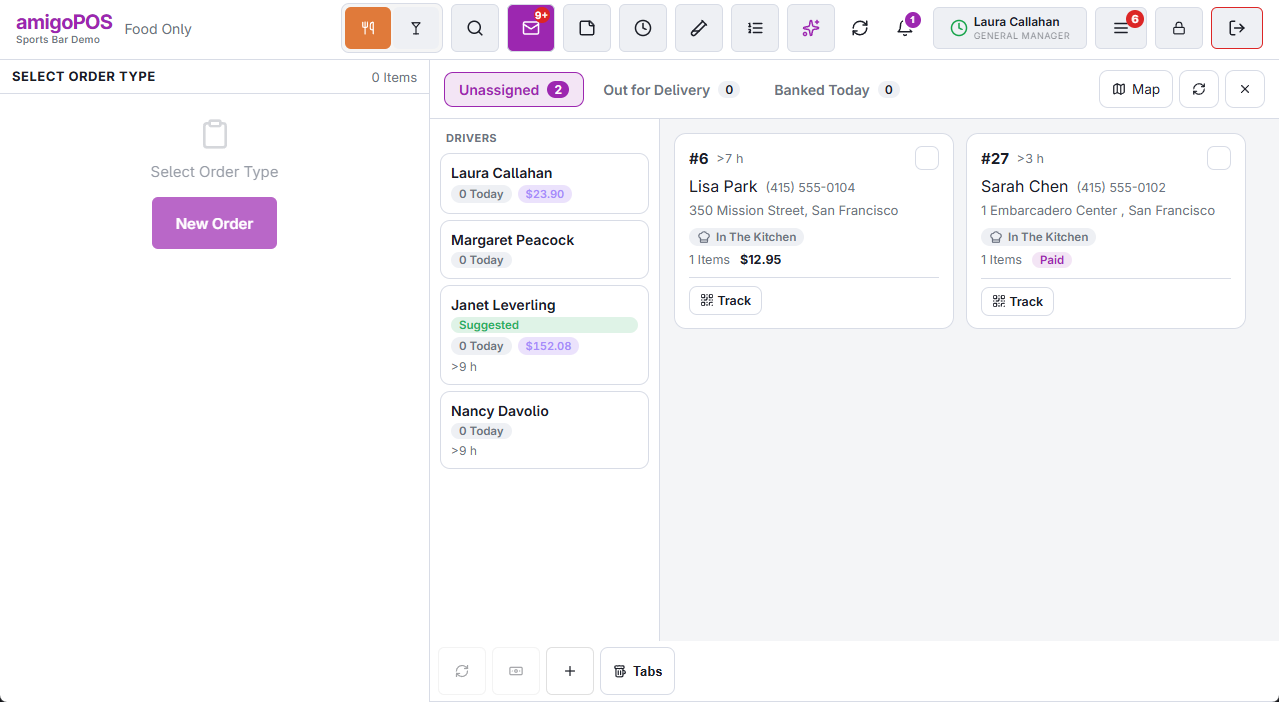
Safeguards
- An order cannot be dispatched twice. If another register, or a driver on the phone, took one of the orders you selected, the rest are dispatched and the screen says how many were left out.
- Cancel asks before it takes an order back from a driver, and the driver’s phone is told.
- Voiding an order that is out closes its delivery and tells the driver to bring it back.
- Settle Cash Now checks the order in only once the payment has been saved.
- Banked Today and the drivers’ counts follow the store’s business day.
Entreo drivers
Stores that use Entreo have an Entreo tab on the board and a Send To Entreo button on every Unassigned card and in the dispatch bar. An order that is with Entreo is not listed under Unassigned; one Entreo gives back returns there with a red pill saying why. See Entreo on the delivery board.
Track, Problem Resolved and Return To Store
Each card on the Out tab has a Track button: a QR code the customer can scan at the counter or on the phone, and Send By Text to the number on the order or another one typed in (used once, never saved). See the customer’s order tracking page.
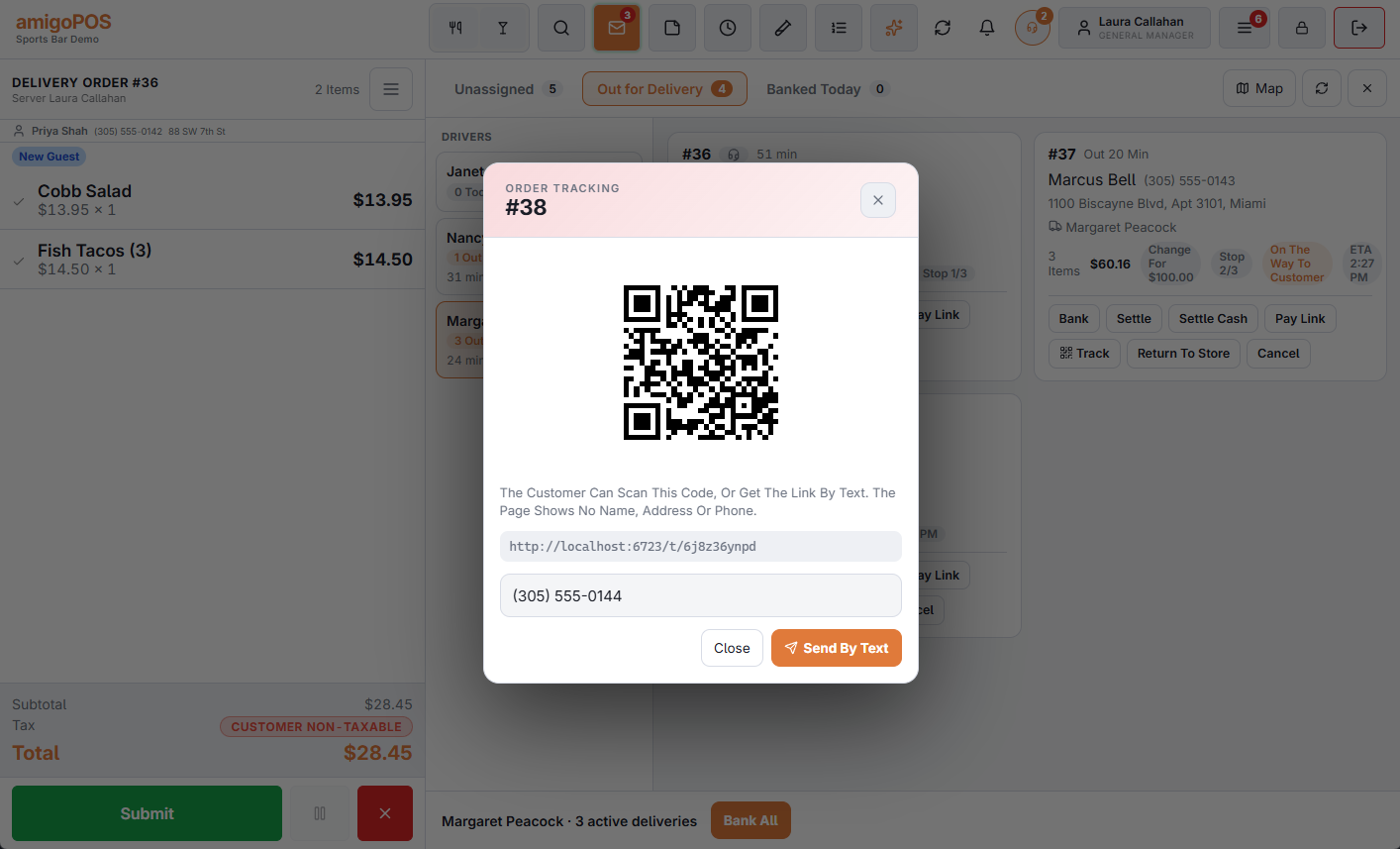
Problem Resolved and Return To Store answer a driver who is stuck at the door, or bring back an order that cannot be delivered — see when a delivery runs into trouble. The same board is on a manager’s phone: dispatching from a manager’s phone.