Deactivating removes a device from your account. It can no longer sign in, and its station number, its name and its place in your plan are free again. The sales, drawers and reports it produced stay exactly as they are.
From Back Office
In Back Office › Hardware & Printing › Registered Devices, press Deactivate on the device’s row. This is how a lost, stolen or broken device is removed: it does not have to be there, or working.
From the device
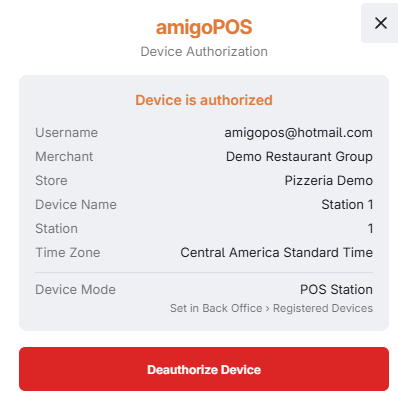
On a register, More › Settings › License Status has Deauthorize. A manager has to approve it: a manager who is signed in simply confirms; when someone else is signed in, the manager override is asked for; and from the sign-in screen it asks for a manager’s PIN.
What the confirmation tells you
Before anything is removed, the confirmation lists what the device would leave behind. None of it stops you — a broken device must still be removable — but read it:
- Orders not sent yet. Orders taken while the device was offline that have not reached the server. Once it is deactivated they can no longer be sent, and End Of Day stops waiting for them.
- Time punches not sent yet. Clock-ins and clock-outs made offline, for the same reason.
- A drawer that still needs a reset. Cash was taken on this station and its drawer has not been reset. End Of Day will still ask for that reset; it can be done from another station with Reset Here — see Running end of day.
- The store’s last POS station. With none left the store cannot ring up sales, and activating one again needs the account owner’s sign-in on the new device.
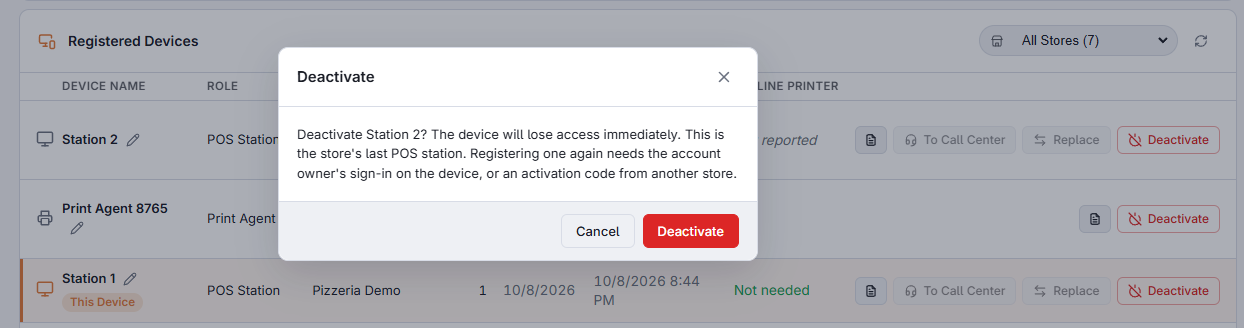
From Back Office, the numbers are what the device last reported; on the device itself they are counted on the spot. A device on an older version of the app does not report time punches, and then nothing is said about them — that means unknown, not none.
Afterwards
A device that is still running is turned away the next time it contacts the server and goes back to its activation screen. To use it again, give it a new code; see Activation codes and device limits. To put a new device in its place, use Replace instead of deactivating, because it keeps the station number; see Replacing a register.