A digital gift arrives as an email from your business carrying everything the recipient needs. It comes from your gift sender address, set on the Gift Card Defaults tab of Back Office › Gift & Loyalty › Cards (Set up digital gift cards).
- The value of the gift, and any bonus loyalty points or bonus put on the card.
- The sender’s name and message, when they were written.
- The card number and a QR code to show at the register.
- An Activate button, to press before the first use.
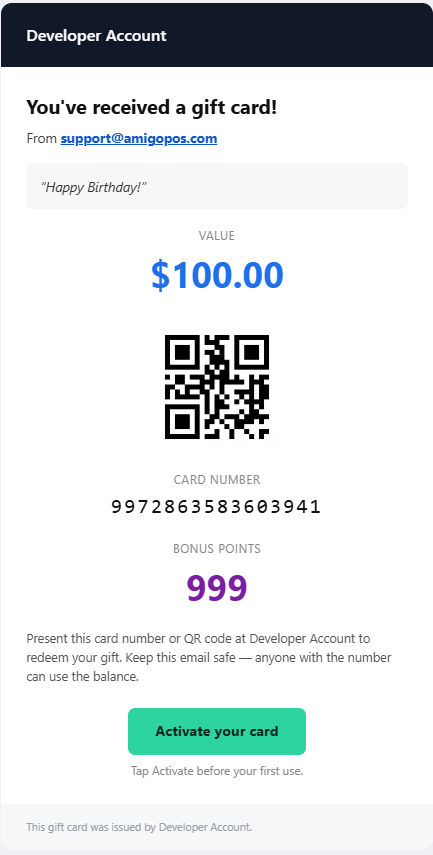
The recipient spends it in person by showing the card number or the QR code, exactly like a printed card. Nothing has to be printed and no app is needed.
The gift email and its subject are in the store’s language (English, Spanish or Arabic). The activation confirmation email and the email sent when the card is used are in English.
After the email
Once activated, the link opens the card itself, with a barcode to show at the register (The e-gift page as the card). If the card goes unused, balance reminder emails can follow (Expiry and balance reminders).
The gift card text
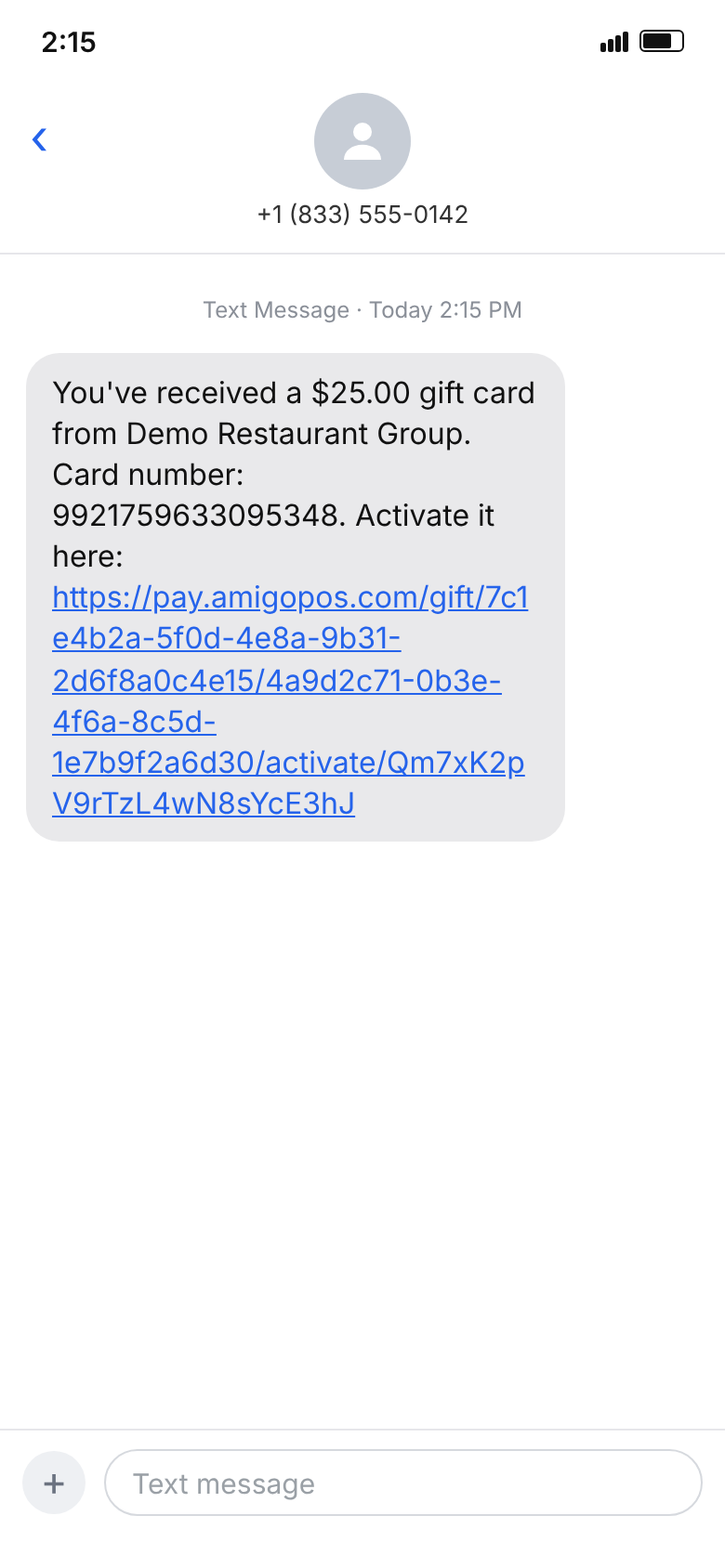
A gift sent by text message arrives as one text: You’ve received a $25.00 gift card from (your business). Card number: … Activate it here: (link), in Spanish when the store’s language is Spanish. It has no sender name or message, and the recipient gets no confirmation email when activating, since there is no address to send it to. The page the link opens is in the store’s language too, and tells the recipient the card number is in the email or text message they received.
If a text never arrives, see Digital gift cards: troubleshooting.