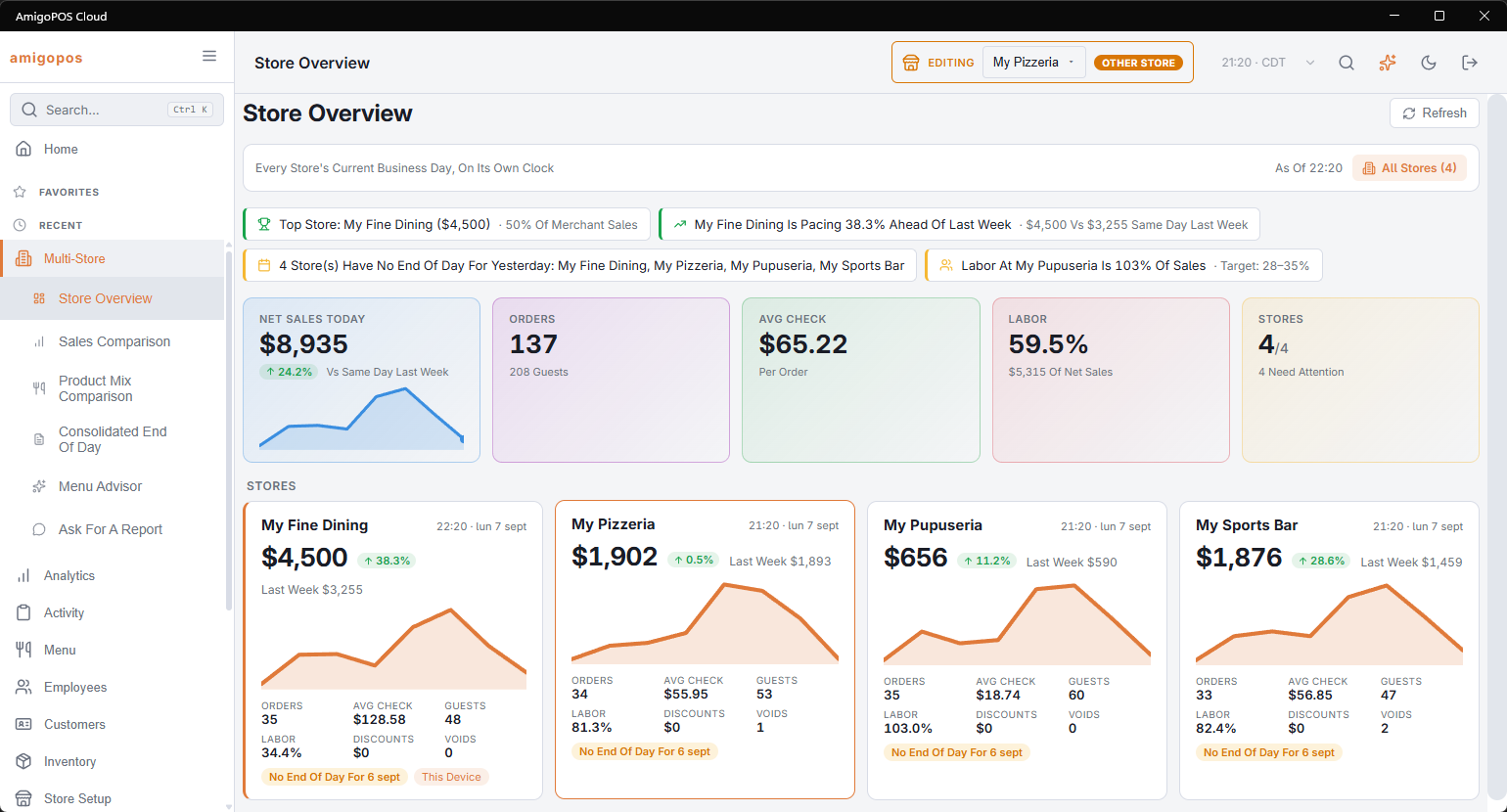
Back Office › Multi-Store › Store Overview shows every store’s current business day at once: one card per store, each measured on its own clock, with the account’s totals above them.
The header
- Refresh — loads the figures again. The page does not update by itself.
- The line under the title reads Every Store’s Current Business Day, On Its Own Clock. Beside it, As Of gives the time the figures were worked out, and All Stores (n) how many stores are shown.
There is no date choice: the page always shows today. For other days use Sales Comparison or Consolidated End Of Day.
The totals
- Net Sales Today — all stores together, with the change against the same day last week up to the same time of day, and a line of the last eight days.
- Orders — with the number of guests.
- Avg Check — net sales per order.
- Labor — labor cost as a percentage of net sales, with the cost.
- Stores — how many stores reported out of how many, and either All Clear or n Need Attention. A store needs attention when its figures could not be read, when yesterday had sales but no end of day, or when it has items sold out.
The insights strip
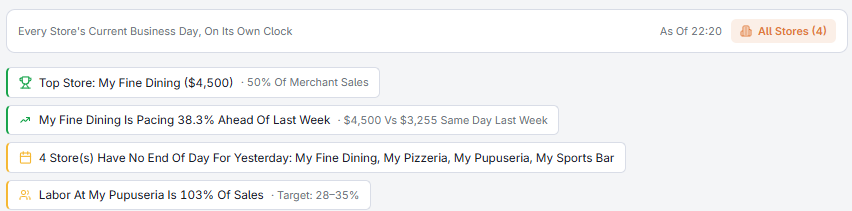
Above the totals a strip calls out what stands out today:
- the top store, with its share of the account’s sales;
- a store more than 10% behind, or more than 10% ahead of, the same day last week up to the same time of day;
- stores with no end of day for yesterday;
- a store whose labor is above 35% of its sales;
- items sold out, and in which stores.
The store cards
Cards are in store-name order. Each card shows:
- the store’s local time and its business day;
- net sales so far, the change against the same day last week up to the same time of day, and last week’s figure up to that time;
- a line of the last eight days;
- Orders, Avg Check, Guests, Labor, Discounts and Voids (voided orders);
- tags for n Open orders, n Sold Out items and No End Of Day For yesterday’s date. The store this station belongs to is tagged This Device.
At 11:00 a store is compared with its own sales last week up to 11:00, on its own clock. The line of the last eight days uses whole days.
A store whose figures could not be read shows This store’s figures could not be read. on its card instead.
Opening a store
Select a card to point Back Office at that store and open Analytics › Overview for it. The store picker in the header changes to that store; use it to come back. See Switching the store you are editing.