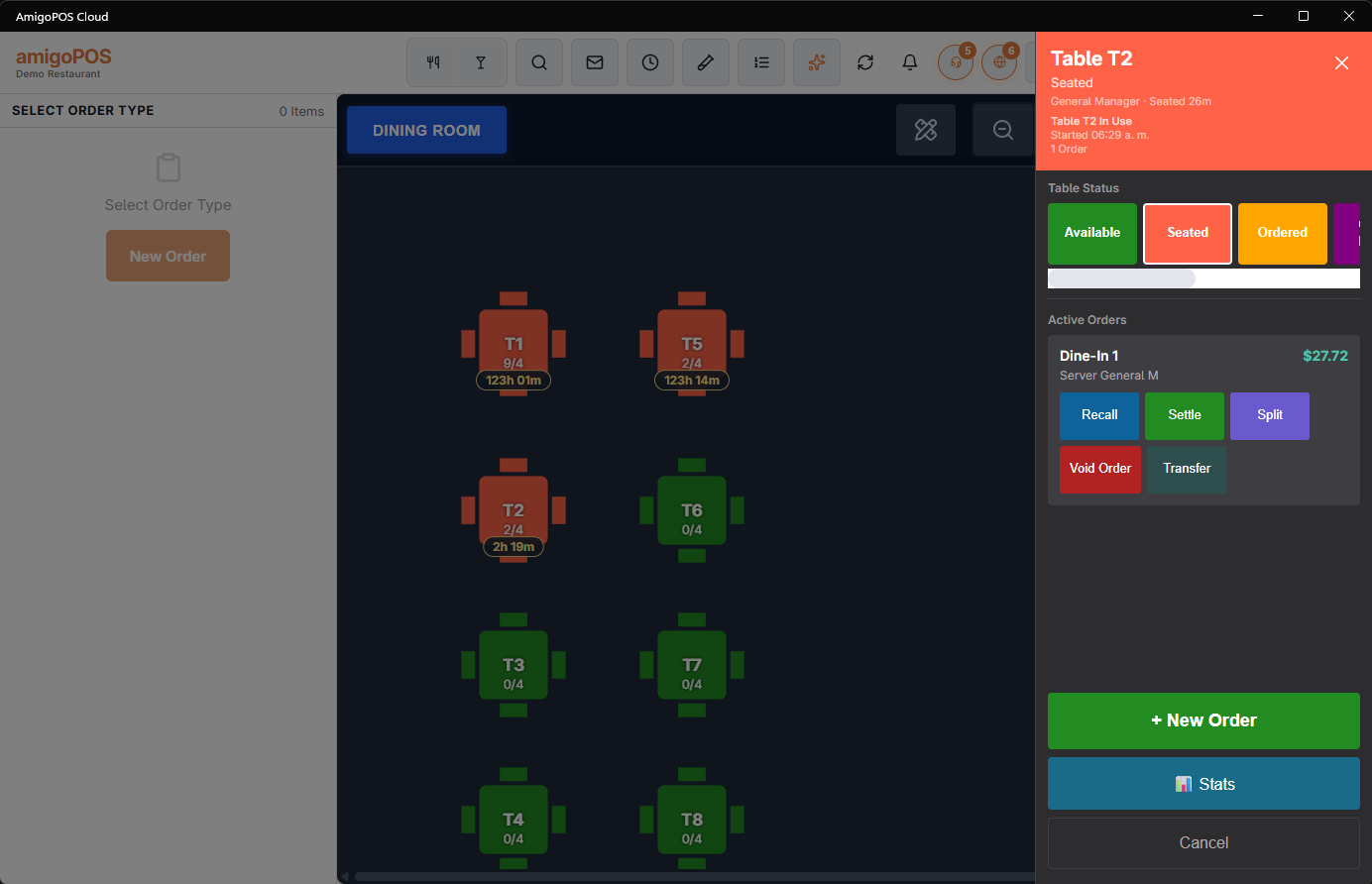
Tapping a table on the floor plan opens its panel: what is happening there now, and what you can do about it.
What it shows
- Whether the table is available or in use, its status, and how long the current session has been running.
- The active orders on it, with the server who has them.
- Waiting time from the service-pace rules, so a table that has been sitting too long says so here rather than in a separate screen.
What you can do
- New order — start one on this table.
- Recall — open an existing order to add to it.
- Settle, split, transfer or void an order without walking back to the orders list.
- Stats — this table’s history: how many turns, how long they run, what they are worth.
Transfer from here when a section changes hands. Doing it table by table on the plan is faster and less error-prone than working from a list of order numbers.
Pool tables, lanes and rooms
- A free timed table tapped before starting an order shows a Start Timer section: one button per linked item with its rate. One tap opens an order on the table and starts the game. See Starting a game from the floor plan.
- Settle on an order with running timers asks to stop them first (Stop And Settle). See Settling, splitting and combining timed checks.
- Split waits until the order’s timers are stopped.
Your orders and other servers’ orders
- Recall, Settle, Split and Void Order show only on orders you own, unless your job has Cross-Edit. Transfer shows on every order, so a section can still be handed over (Transferring an order to another server).
- Split opens the orders list on that order’s split choices. If the order can’t be split (a single item, a bar tab, already split), it opens selected instead; one with a payment already on it says why it can’t be split.
- Void Order asks the same questions as the orders list: the reason, whether the items go back to inventory and, when the order has card payments a void doesn’t send back by itself, whether to return the money.
- Split needs the Split Order permission and Void the Void Order permission; without it, a manager can approve on the spot.
- Stats needs the Seating Chart Statistics permission; without it, a manager approves before the table’s history opens.
Party Tables
On a table with an open check, Party Tables lists the tables the check holds: its own first, then each additional table with an × to give it back. Combine Tables adds free tables of the room to the check for a large party. See Combining tables for a large party.