Back Office › Analytics › Performance › Call Center shows the phone orders the call center sent to the stores and what the stores did with them, and for the whole business, the calls themselves. The page shows up only for businesses that use the call center, on plans that include it: a call-center seat is registered, or call-center orders were placed in the last 90 days. Everyone else never sees it.
The toolbar
- Date range works as on Sales performance; the page opens on Last 7 Days.
- Store — a store, or All Stores for the whole business (see below).
- Refresh loads new figures. CSV exports the By Agent table.
There is no Day / Week / Month choice, PDF or Schedule on this page.
At a store
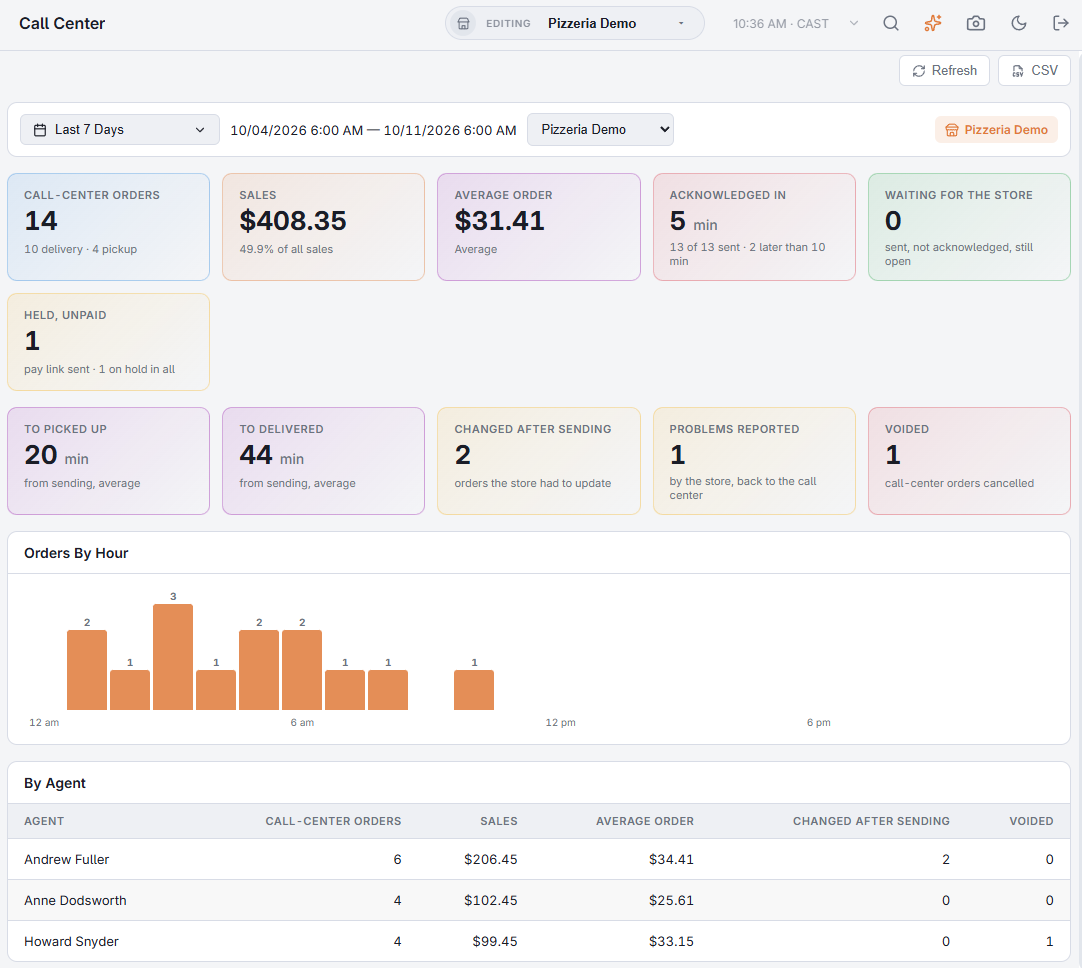
With a store picked in the toolbar (or when you see only one store), the view is that store’s side of the phone orders in the date range:
- Call-Center Orders — how many, delivery against pickup. Sales and its share of all the store’s sales, and Average Order; these two leave voided orders out.
- Acknowledged In — average minutes from the order reaching the store to somebody acknowledging it, with how many of the sent orders were acknowledged and how many took more than 10 minutes. Waiting For The Store: sent, not acknowledged, still open right now.
- Held, Unpaid — orders on the call-center hold with a pay link sent, waiting for the customer to pay; the line under it counts all orders on the call-center hold.
- To Picked Up and To Delivered — average minutes from sending. Changed After Sending (orders the store had to update), Problems Reported (by the store, back to the call center) and Voided.
- Orders By Hour, and a By Agent table: orders, sales, average order, changes and voids for this store’s orders.
The whole business
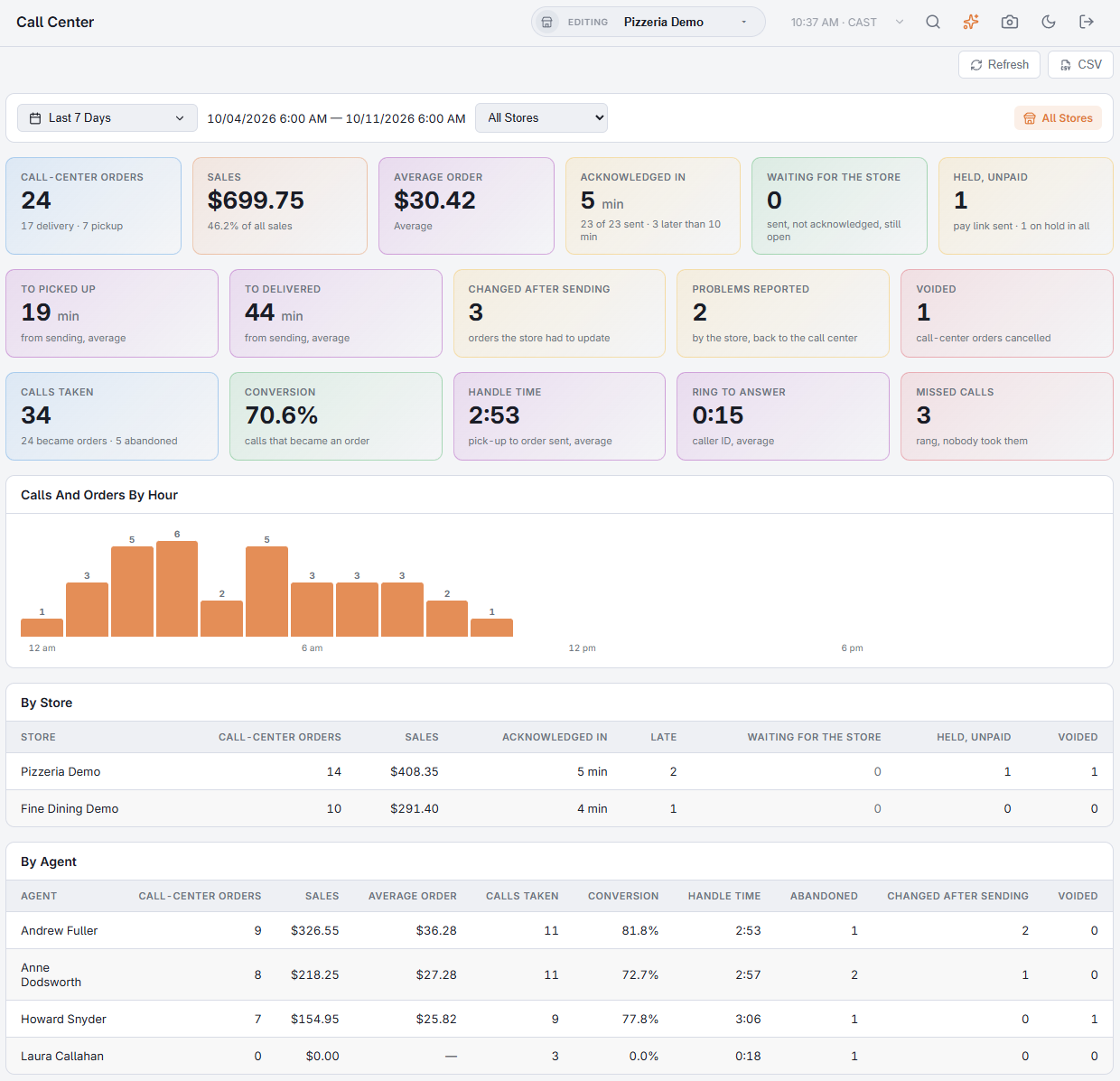
All Stores is offered to a call-center seat and to anyone who sees more than one store. It adds the calls themselves, which belong to the business rather than to a store (a call has no store until it becomes an order):
- Calls Taken, how many became orders and how many were abandoned; Conversion, the share of calls that became an order.
- Handle Time — from answering to the order sent, on average; Ring To Answer from caller ID.
- Missed Calls — rang on any line and nobody took them. A ring counts as missed once two minutes pass. Test rings sent from Caller ID are not counted.
- Calls And Orders By Hour; a By Store table (orders, sales, acknowledged in, late, waiting, held unpaid, voided); the agent table gains calls taken, conversion, handle time and abandoned.
The same questions in plain words — “which agent took the most delivery orders last month” — go to Ask For A Report, which has Call Center Calls and Call Center Orders datasets.
Related: How a call-center order travels, Pending call-center orders at the store, Sending a pay link.