A call-center order is taken in one place and made in another. What decides when the store gets it is how you send it.
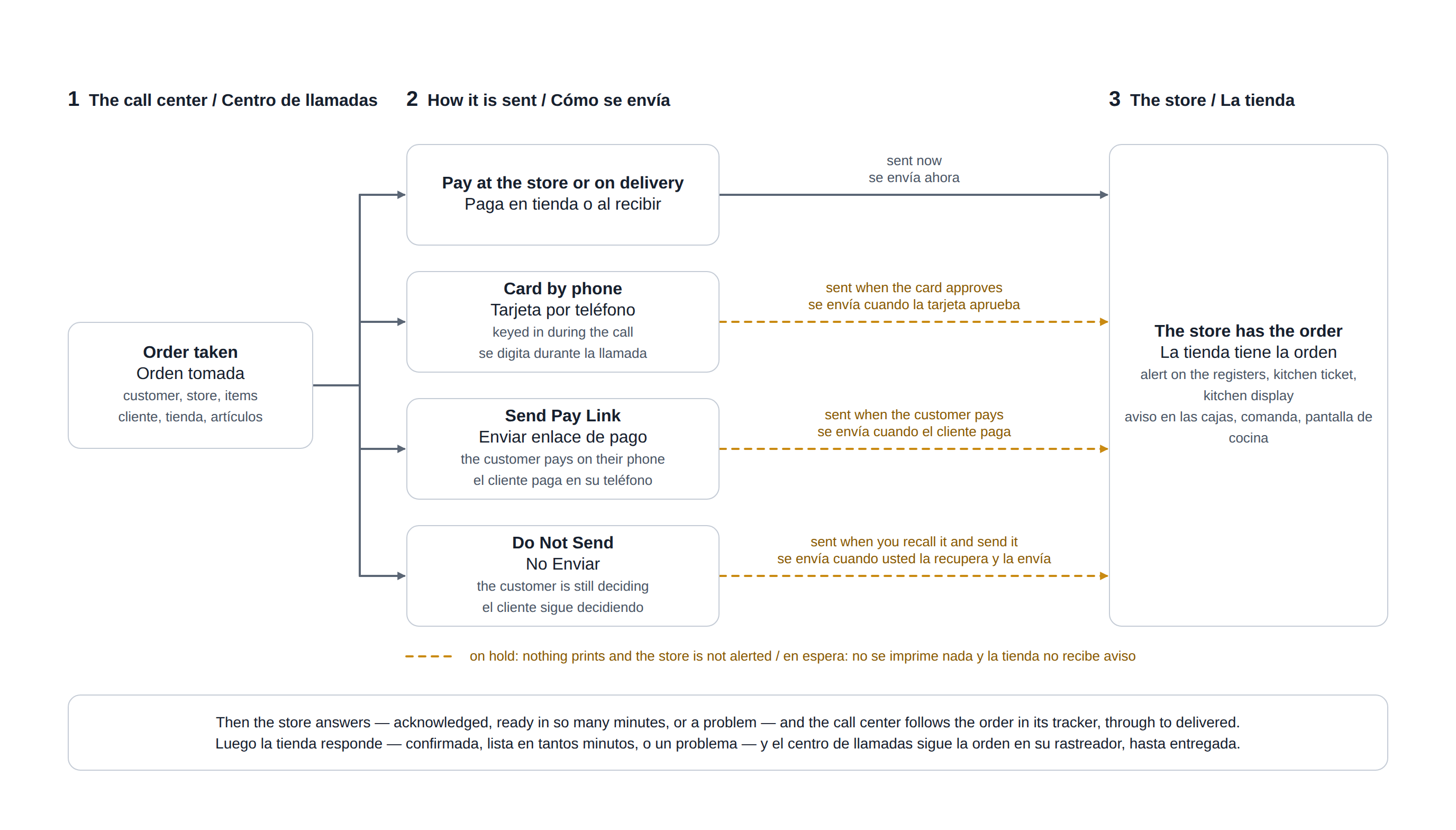
The four ways to send
| You choose | The store gets the order | Use it when |
|---|---|---|
| Pay at the store or on delivery | At once. | The customer pays the driver, or pays at the counter. |
| Card by phone | The moment the card is approved. A declined card leaves the order in Do Not Send. | The customer reads the card to you. Only where the store has a card-by-phone payment method. |
| Send Pay Link | When the customer pays, or when you tap Send To Store Unpaid. With Hold Call Center Orders Until Paid switched off: at once, unpaid. | The customer pays on their own phone. |
| Do Not Send | When you recall it and send it. | The customer is still deciding, or you are waiting for a callback. |
What the store does with it
- The registers show the pending order, the kitchen ticket prints and the kitchen display shows it — once, however it was sent.
- Someone at the store acknowledges it, promises a ready time or reports a problem. See Pending call-center orders at the store.
- A delivery order goes on the delivery board and out with a driver. See How a delivery travels.
What comes back to you
Each of those steps shows in the tracker at the top of the call-center screen: waiting, acknowledged, ready in so many minutes, a problem to resolve, out for delivery, delivered. See Following your orders: the tracker.
Changing an order the store already has
- Recall it, change it and send it again: the store prints an UPDATED ticket and has to acknowledge the change.
- It cannot go back on hold. Do Not Send is refused for an order the store already has — choose a way to send the changes.
- Cancelling it prints a CANCELLED ticket in the kitchen.
The choices themselves are described in Submitting and routing an order to a store and Sending a pay link.
The steps before Submit — the call, the customer and the address, the items — are drawn as a flowchart in Taking a call-center order.
When the store writes back
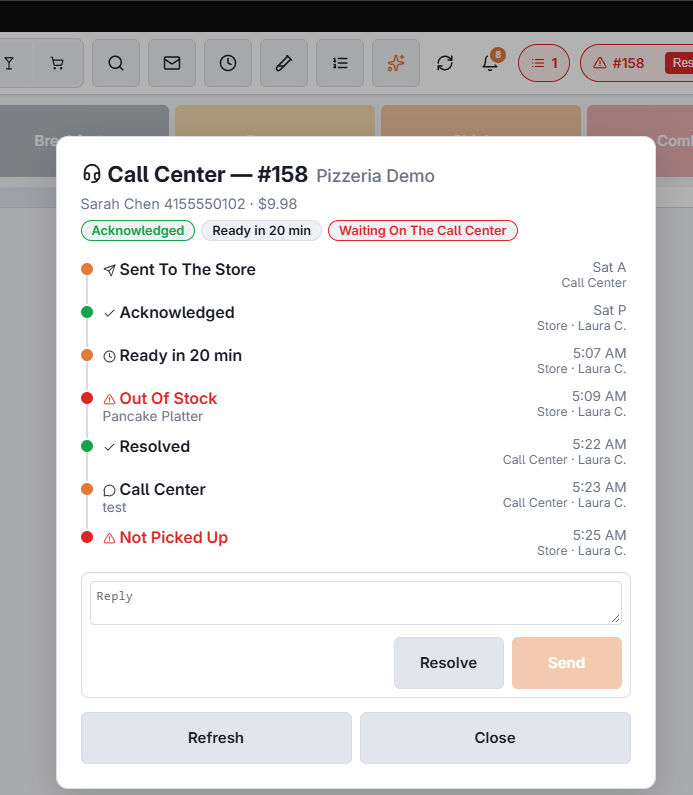
After the order is sent, the store can answer from its orders list: a ready time, an issue (out of stock — with the item — not picked up, invalid address, customer unreachable, anything else), a free-text reply, or that an issue it reported is resolved. Two things reach you without anyone at the store typing: the total changed at the register (a line removed or added on recall, with the old and new amounts) and the order voided there, with the reason.
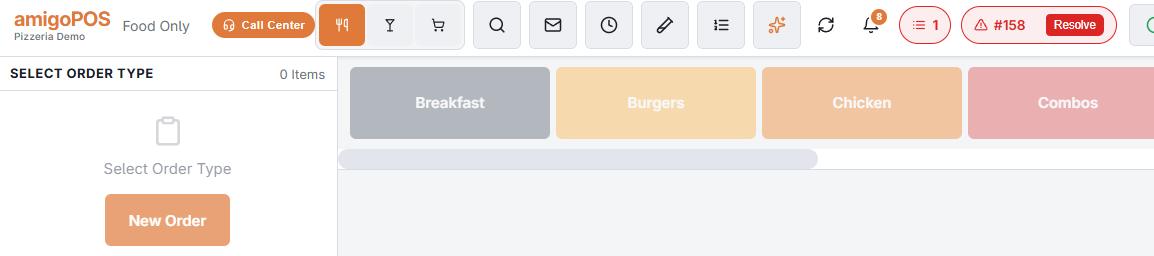
A ready time changes the order’s pill in My Orders to “Ready In 20 Min”. Anything that needs you turns the pill red with the message on it and a Resolve button, and shows a toast. Red pills reach every seat, whoever took the order and however old it is — “never picked up” is reported hours later, when the operator who took the call may be off shift — and they stay until someone resolves them or the store closes the day.
Tap a pill, or a row in the My Orders list, for the whole thread: every event oldest first, who wrote it, the customer’s name and phone, and a reply box. Resolve there or on the pill once the customer has been called or the matter is closed; the store sees your reply and the resolve as a toast and on its orders-list card.
A delivery that comes back
When the store brings a delivery back undelivered, the order’s pill shows the reason, also after the seat is restarted, until the order goes out again. The customer can follow the delivery on the tracking page; the store can text them the link.