Two manager tools at the register answer “how are the tills right now?” without closing anything: More › Drawer States and More › Drawer Spot Count, both in the manager section.
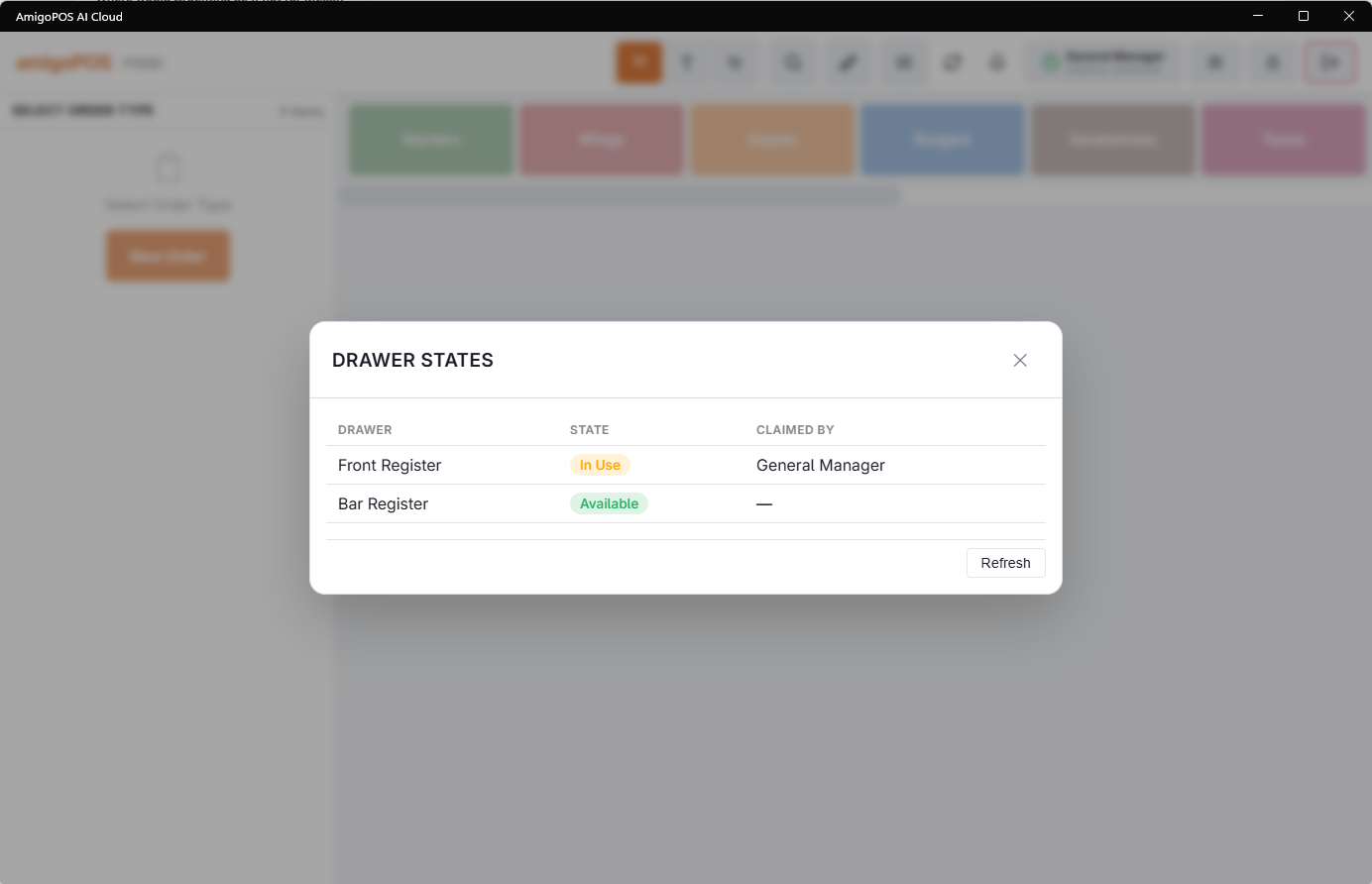
Drawer States
Drawer States lists every drawer of the store with its State and, when it is in use, who has it (Claimed By):
- Available — nobody has it; ready to be picked.
- In Use — claimed by someone clocked in.
- Count required — the last person clocked out without counting it. The next person counts it before taking it.
- Pending Handoff — the last person counted it at clock-out. The next person checks that count before taking it.
On a Pending Handoff drawer, Clear Pending Handoff makes it Available without the check, after a manager with Drawer Count approves. Refresh reloads the list. It is the pre-rush walk-through: is every till taken and counted?
Drawer Spot Count
Drawer Spot Count checks a live drawer. It doesn’t need a drawer in use on the station: when it opens on the list of the store’s drawers, pick one under Select a drawer to count. The header shows the Drawer, As of and the Cashier.
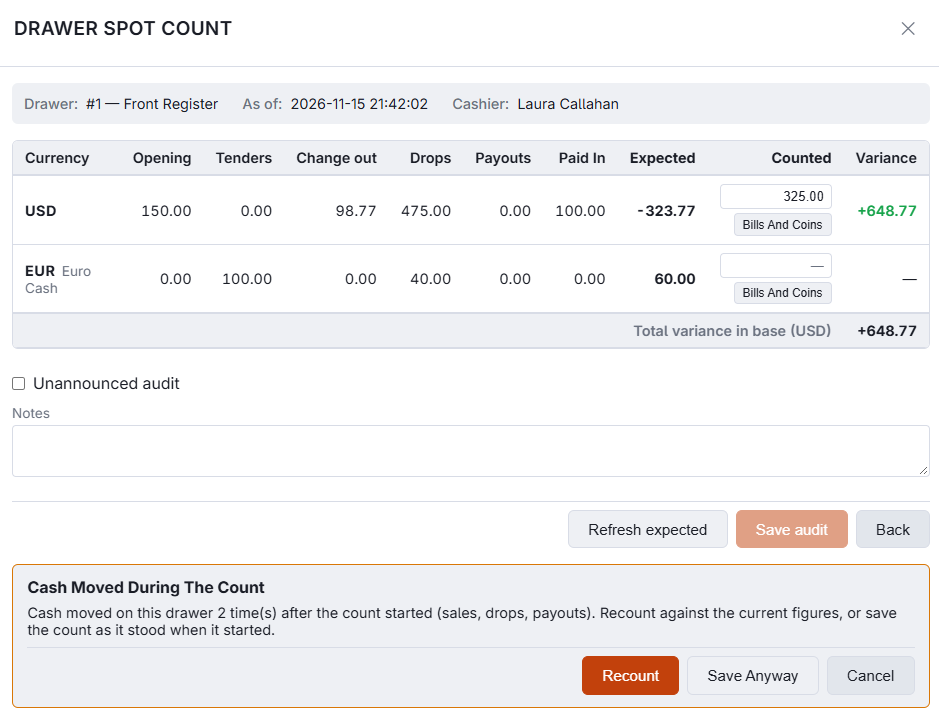
Each currency gets a row with the drawer’s Opening, Tenders, Change out, Drops and Payouts, the Expected amount, a Counted box and the Variance. When the drawer holds employee deposits taken since its last reset, an Employee Deposits column shows them before Expected, and they count in it. When an End Shift at this drawer applied deposits since its last reset, a Deposits Applied column shows them, and they come off Expected. See Employee banking and deposits. Total variance in base adds the currencies up in the store’s own currency.
- Refresh expected — recalculates the expected amounts, for example after a sale during the count.
- Unannounced audit — marks the count as a surprise check.
- Notes — anything worth saying about the count.
- Save audit — records the count and clears the drawer’s Count required alerts in the currencies counted. Nothing closes; the drawer keeps working.
When a currency is over or short by more than the drawer’s Over/Short Warning At, Variance Detected asks you to confirm. Past Over/Short Approval At, Variance Limit Exceeded needs a manager with Drawer Count to approve. The levels are set on the drawer; see Creating and editing cash drawers.
Blind drawer count
With Blind Drawer Count on, whoever counts a drawer sees only a Counted box per currency. The opening float, tenders, change, drops, payouts, employee deposits, deposits applied, the expected amount and the variance are all hidden, so the count can’t be steered towards the number on the screen.
- It applies to every count screen: the spot count, the closing count at clock-out, the hand-off check when a cashier takes over a drawer, and the count at drawer reset. It applies to everyone at the register, managers included. The reset screen also hides the cash in the drawer from staff without the Drawer Count permission — see Drawer reset at end of shift.
- Refresh expected, Unannounced audit and Notes still work.
- The over/short levels still apply. Past the warning level, Variance Detected asks for a confirmation; past the approval level, a manager has to approve. Both name only the currencies that are off, never the amounts.
- The full count — expected, counted and variance — is still recorded. Managers read it in More › Drawer Activity Log and Variance Report.
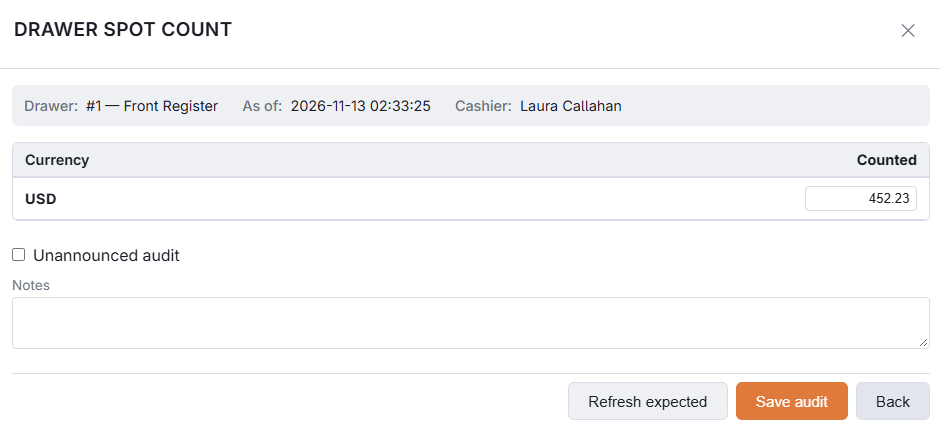
Switch it on at Creating and editing cash drawers.
Counting bills and coins
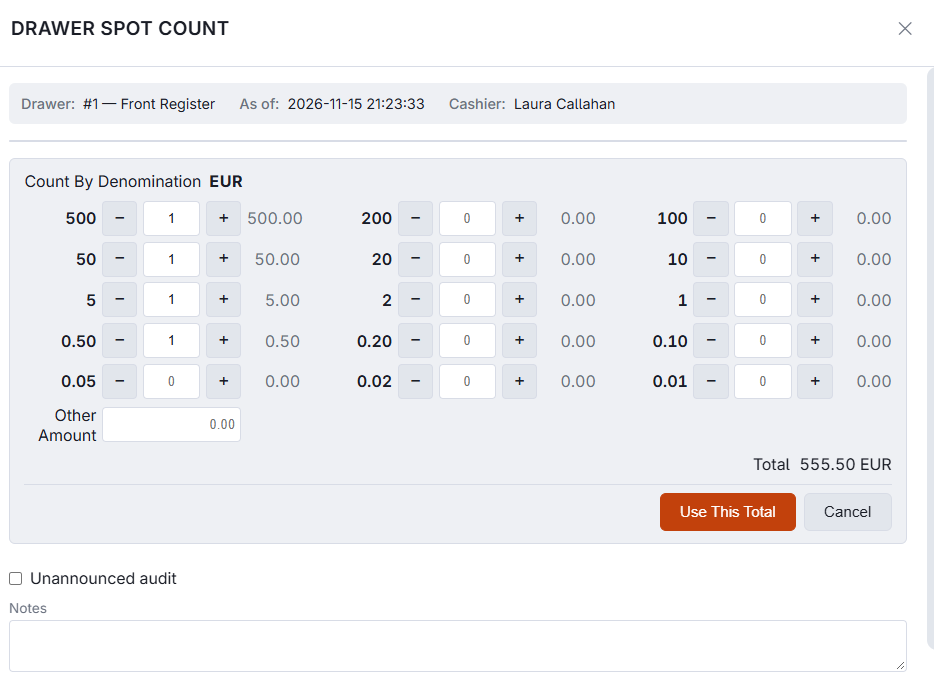
Next to each Counted box, Bills And Coins opens Count By Denomination: a row for each bill and coin of that currency with − and + buttons and a box for the quantity, an Other Amount line for rolled coin or anything not listed, and the total. Use This Total puts the total in the Counted box; Cancel leaves the box as it was. The quantities are kept while the count screen stays open, so one can be corrected later.
The rows follow the currency for the US dollar, euro, Caribbean guilder, quetzal, dirham, Canadian dollar, pound and Mexican peso. Any other currency gets a general list. It works the same on every count screen: spot count, clock-out, hand-off and drawer reset.
Cash moved during the count
A count is compared with the expected cash as it stood when the screen read the drawer. If a sale, drop or payout lands on the drawer while you are counting, saving shows Cash Moved During The Count with the number of movements. Recount reads the drawer again and keeps what you typed, so you can count against the current figures. Save Anyway saves the count as it stood when it started.
Paid In, and counting at a reset
- A Paid In column shows when cash was added to the drawer with Paid In; it counts in Expected. See Cash paid-out and reasons.
- At a drawer reset, every currency listed needs a figure before the count can be saved: Enter A Count For Every Currency (0 If None). A blank is no longer taken as zero.