When a register cannot reach the server, it keeps working from what is already on the device. Orders, cash payments and clock punches are saved on the station that took them, and sent on their own when the connection returns. Nobody switches anything on or off.
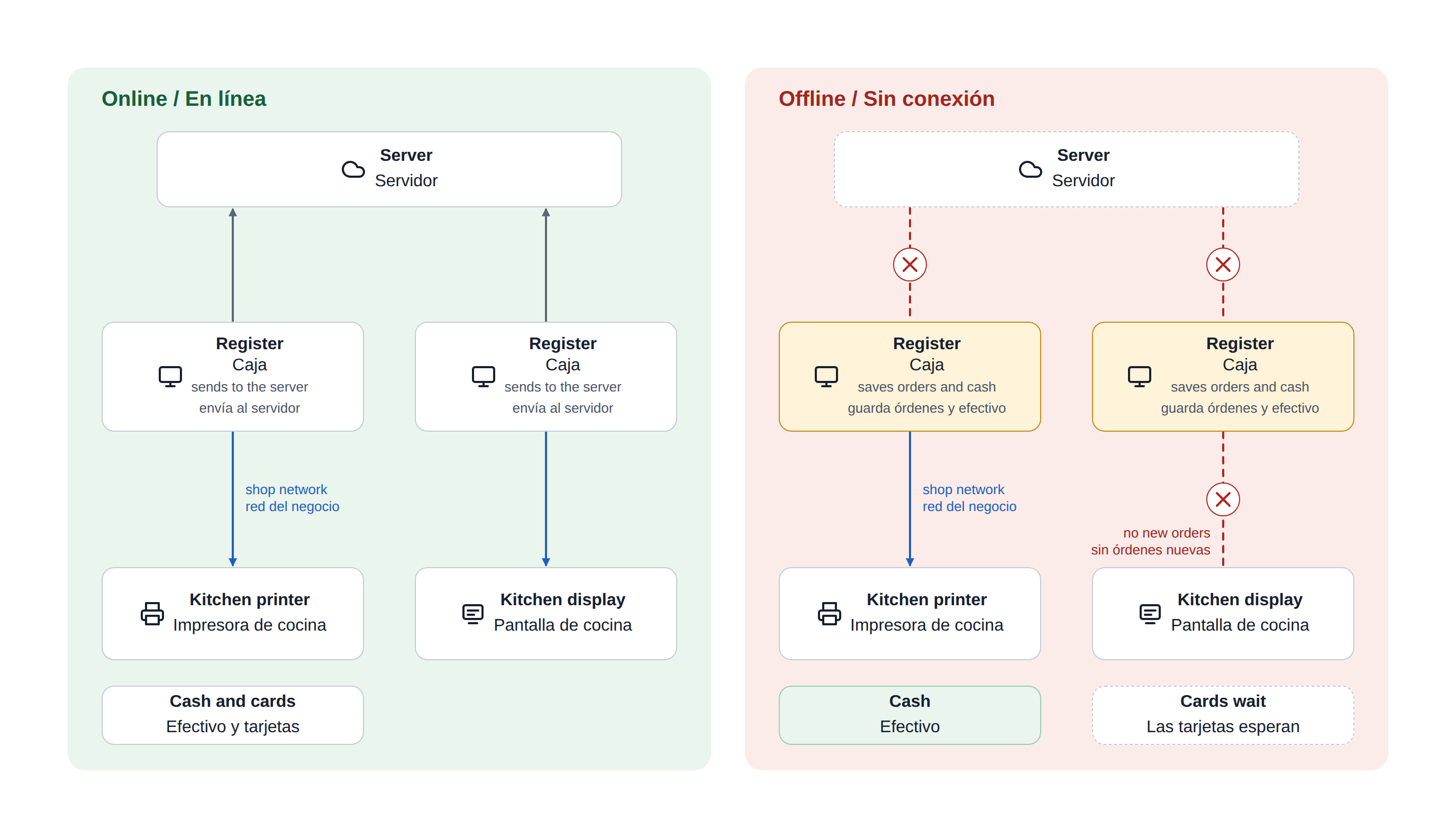
Three things to remember
- Keep taking orders and cash. Every order is saved on the station that took it.
- The kitchen gets paper. Kitchen tickets print on the kitchen's printers as long as the shop's own network is working. Kitchen display screens do not receive new orders until the connection returns.
- Cards wait. Card, gift card, loyalty and house account payments need the server. Cash does not.
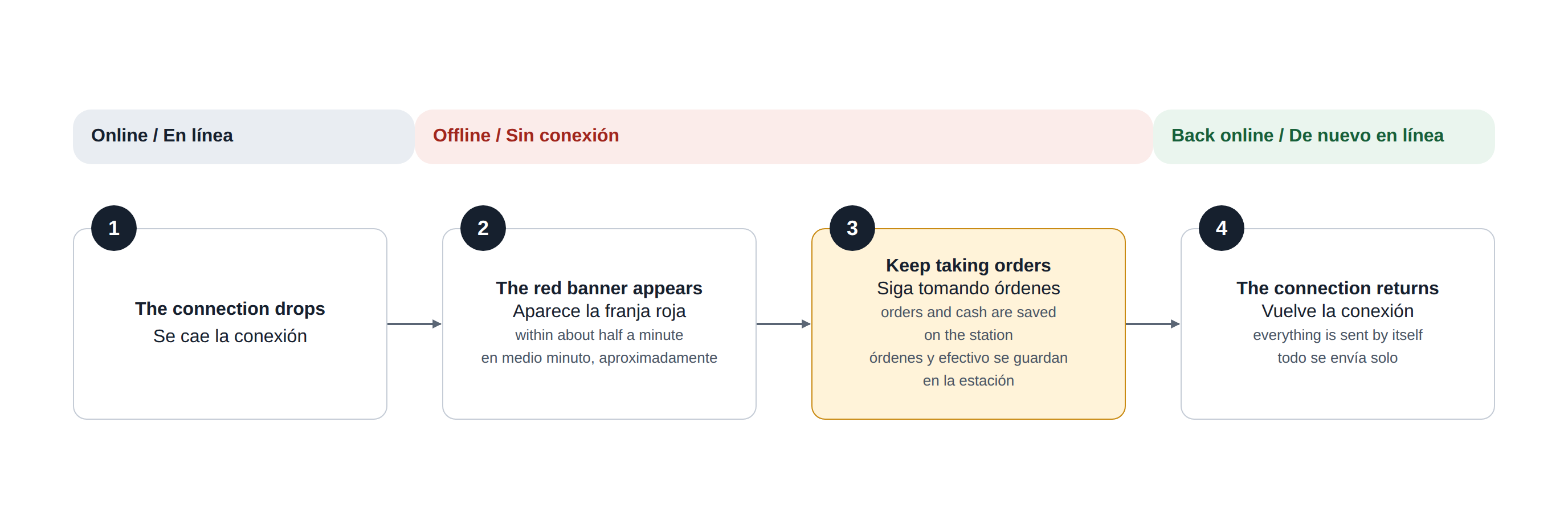
What happens, in order
- The connection drops. Within about half a minute a red OFFLINE MODE banner appears on every station that lost the server.
- You keep working. New orders get a temporary number that begins with 9. Cash is taken, the drawer opens, receipts and kitchen tickets print.
- The connection returns. The banner turns green for a moment. Clock punches, orders and cash are sent by themselves, and each order receives its real number.
- Anything that could not be sent stays on the station under Unsynced Orders until a manager deals with it. This is rare.
Where a kitchen ticket prints
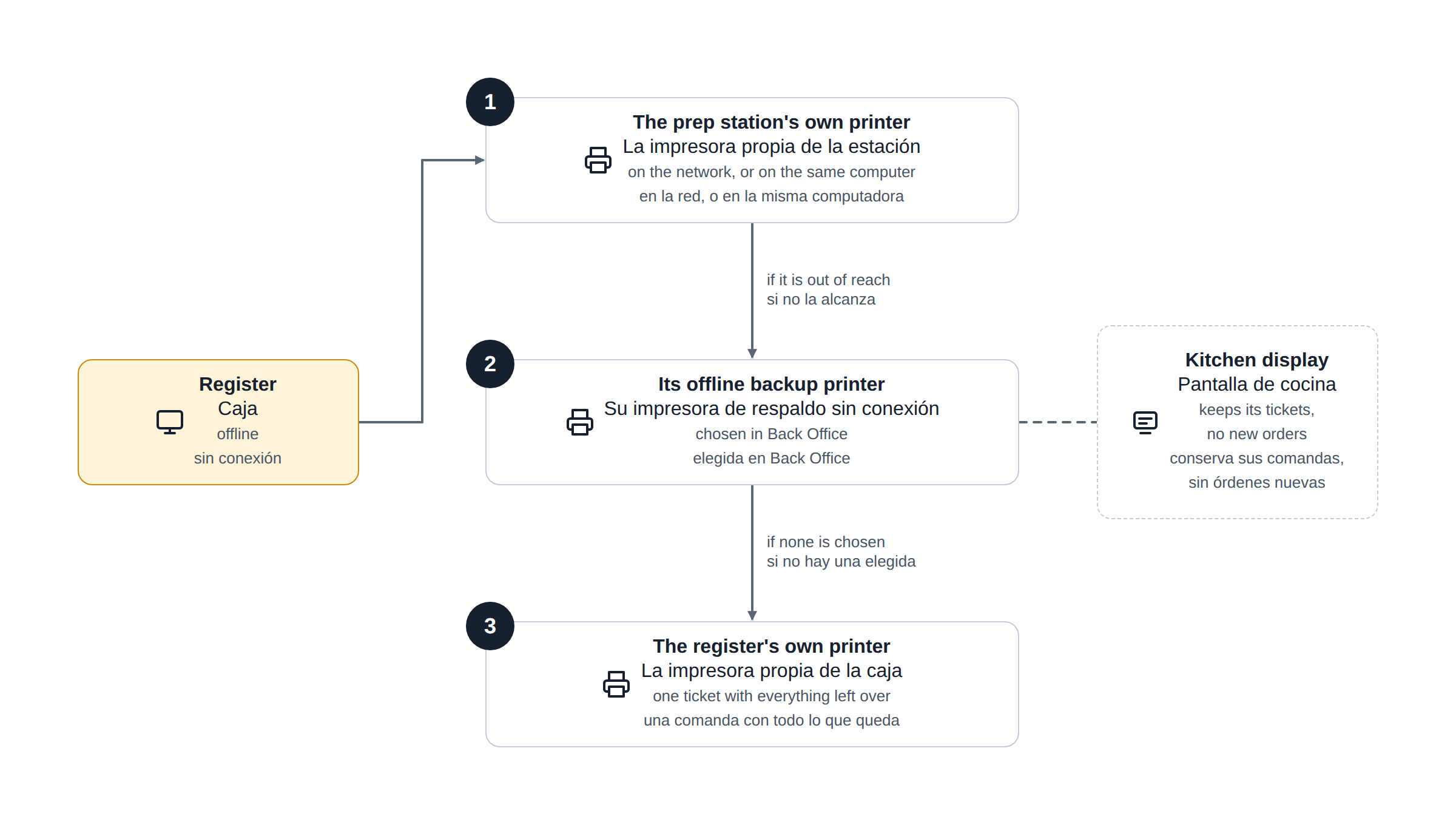
During an outage each register sends kitchen tickets itself. For every prep station on the order it uses the first of these it can reach:
- The prep station's own printer, when that printer is on the network or installed on the same computer as the register.
- The prep station's offline backup printer, chosen in Back Office.
- The register's own offline printer, where everything left over prints as one ticket.
See Kitchen tickets during an outage for the details and the setup.
Where to go next
- Working offline — using the register during an outage.
- Clocking in and out while offline.
- Preparing a station for offline mode — for managers, before an outage.
- Kitchen tickets during an outage.
- After an outage — for managers, when the connection is back.