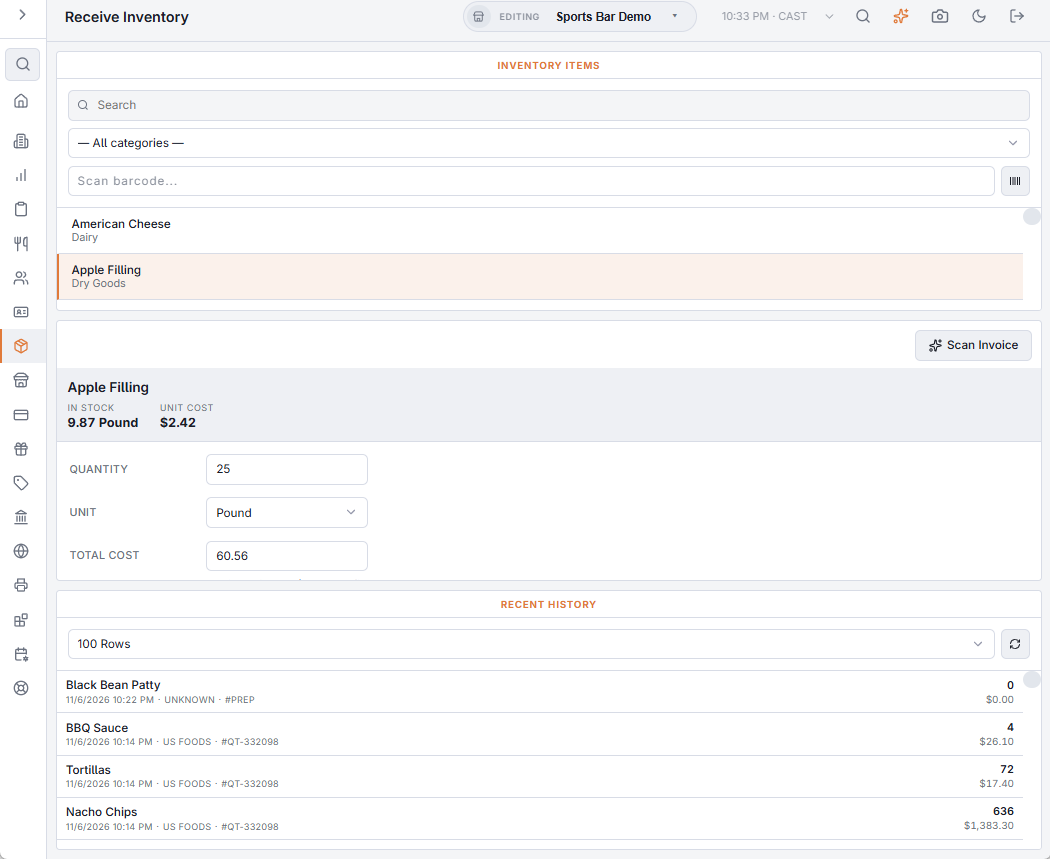
Back Office › Inventory › Operations › Receive Inventory records deliveries one item at a time: the quantity joins the stock as a new lot, and its cost joins the item’s cost history. The page has three columns: the items on the left, the entry form in the middle and the recent deliveries on the right.
Receiving an item
- Find the item on the left by name or category, or scan its barcode into the Scan barcode box and press Enter. A scan picks the item, the unit, pack or case that the barcode belongs to, and a quantity of 1. Hidden items are not listed.
- The form shows what is In stock and the item’s current Unit cost. Enter the Quantity and pick the Unit: the item’s unit, or a pack or case (shown with how many units it holds).
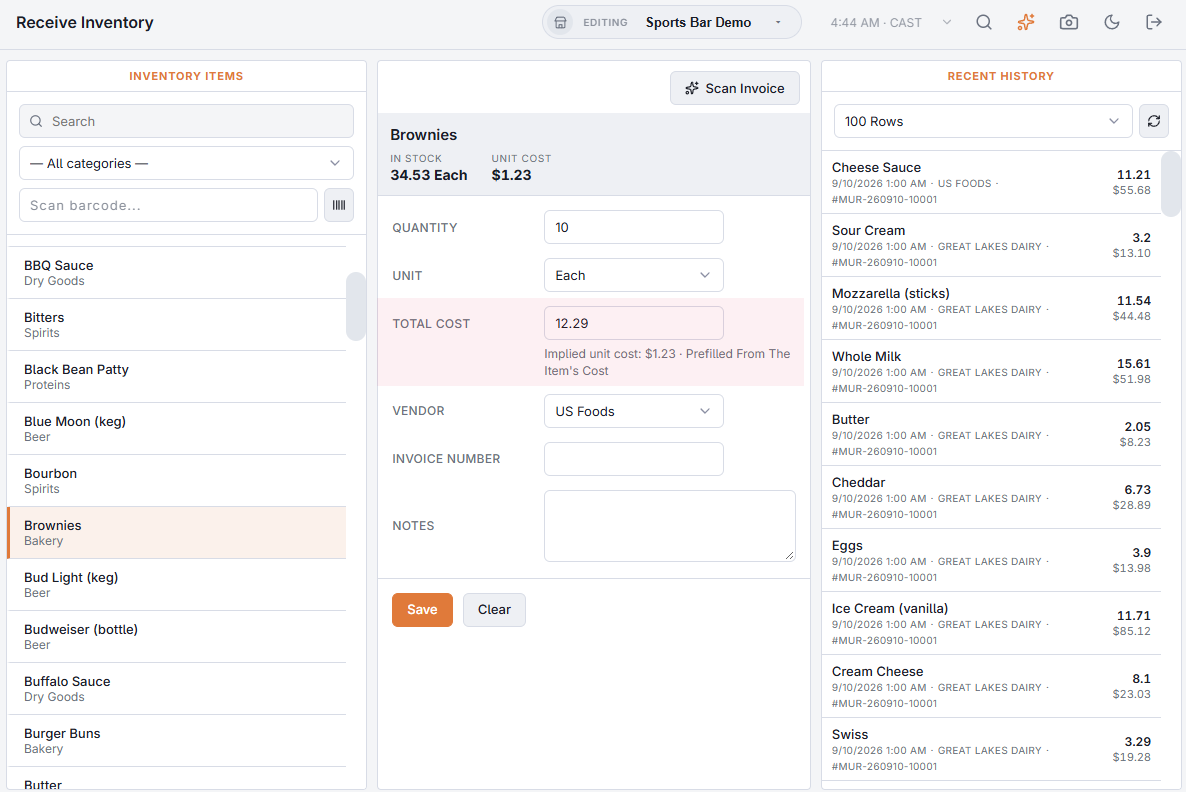
- Check the Total cost against the invoice line (see below). The Implied unit cost under it is the total divided by the units received; a surprise there usually means the wrong unit or a supplier price change.
- Check the Vendor (required), enter the Invoice number from the delivery paperwork and any Notes (shorted 2 cases, credit pending).
- Choose Save. A message confirms what was received; the item stays selected so you can enter the next delivery line. Clear empties the form.
Stock and costs update as soon as you save. Every delivery shows in the Received tab of Inventory logs and in the Inventory audit log.
Cost prefilled, supplier preselected
When you pick an item, the page selects its preferred supplier and fills Total cost as you enter the quantity and unit: the case cost × cases when you receive cases, otherwise the item’s current unit cost × units. The hint under the box says Prefilled From The Item’s Cost until you type the invoice total, which always wins; clearing the box hands control back to the prefill.
After saving a case delivery at a price that differs from the item’s case cost, a note offers to make the new price the item’s case cost (Update Case Cost) or to Keep the old one. The case cost is what recipes fall back on when nothing is on hand and no delivery is on record, so keeping it current matters.
Recent history
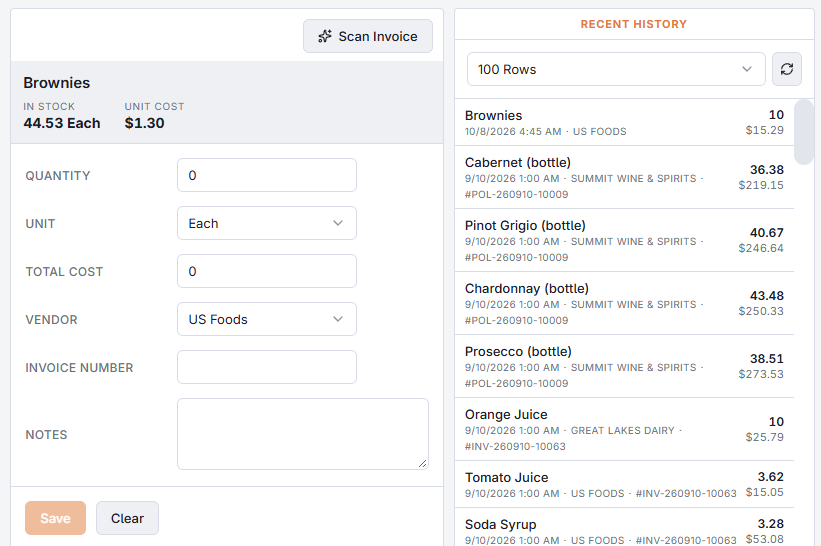
The right-hand column lists the latest deliveries for all items, newest first: the item, date and time, vendor, invoice number, quantity and cost. Pick how many rows to show (100 up to 100,000) and refresh it with the button beside the list.
Fractional packs and cases
Pack and case sizes can be fractional (a 22.68 kg sack, a 0.75 L bottle when you count in liters), and the unit list converts them exactly.
Receiving a purchase order
When the delivery was ordered through Purchase Orders, receive it from the order instead: the lines start from what was ordered, costs that moved 5% or more are flagged, and the order’s status updates — see Purchase orders.
To receive a whole invoice from a photo, choose Scan Invoice above the form — see Scanning a supplier invoice.
Supplier bills in Xero
With Xero connected and Post Supplier Bills switched on, each receiving is sent to Xero at End Of Day as a bill from its supplier — one bill per supplier invoice number, so enter the number from the delivery paperwork when you receive. Stock transfers between your own stores are never sent. See Supplier Bills.