Order History lists everything that happened to one order, newest first: who submitted it and with what, what was added or removed on each recall, every payment with the balance left, refunds, discounts, the service steps and the kitchen. It answers “what happened to this check?” from one screen.
Opening it
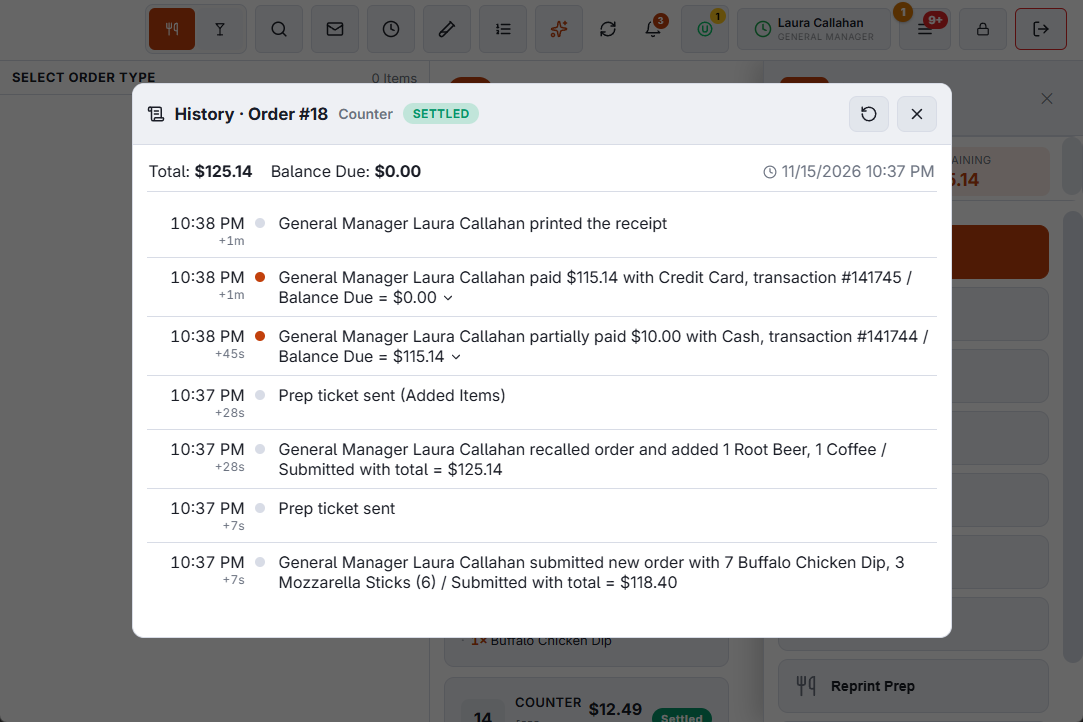
- At the register — open the orders list, select the order and select History on the action rail. It needs the Manager Screen permission; without it, a manager approves. An order that exists only on this station (taken offline and not sent yet) has no History button.
- In Back Office — every page that opens an order (the Orders log, the Coupons Log, a customer’s orders, a gift card’s detail, Offline Sync) has History next to Print in the order viewer. It needs the Back Office Reports or Summary permission.
- From a report — an underlined order number on Loss Prevention and on the End of Day report opens that order’s history.
Reading a line
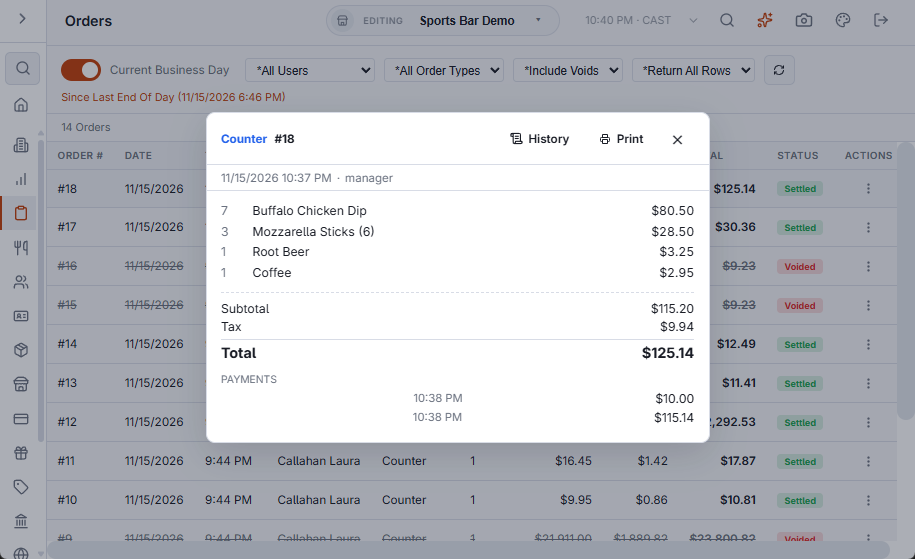
Each line shows the store time, the time since the order started (+7m, +1h 05m), who did it — the job they were clocked in under and their name — and what happened. A check might read:
- Cashier Francis paid 20.00 with Cash, transaction #457 / Balance Due = 0.00
- Cashier Francis partially paid 14.00 with Visa, transaction #456 / Balance Due = 20.00
- Server Ellen recalled order and removed 1 Iced Tea (Customer Did Not Like) / Submitted with total = 34.00
- Server Judy recalled order and added 1 Iced Tea / Submitted with total = 36.00
- Server Judy submitted new order with 1 Chicken Wings, 1 Burger, 2 Coke / Submitted with total = 34.00
The dot beside a line is green for money coming in, red for something taken away (a removed item, a refund, a void) and amber for a comp, a discount or a price change.
What is listed
| Lines | What they show |
|---|---|
| Submits | The first submit and each recall, with the items added or removed, the reason picked for a removal, and the order total as it was saved. |
| Payments | Amount, method, transaction number, tip, and the balance due after it. A voided payment is struck through, with who voided it. |
| Refunds | Amount, tender, reason, and the manager who approved it. |
| Discounts and prices | Order discounts and coupons; comps, price changes and line discounts with the item and who did it. |
| Void | Who voided the order, and the reason. |
| Service pace | Each step, the minutes since the step its rule counts from, and On Pace, Slow or Late from the store’s Service Pace rules. See The service-pace panel and its colours. |
| Table | Each status set on the table for this order. |
| Web, call center, delivery | Web, QR, call-center, pay-link, delivery and Uber Eats steps, as they happened. |
| Printing and kitchen | The receipt, prep tickets and reprints; kitchen display bumps with the time the ticket took. |
Payment and refund details
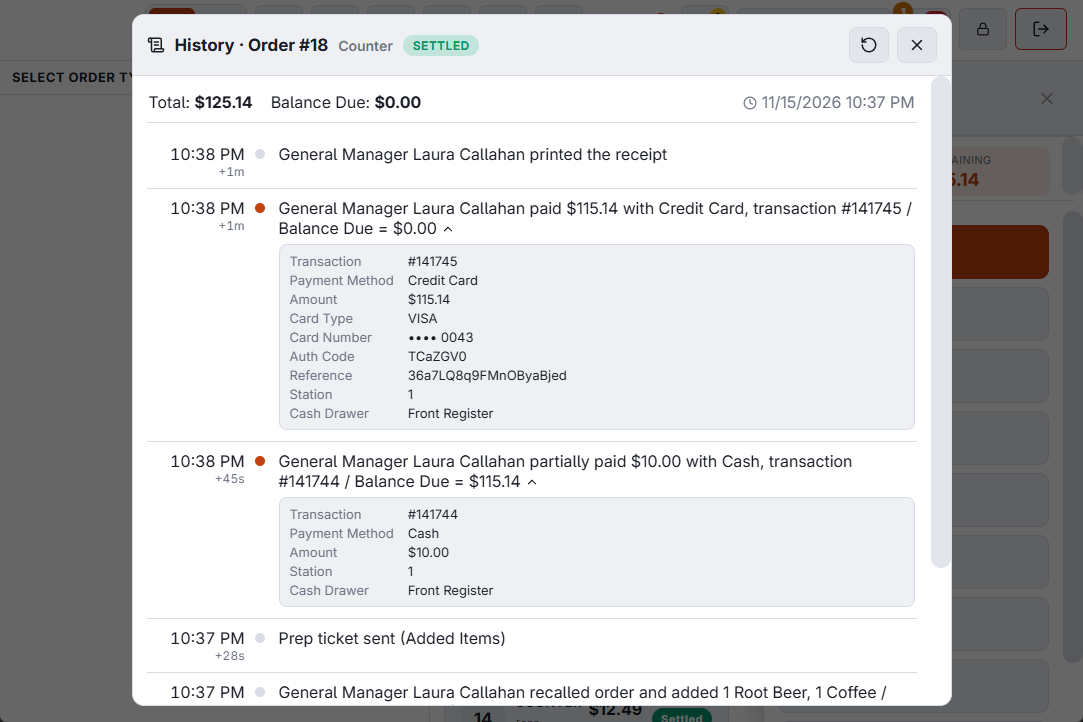
Select a payment or refund line to open its details: amount tendered and change, tip, the currency and rate for foreign cash, card type, the last four digits and auth code, station and drawer. For a refund: the tax, the tender, whether it was the whole order, chosen items or an amount, and the items refunded. Select the line again to close them.
Times marked ~
A time shown with ~ was not recorded, and the nearest known time is shown instead. That applies to comps, price changes, line and order discounts and the void: the order keeps who did them, not when.
Orders saved before Order History was introduced show their items, payments and events, but no total at each submit; the time of a removal is taken from the kitchen ticket that carried it, when there is one. The screen says so at the foot.
Related: The orders list: recalling and managing orders, The Orders log.