The customer display is the screen that faces your guests. It shows the order as it is rung in, the totals, payment progress, tip and loyalty prompts, and a thank-you with the change due and a receipt QR code. Between sales it plays your promotions.
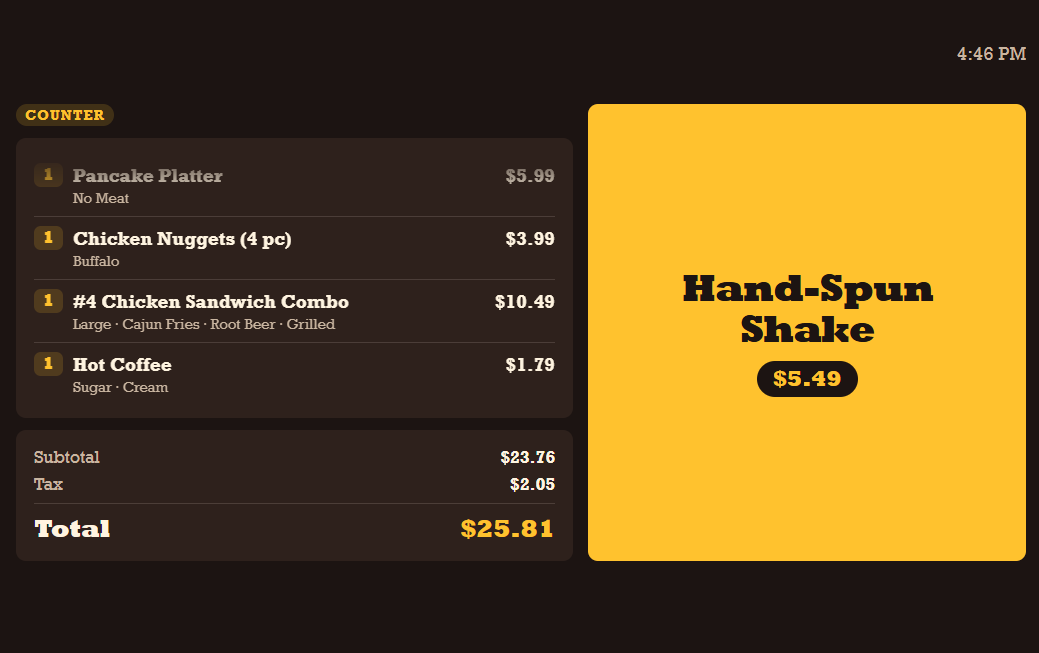
Two ways to connect a display
- This device's second screen — a second monitor on a Windows station, or the customer screen of an Android dual-screen terminal. See Using this device's second screen.
- A paired display — a separate tablet, phone or PC running AmigoPOS, paired to one station with a one-time code. See Pairing a separate display.
A station can use both at the same time.
What you can design
Designs are made in Back Office › Hardware & Printing › Customer Display: the layout of every screen, colours and fonts, logo and background, a promotions playlist with schedules, the wording guests read, and how the display behaves. Each store has a default design, and any station can use a different one. See Designing the display, Promotions playlist and Design with AI.
During a sale
The screens a guest sees from greeting to goodbye are described in What guests see during a sale.